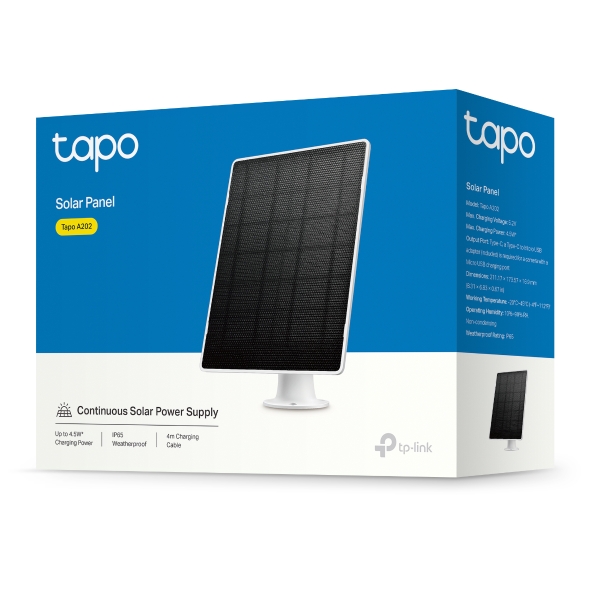
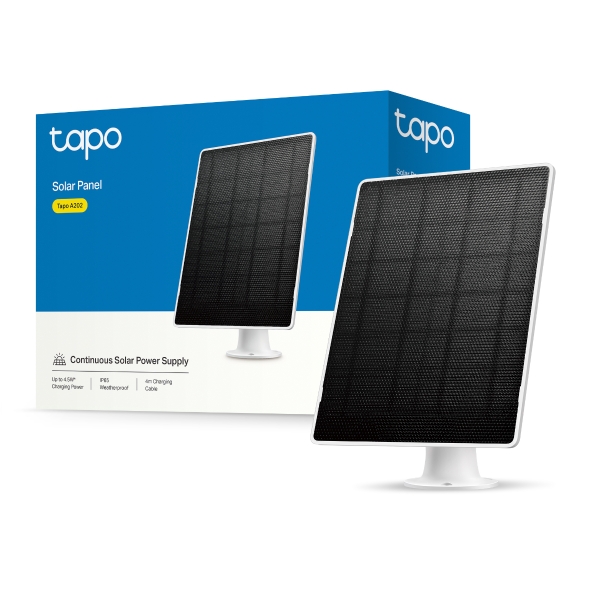
Solar Panel
| Tapo A202
Solar Panel
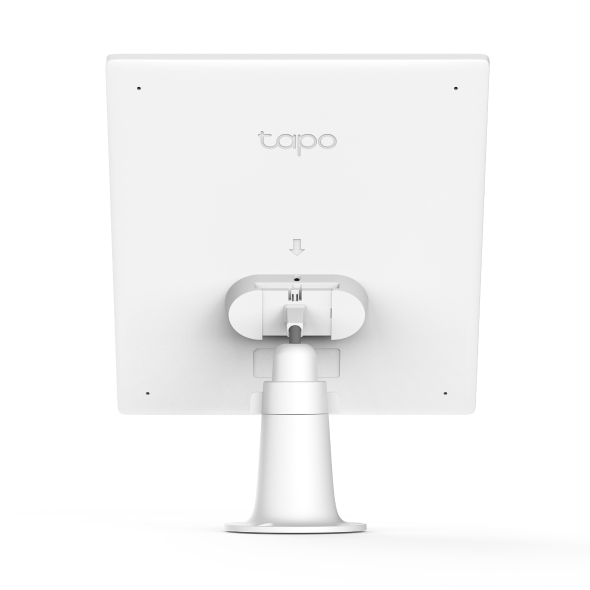
Tapo A202- Works with Tapo Battery Cameras: Compatible with Tapo Battery Cameras1, enabling your Tapo battery camera to protect you all year round.
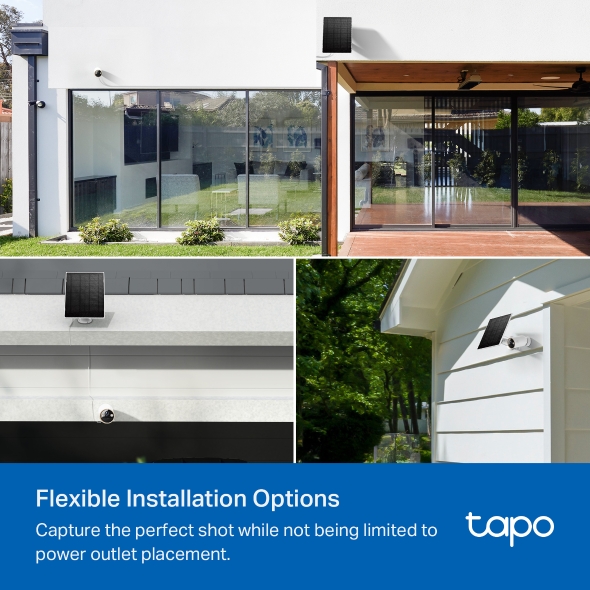
- Flexible Installation Options: Install it separately with a 4m / 13 ft extra-long cable or alongside the camera, empowering you to discover optimal spots for seamless monitoring.
- Non-Stop Power Supply: Enjoy a non-stop power supply with high-efficiency solar charging. Tapo A202 provides up to 3W2 charging power.
- High-Efficiency Solar Cells: Made of premium monocrystalline silicon cells, Tapo A202 captures abundant solar energy and converts into electric energy efficiently.
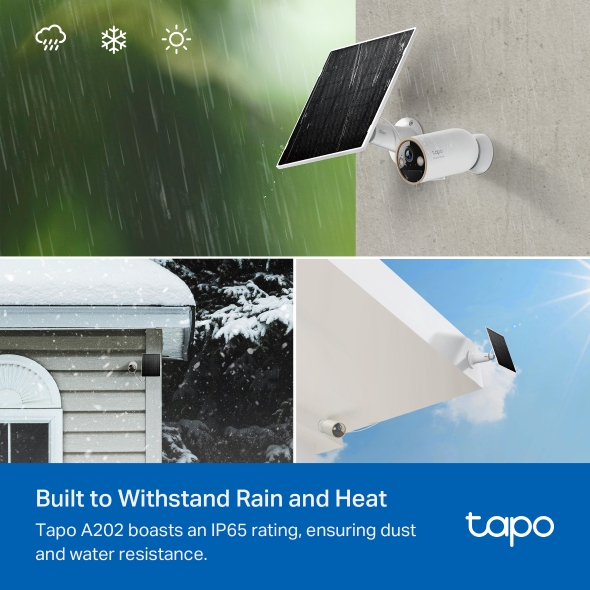
- IP65 Weatherproof: Keep your solar panel durable from rain and dust with IP65 weatherproof.
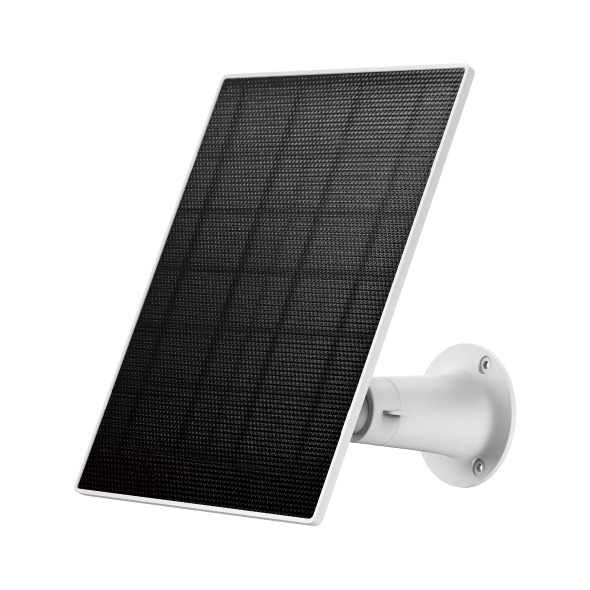
- Flexible Light Capture: Mount your solar panel on the wall or roof and adjust its angle flexibly to capture enough sunlight with an angle-adjustable bracket.
High-Efficient Solar Charging, Great Compatibility
Solar Panel
Tapo A202
High-Efficiency Solar Charging
Direct sunlight charges Tapo Battery Camera with 3W* maximum charging power and premium monocrystalline silicon cells.
3W*
Maximum Charging Power
Flexible Installation Options
Capture the perfect shot while not being limited to power outlet placement.
Connect Tapo A202 and your camera through a short cable for a neater appearance or connect via a 4-meter cable to maximize sun exposure.
- Front Yard
- Drive Way
- Back Yard


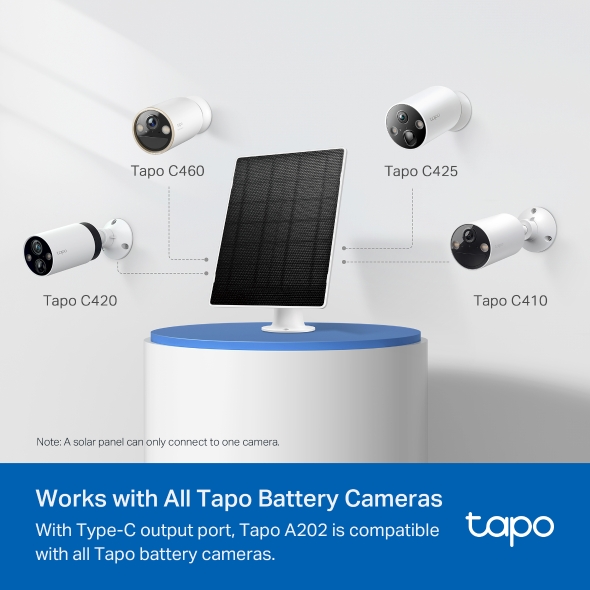
Works with All Tapo Battery Cameras
With Type-C output port, Tapo A202 is compatible with all Tapo battery cameras, enabling your continuous protection all year round. More products will be supported in the future.
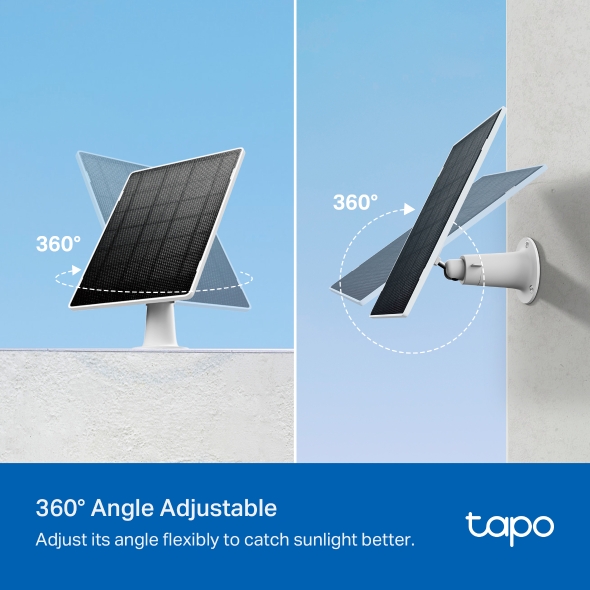
360° Angle Adjustable for Sufficient Sunlight
Mount your solar panel on the wall or roof and adjust its angle flexibly to capture enough sunlight with an angle-adjustable bracket.
Engineered for Weather Resilience
Tapo A202 boasts an IP65 rating, ensuring dust and water resistance. It can withstand various harsh weather conditions, including rain, snow, dust, and bright sunshine, operating reliably in different environments.
1. A solar panel can only connect to one camera.
2. Actual charging power may vary based on installation location, weather conditions, temperature, and other environmental factors.
Walk You Through Setup Step by Step
-
1
Download and open Tapo App -
2
Tap Plus (+) to add your smart device -
3
Look for your device and connect -
4
Name the device and choose the room it’s in -
5
Congratulations! You’ve now completed the configuration
Specifications
Downloads
FAQ
- How to Enable and Use Aireal Features in the Tapo App
- Announcement: IFTTT Services Ending for Tapo and Kasa Products
- How to Delete Your TP-Link Account (TP-Link ID)
- How to Troubleshoot Tapo and Kasa Notifications Not Working or Delayed
- How to set up routines for Tapo devices via Alexa app
- How to Stream Tapo / Kasa Camera on Google Device
- How to unlink third-party accounts from your TP-Link ID
- Why do I receive a "We Noticed a New Login" email?
- Tapo/Kasa Devices Appear Offline After Changing or Resetting the Router
- How can I conduct 3DS authentication when purchasing Tapo Care
Welcome to Our Website! If you stay on our site, we and our third-party partners use cookies, pixels, and other tracking technologies to better understand how you use our site, provide and improve our services, and personalize your experience and ads based on your interests. Learn more in your privacy choices.
Your Privacy Choices
As explained further in our website Privacy Policy, we allow certain advertising partners to collect information from our website through cookies and similar technologies to deliver ads which are more relevant to you, and assist us with advertising-related analytics (e.g., measuring ad performance, optimizing our ad campaigns). This may be considered "selling" or "sharing”/disclosure of personal data for “targeted advertising” as defined by certain U.S. state laws. To opt out of these activities, press “Opt Out” below. If the toggle below for “Targeted Advertising and ‘Sale’ Cookies” is to the left, you are already opted out and you can close these preferences.
Please note that your choice will apply only to your current device/browser. You must indicate your choice on each device and browser you use to access our website. If you clear your cookies or your browser is set to do so, you must opt out again.
Necessary Cookies
These cookies are necessary for the website to function and cannot be switched off.
Tapo
JSESSIONID, tapo_privacy_base, tapo_privacy_marketing,tapo_top-banner, tapo_popup-right-bottom, tapo_popup-right-middle, tapo_popup-center, tapo_popup-bottom
Youtube
id, VISITOR_INFO1_LIVE, LOGIN_INFO, SIDCC, SAPISID, APISID, SSID, SID, YSC, __Secure-1PSID, __Secure-1PAPISID, __Secure-1PSIDCC, __Secure-3PSID, __Secure-3PAPISID, __Secure-3PSIDCC, 1P_JAR, AEC, NID, OTZ
Targeted Advertising and “Sale” Cookies
These cookies allow targeted ads or the “sale” of personal data (toggle to the left to opt out).
Analytics cookies enable us to analyze your activities on our and other websites in order to improve and adapt the functionality of our website and our ad campaigns.
Advertising cookies can be set through our website by our advertising partners in order to create a profile of your interests and to show you relevant advertisements on other websites.
Google Analytics & Google Tag Manager & Google Optimize
_gid, _ga_<container-id>, _ga, _gat_gtag_<container-id>
Crazy Egg
cebsp_, _ce.s, _ce.clock_data, _ce.clock_event, cebs