How to Choose the Best Wireless Security Camera in 2026
Choosing the best wireless security camera should be simple, but it doesn’t take long to get lost in features, specs, model numbers, and comparison charts. If you don’t know which technical details matter, what should you actually be looking for?
The answer comes down to your needs: where you want to monitor, how you want to power the camera, how much detail you need, how you want to store footage, and whether you're willing to pay a monthly subscription. When you’re clear on what you need your wireless camera to do, your search will be much more straightforward.
This guide walks through the features to look for, explains what the specs really mean for everyday use, and helps you figure out which option fits your home.
Key Takeaways
- A wireless security camera connects to your home's Wi-Fi network and transmits video without a video cable. It can be powered by a plug, a battery, or a solar panel.
- Resolution affects how much detail you can identify at a distance. 4K UHD is most useful for large outdoor areas like driveways, where license plate or facial identification matters.
- Outdoor cameras should carry an IP65 or higher weatherproof rating. IP65 means the camera is fully dust-protected and can withstand water jets from any direction.
- Many wireless cameras include free live viewing and basic motion alerts with no subscription required. Subscriptions typically unlock extended cloud video history and advanced AI alerts.
- Matching the camera to the location (indoor vs. outdoor, fixed vs. pan/tilt, wired vs. solar) matters more than chasing the highest specs.
What Makes a Security Camera "Wireless"?
A wireless security camera is a camera that sends video over Wi-Fi rather than through a video cable connected to a recorder. "Wireless" refers to how the camera transmits footage, not how it gets its power.
You'll see three terms used interchangeably in product listings: "wireless," "wire-free," and "battery-powered." They don't mean the same thing. A wireless camera can still require a power cable to an outlet. A wire-free camera has no cables at all. It runs on a battery or solar panel. Battery-powered is simply the most common type of wire-free camera.
Understanding the difference matters before you start planning your installation. A camera that needs an outlet requires access to exterior power. A truly wire-free option can go almost anywhere.
The 7 Things to Look for When Choosing a Wireless Security Camera
Every wireless security camera listing includes many technical specifications to sift through. But most of these capabilities matter less than a handful of core features that impact what your camera can do. Here's what to focus on, and what each feature actually means for how your camera performs day to day.
1. Resolution: How Much Detail Do You Actually Need?
Resolution describes how many pixels make up a video image. More pixels means sharper footage and more visible detail, especially when zooming in.
The three resolutions you'll see most often are:
- 1080p HD (1920 x 1080 pixels)
- 2K QHD (2560 x 1440 pixels)
- 4K UHD (3840 x 2160 pixels)
A 4K wireless security camera captures four times as many pixels as a 1080p camera. In practice, that difference is most noticeable when you need to identify details at a distance: a license plate number, a face, or the writing on a package.
Higher resolution uses more storage and more bandwidth. A 4K camera recording continuously will fill a microSD card faster than a 1080p camera set to the same recording schedule. If you're monitoring a small indoor room, where people and pets will be relatively close to the camera, 1080p is often sufficient.
For a long driveway, a large yard, or any outdoor area where you need to identify people or vehicles at a distance, 4K delivers a meaningful improvement.
2. Power Source: Wired, Battery, or Solar?
How a camera gets its power determines where you can put it and how much maintenance it needs.
Plug-in (wired power) cameras draw power from a nearby outlet continuously. They never need recharging and can support 24/7 continuous recording without draining a battery. The trade-off is placement: you need an outlet within reach.
Battery-powered cameras offer more flexibility in placement. They can go on a fence post, a shed wall, or any surface that doesn't have easy access to a power outlet. The trade-off is that you need to recharge them periodically, though high-capacity batteries can last months between charges with typical activity.
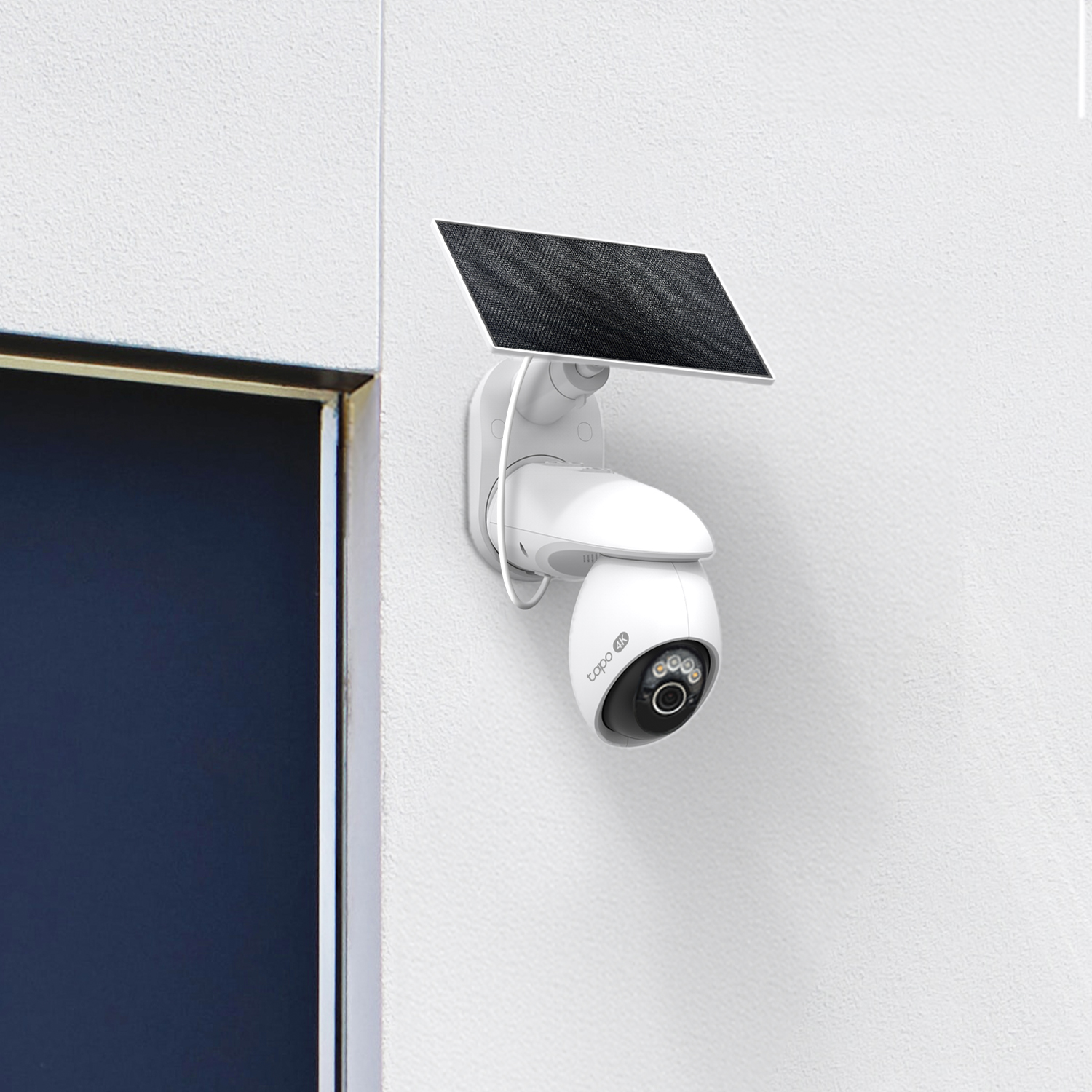
Solar-powered cameras combine flexibility with low maintenance. A solar panel continuously trickle-charges the camera's battery, so you rarely need to recharge manually. A solar-powered wireless security camera works well in outdoor locations with consistent sun exposure. Tapo's solar-powered wireless cameras are designed for exactly these situations: areas where running power isn't practical but you still need reliable monitoring.
A practical tip: match the power source to where the camera needs to go, not just what's most convenient at setup time. A solar camera in a permanently shaded corner won't perform as well as one placed to capture sunlight during the day.
3. Indoor vs. Outdoor: Weatherproofing Matters
Not every camera is built to handle the elements. If you plan to mount a camera outside, the IP (Ingress Protection) rating tells you how well it resists dust and water.
An IP rating consists of two numbers. The first indicates dust protection on a scale from 0 to 6, with 6 being fully dust-tight. The second indicates water protection from 0 to 9, with higher numbers indicating resistance to stronger water exposure.
An IP65-rated camera is fully protected against dust and can withstand direct water jets from any direction. An IP66 rating adds resistance to powerful water jets, while an IP67 indicates it can be submerged briefly in water.
For most outdoor home security use, IP65 is a solid baseline. It handles rain, sprinklers, and dust reliably. It's also worth checking operating temperature ranges if you live somewhere with harsh winters or very hot summers, as not all cameras are rated for extreme conditions. A camera rated to handle temperatures from -4°F to 113°F, for example, is built for most North American climates.
4. Storage: Local, Cloud, or Both?
How you store footage affects both cost and convenience. There are three main options.
Local storage uses a microSD card (sold separately on most Tapo camera models) installed in the camera itself. Footage saves directly to the card with no ongoing fees, and you access recordings through the camera's app. The main limitation is capacity: once the card is full, older footage gets overwritten.
If the camera is stolen or damaged, you may lose the footage. When considering cameras with local storage, the option to use a higher-capacity microSD card gives you longer retention.
Cloud storage saves footage to a remote server, typically through a subscription service. If a camera is stolen, the footage is still accessible because it's stored off-site. Cloud plans usually offer a set number of days of video history. Most cloud features require a monthly fee.
Hybrid storage gives you both. Many cameras allow local microSD storage as a free baseline, with cloud storage available as an optional paid upgrade. For households that want a wireless security camera system with remote viewing, local storage, and no monthly fee, a wireless camera with remote access covers the basics without any ongoing cost.
5. Subscription Costs: Know What You're Signing Up For
One of the most common questions in this space is: do I need a subscription? Many excellent wireless security cameras work without one.
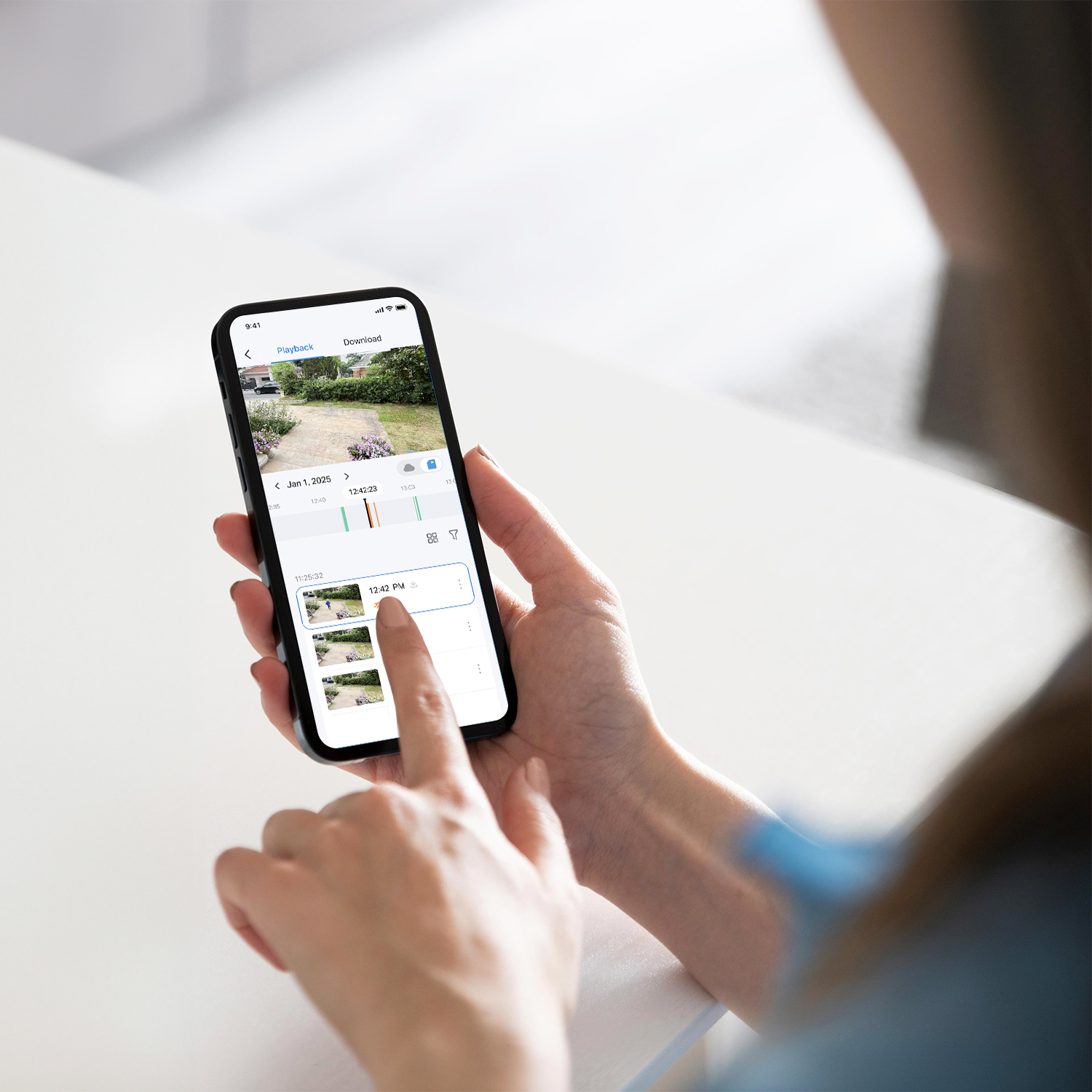
Most cameras provide free access to live view, basic motion alerts, and local storage with no subscription required. Subscriptions typically unlock extended cloud video history, more sophisticated AI-powered alert filtering, and sometimes additional features like facial recognition or package detection.
When evaluating cameras, check whether live access, motion detection, and local storage are all available without a paid plan. Those three features cover most everyday monitoring needs. You can get alerts when your camera detects motion, see what’s happening live through an app, or view locally-stored footage of the event when you get home.
6. Smart Home Compatibility
If you already use a smart home platform, you'll want a camera that works within your existing setup. The three most common platforms are Amazon Alexa, Google Home, and Apple HomeKit.
Compatibility matters for two practical reasons. First, it determines whether you can view camera footage through a smart display like an Echo Show, rather than switching to a separate app. Second, it determines whether your camera can work with other smart home devices, like automatically turning on lights when motion is detected.
Managing cameras through one unified app is simpler than juggling multiple apps for different devices. Tapo cameras are compatible with Amazon Alexa, Google Assistant, Apple Home, and Samsung SmartThings, giving you flexibility regardless of which platform you're already using. (Streaming via Google limited to display on Chromecast and Nest devices.)
7. Field of View and Pan/Tilt
A camera's field of view (FOV) describes the width of the area it can see at any given time, measured in degrees. A wider field of view means less blind space around the camera. Most fixed cameras offer fields of view between 100° and 130°, which covers a room or a standard entry point well.
Pan/tilt cameras add motorized horizontal and vertical movement, giving you far greater coverage from a single camera. Placing one pan/tilt camera in a corner could cover a room that would otherwise require two fixed cameras. A camera that offers panoramic 360° horizontal views and 90° vertical coverage can monitor an entire yard or a large room, leaving no areas uncovered. When combined with Smart Motion Tracking, the camera can automatically follow someone moving across the frame, which is useful for driveways, backyards, and large open areas.
UHD vs. HD: Which Resolution Do You Actually Need?
Here's a quick comparison to help you match resolution to your use case.
| Resolution | Pixel Count | Storage Impact | Best For |
| 1080p HD | 1920 × 1080 | Low | Indoor monitoring, small spaces, basic motion detection |
| 2K QHD | 2560 × 1440 | Moderate | Mid-range outdoor coverage, general-purpose monitoring |
| 4K UHD | 3840 × 2160 | Higher | Driveways, large yards, license plate and facial identification at distance |
For most wireless security camera systems, choose a resolution based on where the camera is going and how far away subjects will be from the lens. HD is a practical choice for indoor rooms and smaller outdoor areas where subjects will be nearby. 4K performs noticeably better in larger outdoor spaces, when you need to see specific details at a distance.
If you need to identify people, vehicles, and packages on your property, a single well-placed 4K camera can often outperform multiple lower-resolution ones.
Does It Matter More Indoors or Outdoors?
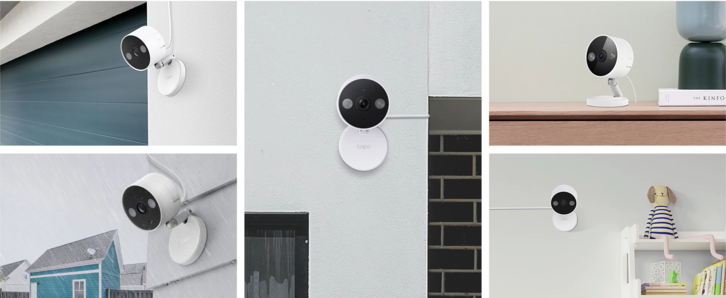
Indoor and outdoor cameras have different requirements, and you don't need the same capabilities for both environments.
Indoors, 1080p HD resolution is usually sufficient. Rooms are smaller, subjects are closer to the camera, and lighting tends to be more controlled. A pan/tilt camera that can cover a whole room is often more useful than a fixed camera with higher resolution.
For the best wireless outdoor security camera, resolution and night vision range both matter more. Outdoor subjects can be at much greater distances from the lens, and low-light performance becomes critical once the sun goes down. Higher resolution helps you identify details at a distance, and a camera with strong low-light capability provides useful footage after dark rather than just detecting that something moved.
IP ratings also become essential outdoors. A camera without an appropriate weatherproof rating won't hold up reliably through rain, extreme heat, or cold. Some cameras are designed to work in both environments, which can be a good value if you want that flexibility. Just verify that the outdoor weatherproof rating suits your local climate before committing.
The Best Tapo Wireless Security Cameras in 2026
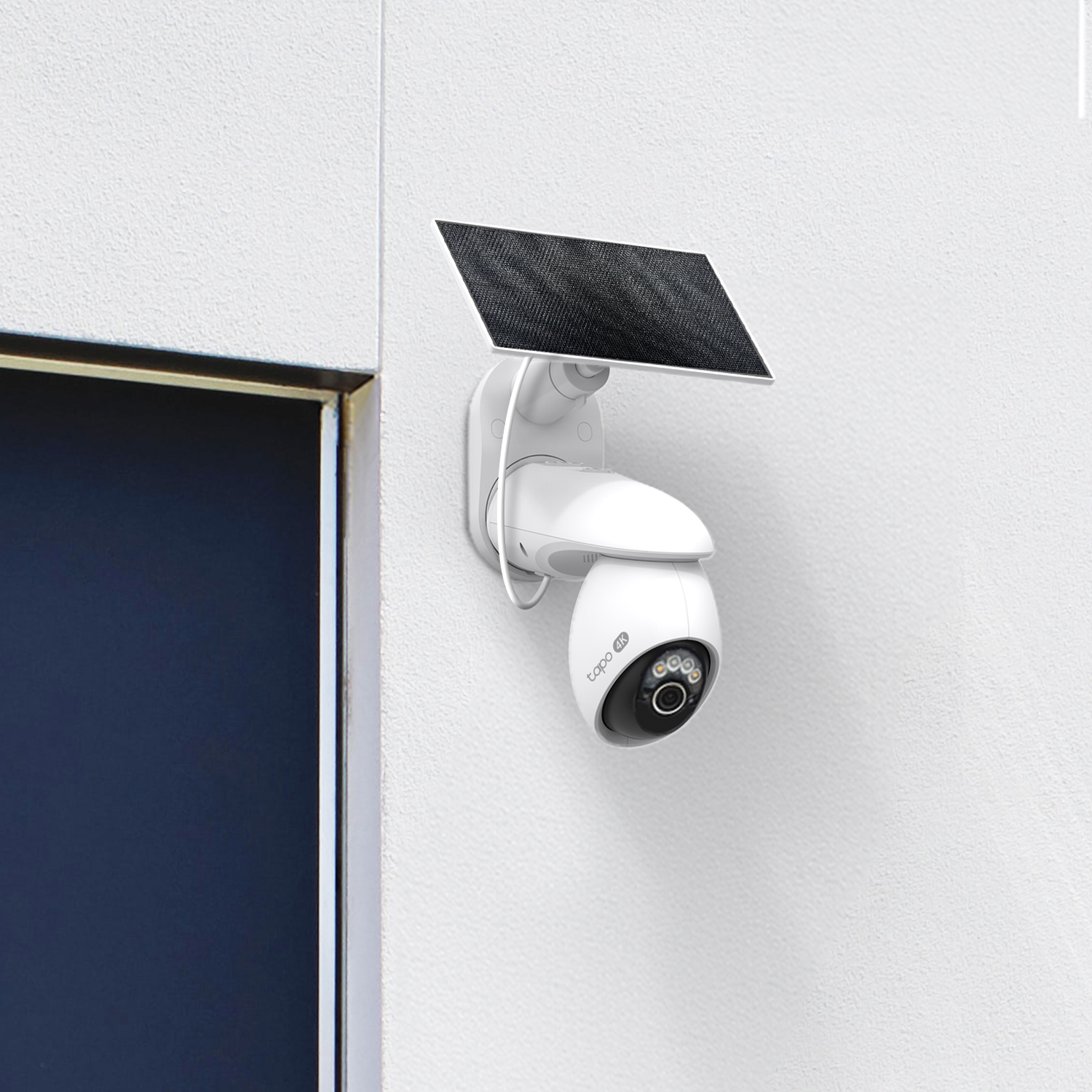
Tapo's wireless camera lineup covers the full range of use cases, from first-time buyers adding a single outdoor camera to households building out multi-camera setups. Here are the standout options for 2026, organized by resolution.
Best UHD (4K) Wireless Cameras from Tapo
If you want maximum detail for monitoring large outdoor areas, Tapo's 4K lineup delivers. These are strong picks for the best outdoor wireless security camera system, with solar power so you never have to worry about charging batteries.
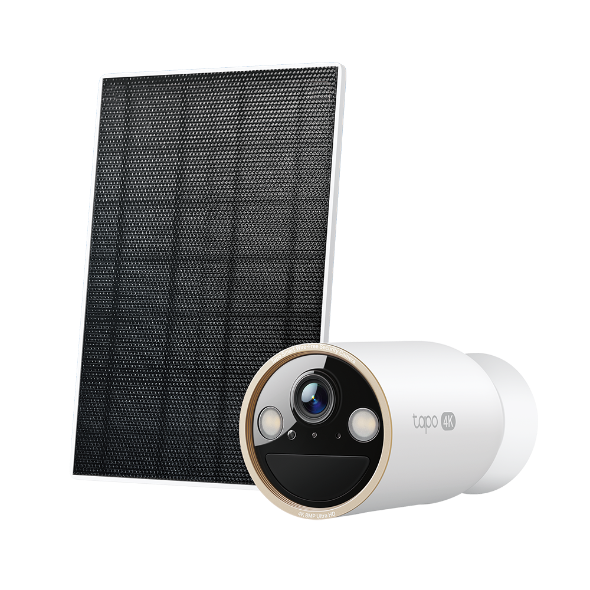
The Tapo C660 Kit is Tapo's top pick for large outdoor spaces. It combines 4K UHD resolution with panoramic 360° horizontal views and 90° vertical coverage, plus Smart Motion Tracking that follows detected subjects. The included solar panel needs just 45 minutes of direct sunlight to power a full day of typical operation. It's built for monitoring driveways, large yards, or any location where you need full-area coverage, including full-color footage at night, and an IP65 rating. AI-powered detection of people, vehicles, and pets is all included without a subscription.
The Tapo C460 Kit is a strong choice if you want 4K outdoor clarity with simple mounting options. Its magnetic base makes installation and repositioning quick and tool-free, and the included solar panel means it can go almost anywhere. It captures full-color footage in low-light conditions, and stands up to weather year-round with an IP66 rating. Like the C660, it includes smart features to detect people, pets, and vehicles without monthly fees.
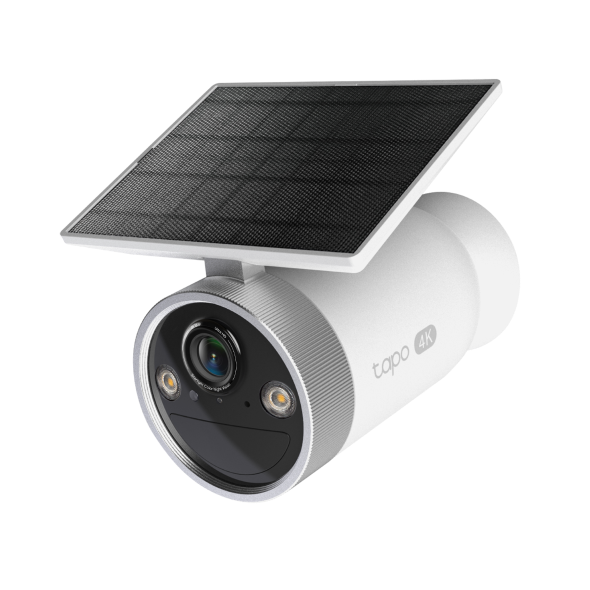
For a simpler, all-in-one 4K solar setup, the Tapo C465 integrates the solar panel directly into the camera body. There are no separate panels to position or cables to route. The adjustable built-in panel and rotating lens ring let you angle the solar panel for optimal charging. It's a practical starting point if you want solar convenience without extra hardware. The C465 carries an IP65 rating and includes free AI-powered detection, local microSD storage support (sold separately), and two-way audio.
Best HD Wireless Cameras from Tapo
HD cameras are a practical fit for indoor monitoring, smaller outdoor areas, or when you need reliable coverage without the storage demands of 4K.
The Tapo C200 is a capable indoor pan/tilt option for households just starting out. It offers 360° horizontal and 114° vertical coverage, so a single camera can monitor a full room without repositioning. Night vision enables monitoring in low-light conditions and includes two-way audio and motion alerts at no subscription cost. Local storage is available via microSD card (sold separately).
For more current indoor options with 2K resolution, explore Tapo's wireless indoor cameras collection.
For budget-conscious outdoor coverage with solar power, the Tapo C402 Kit includes a solar panel, 1080p HD resolution, color night vision, and free person detection, all with no subscription required for core features. It's a solid starting point for monitoring a side yard, garage, or secondary entrance where 4K detail isn't the priority.
The C402 Kit carries an IP65 rating and a built-in rechargeable battery that provides up to 180 days of backup power during low-sunlight periods.
Find the Right Camera for Your Home
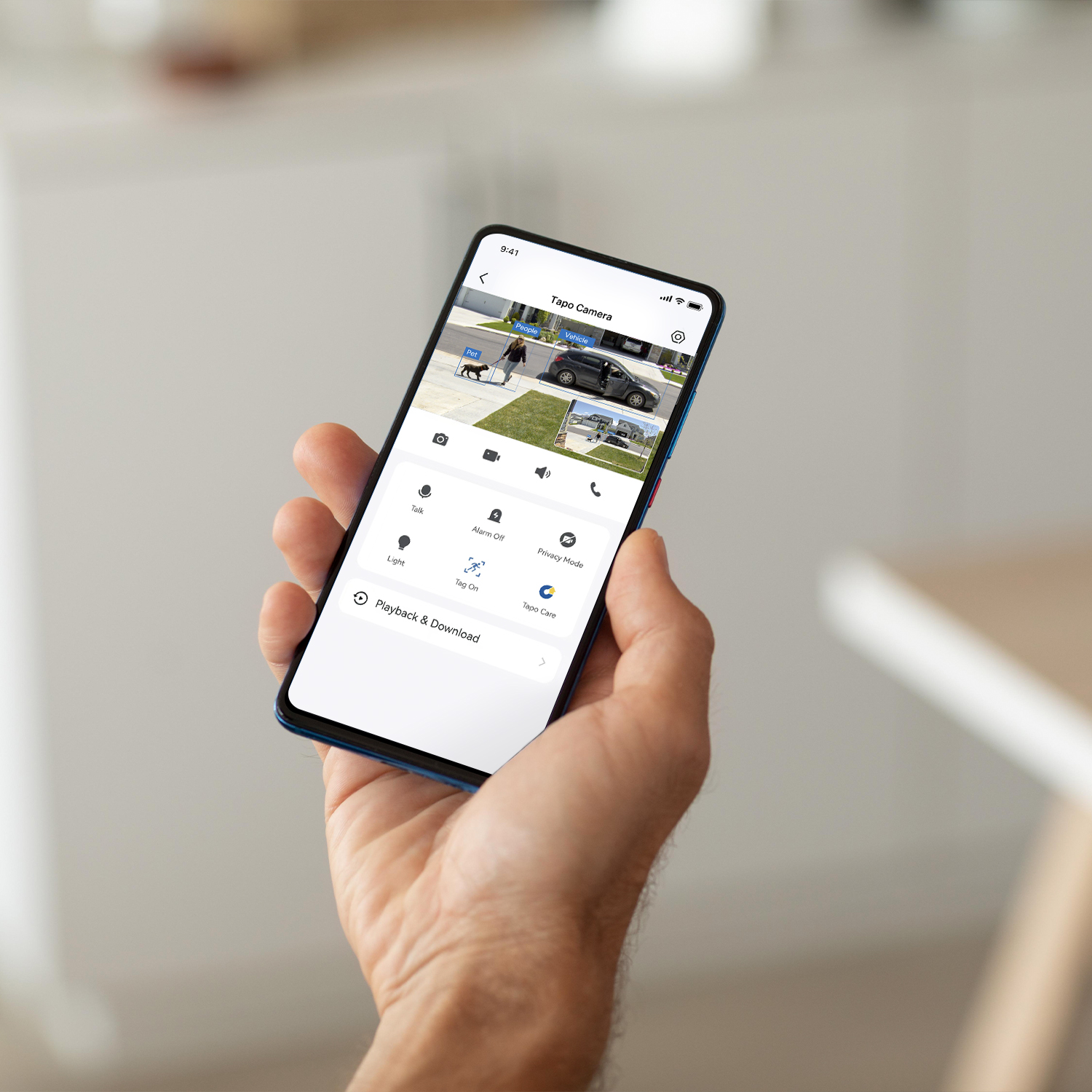
Choosing the best wireless security camera gets much simpler once you start with the basics: where it needs to go, how it will get power, and what level of detail you need to see. A 4K solar pan/tilt camera is a strong fit for a large driveway. It's more than you need for a small entryway.
Work from location and use case first, then match resolution, power, and storage to fit. The numbers and ratings matter less than a simple question: Will this camera do what you need, where you need it?
Explore Tapo's full lineup of wireless outdoor security cameras and wireless indoor cameras to find options that fit your home's specific setup.
Frequently Asked Questions
- What is the best wireless security camera for outdoor use?
The best wireless outdoor security camera depends on your specific situation. For large yards or driveways where you need to identify details at a distance, a 4K model with pan/tilt coverage and solar power gives you the most flexibility without ongoing maintenance. For smaller outdoor areas or secondary entry points, an HD solar camera with free motion alerts and local storage is often enough.
- Do wireless security cameras work without a subscription?
Yes. Most wireless security cameras offer live viewing, basic motion detection alerts, and local storage via a microSD card (sold separately), all without a subscription. Subscriptions are usually optional upgrades that unlock extended cloud video history or more advanced AI-based alerts. If you primarily want to monitor live and receive motion alerts, you may not need a paid plan at all. Tapo cameras include all core features without a subscription.
- What should I look for when buying a wireless security camera?
When buying a wireless security camera, the most important factors to consider are location (indoor or outdoor), power source (plug-in, battery, or solar), resolution (HD for close-range use, 4K for large outdoor areas), storage preference (local, cloud, or both), and whether your chosen camera is compatible with your existing smart home platform.
- What is the difference between wireless and wire-free cameras?
A wireless camera connects to your Wi-Fi network to transmit video, but it may still require a power cable connected to an outlet. A wire-free camera has no cables. It runs on a rechargeable battery or a solar panel. All wire-free cameras are wireless, but not all wireless cameras are wire-free.