How to Enable and Disable Privacy Mode on Tapo and Kasa Cameras
Recent updates may have expanded access to feature(s) discussed in this FAQ. Visit your product's support page, select the correct hardware version for your device, and check either the Datasheet or the firmware section for the latest improvements added to your product. Please note that product availability varies by region, and certain models may not be available in your region.
Privacy Mode is a feature on Tapo and Kasa cameras. For example, if you have a camera in your living room and do not want to be monitored or recorded, you can enable Tapo privacy mode on the camera. When active, it prevents the camera from streaming or recording video or audio. This page covers three ways to use the feature: via the Live View page, via camera Device Settings in the Tapo app, and using the physical privacy button on select models.
Key Takeaways
- When Privacy Mode is enabled on a Tapo or Kasa camera, it stops streaming and recording both video and audio.
- Privacy Mode can be toggled on or off directly from the camera's Live View page in the Tapo app.
- Privacy Mode can also be enabled or disabled from the camera's Device Settings page in the Tapo app.
- Select Tapo camera models, such as Tapo C125 and Tapo C225, support a physical privacy button. Pressing it lowers a shield over the lens or rotates the lens away for complete privacy.
Steps to Enable and Disable Privacy Mode
Method 1: Via Camera Live View
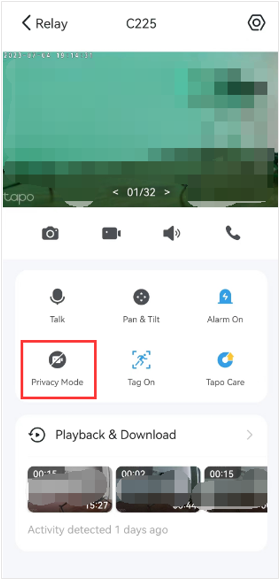
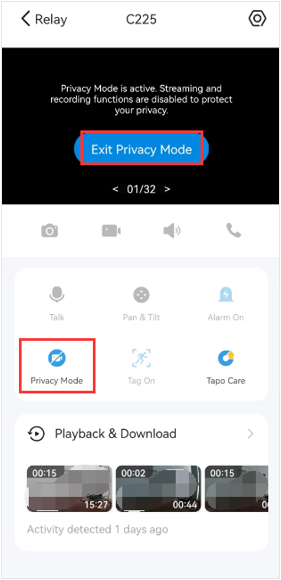
Go to the camera's Live View page and tap the Privacy Mode icon to enable or disable it. You can also tap Exit Privacy Mode from the live view screen to disable Privacy Mode.
Method 2: Via Camera Device Settings
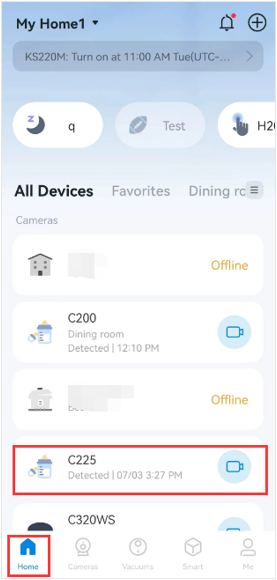
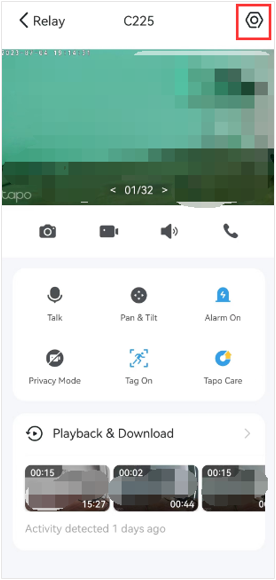
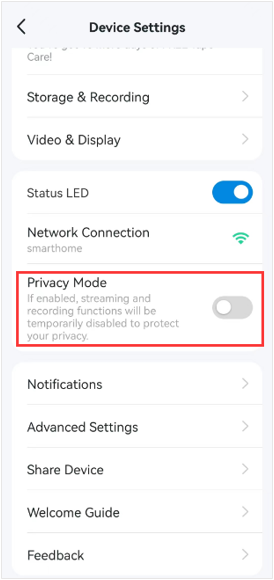
On the camera live view page, tap the gear icon in the top right to enter Device Settings, then turn on or off the Privacy Mode.
Method 3: Via Cemera Physical Button
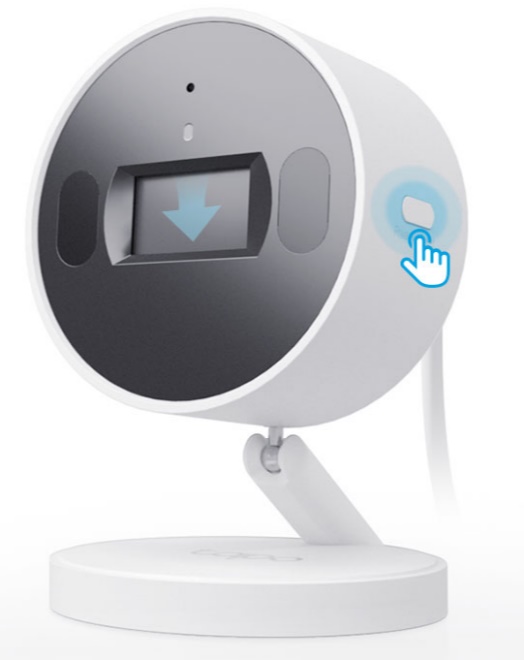
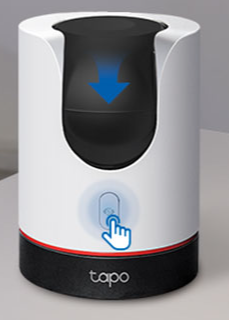
Some Tapo camera models, such as Tapo C125 and Tapo C225, feature a physical privacy button. Pressing this button either lowers a privacy shield over the lens or automatically rotates the lens out of view, ensuring complete privacy.
To learn more about each function and configuration, please visit the Download Center to download the manual for your product.