FAQs
How to connect a USB Device to your Tapo Smart CentralHub (Tapo H500)
Tapo H500
05-27-2024
42,906
Gli aggiornamenti recenti potrebbero aver esteso l'accesso alle funzionalità discusse in questa FAQ. Visita la pagina di supporto del prodotto, seleziona la versione hardware corretta del dispositivo e controllae la scheda tecnica o la sezione firmware per gli ultimi miglioramenti aggiunti al prodotto. Nota che la disponibilità del prodotto varia a seconda della regione e alcuni modelli potrebbero non essere disponibili nella tua regione.
Tapo Smart CentralHub employs secure encryption technology to store all captured videos. You can easily back up or share recorded videos by connecting a USB storage device to the CentralHub. Here’s how:
- Locate the USB 2.0 port at the back panel of the CentralHub.
- Connect your USB device to the USB 2.0 port of the CentralHub.

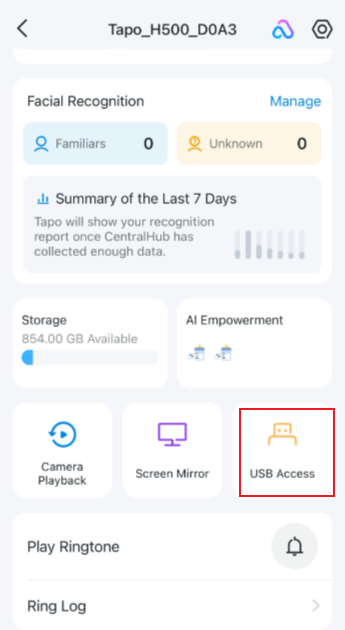
- Open the Tapo app and go to the Status page of your CentralHub. Tap USB Access and check whether your USB device is identified.