How to Activate My Tapo Care License
Follow these simple steps to activate your Tapo Care subscription:
Step 1: Visit the Tapo Care Website
Open your web browser and go to the address tapo.com/ph/tapocare.

Step 2: Subscribe
Scroll down and click Subscribe Now.

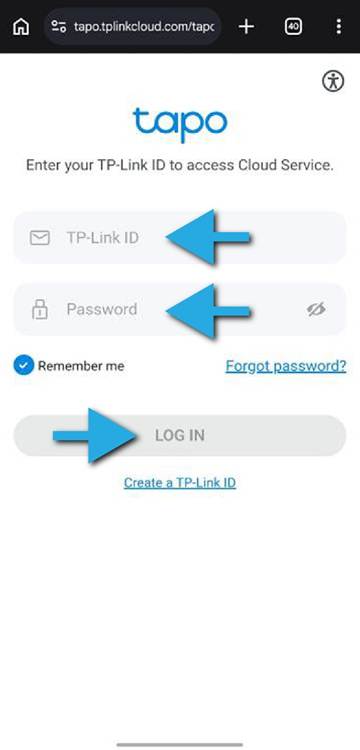
Step 3: Sign In
Log-in your TP-Link Account by entering your TP-Link ID and Password
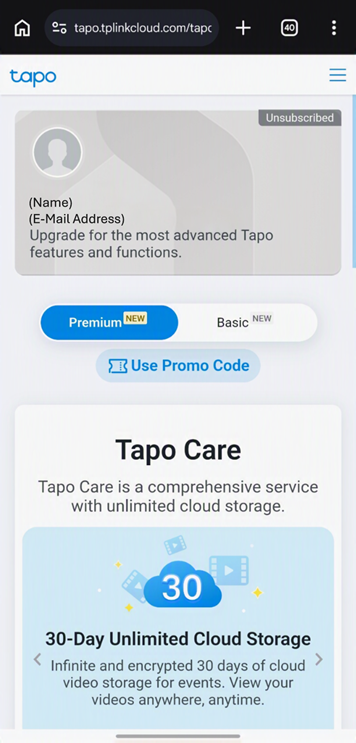
Step 4: Redeem Your Promo Code
After logging-in, click on the Use Promo Code to enter the License Key
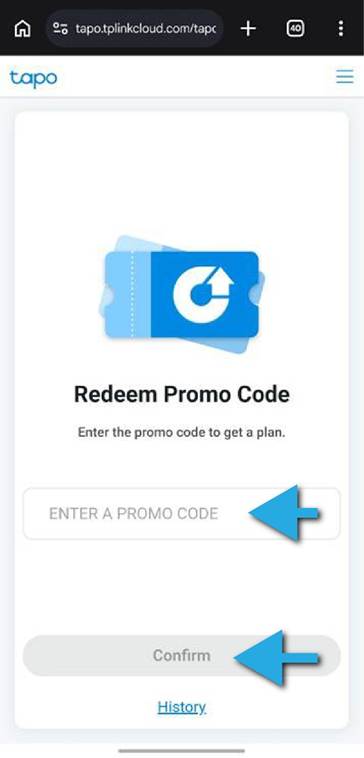
Step 5: Enter Your License Key
Input the Tapo Care License Key on the ENTER PROMO CODE area and click Confirm
Step 6: Open the Tapo App
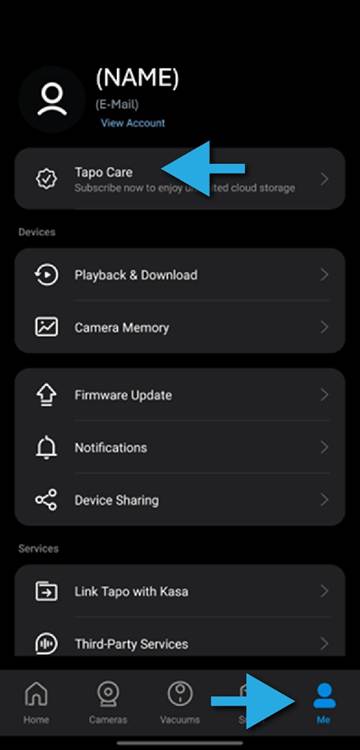
Open the Tapo APP and click on Me at the bottom right. Click on Tapo Care at the top.
Step 7: Select Your Subscription
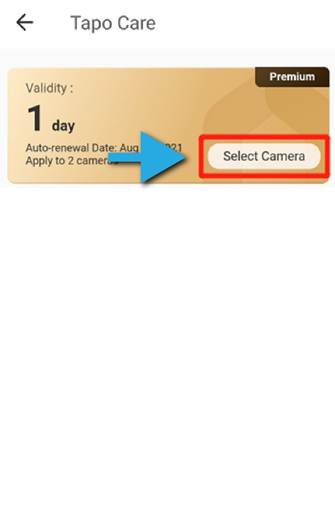
Look for the active subscription and click on Select Camera attach the License to a Tapo Camera.
Step 8: Choose Your Camera
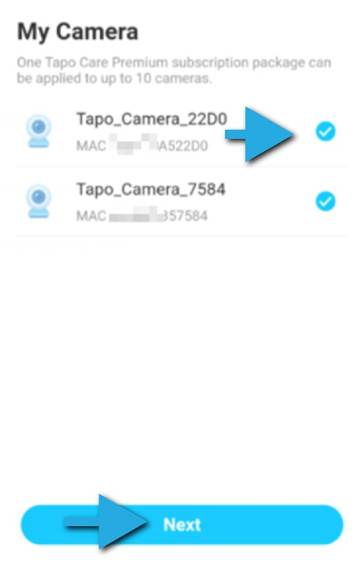
Select the camera you wish to link to the Tapo Care License, then click Next to apply the license
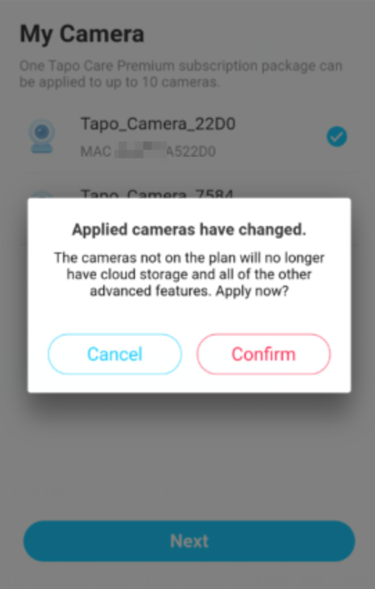
Step 9: Confirm Activation
Click on Confirm to apply license to the selected camera.