Çift Lensli Pan/Tilt Güvenlik Kamerası
| Tapo C245D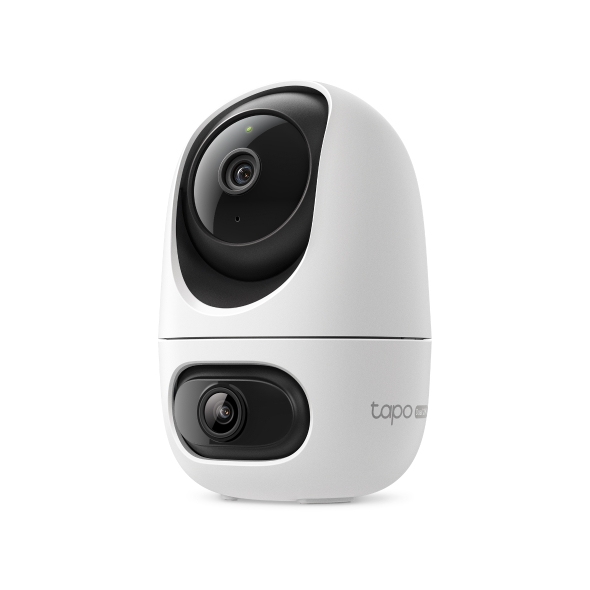
Çift Lensli Pan/Tilt Güvenlik Kamerası
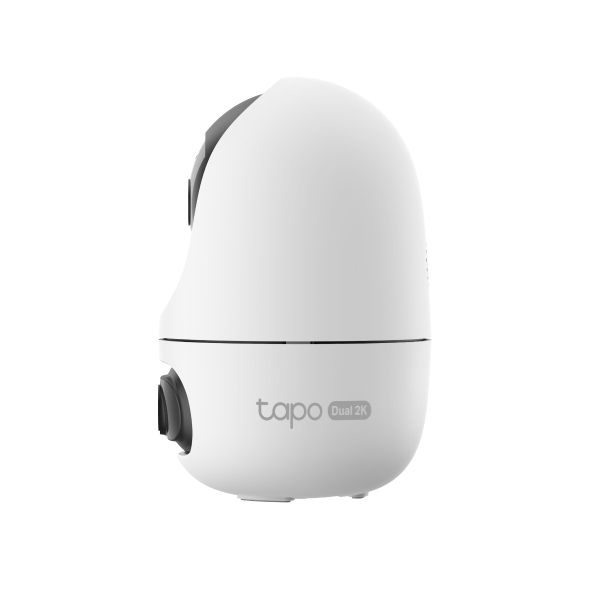
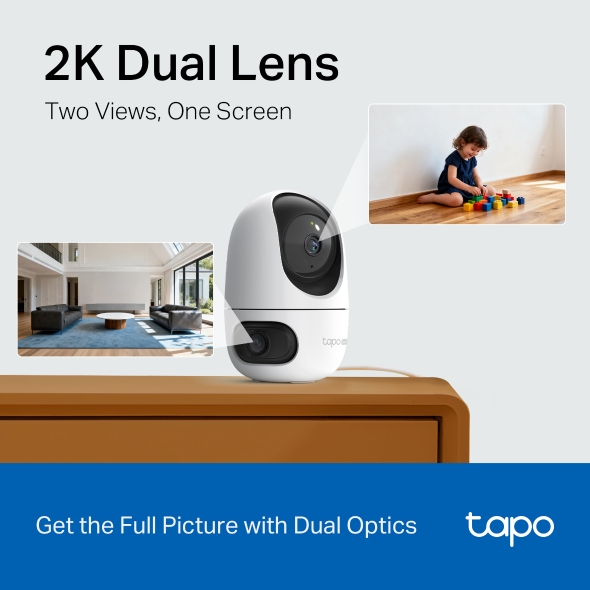
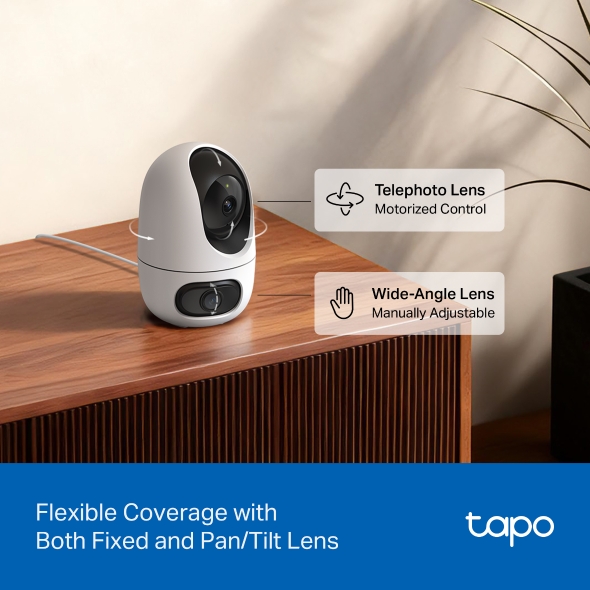
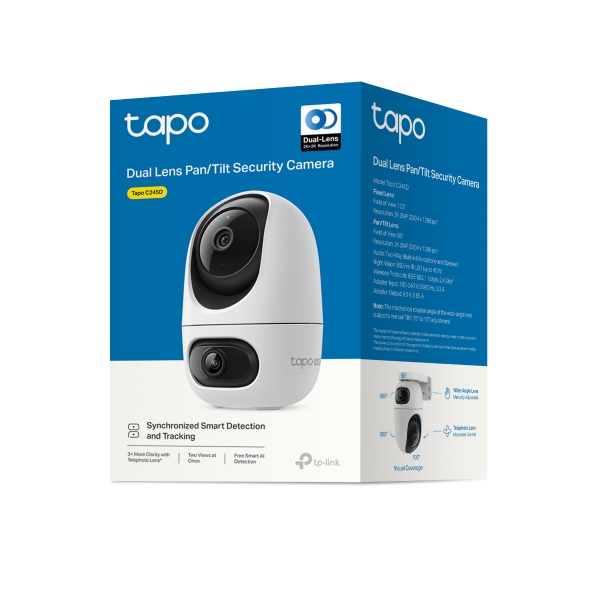
Tapo C245D- 2K 3MP Çift Lens - Çift 2K yüksek çözünürlüklü optiklerle eksiksiz görüntüyü yakalayın, tek bir cihazla aynı anda iki ayrı alanı izleyin. Optimum kapsama için kör noktaları en aza indirmek üzere tasarlanmıştır.
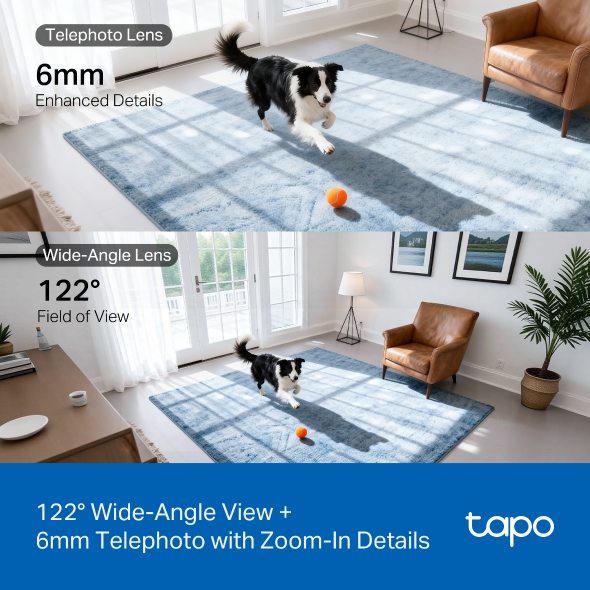
- Geniş Açılı ve Telefoto Lens - 122° FOV geniş açılı lens ve 6mm telefoto lens ile evinizin her yönden farkındalığını ve ayrıntılı korunmasını sağlar.
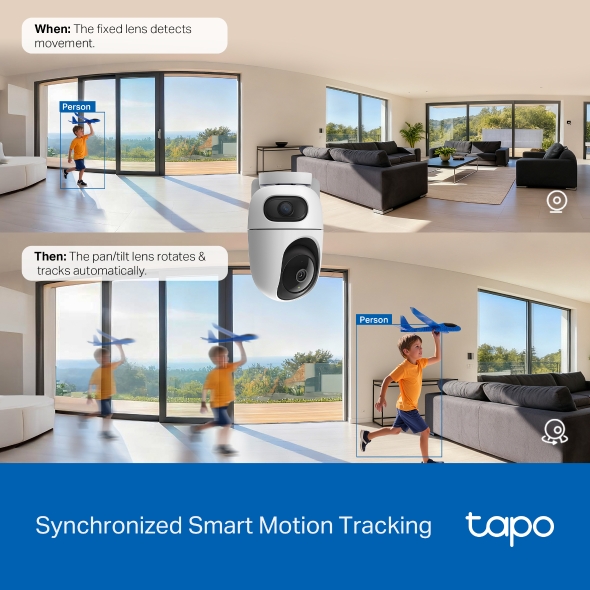
- Senkronize Akıllı Takip - Sabit lens olayları algıladığında, pan/tilt lens hareketli nesneye odaklanmak ve onu takip etmek için otomatik olarak döner.
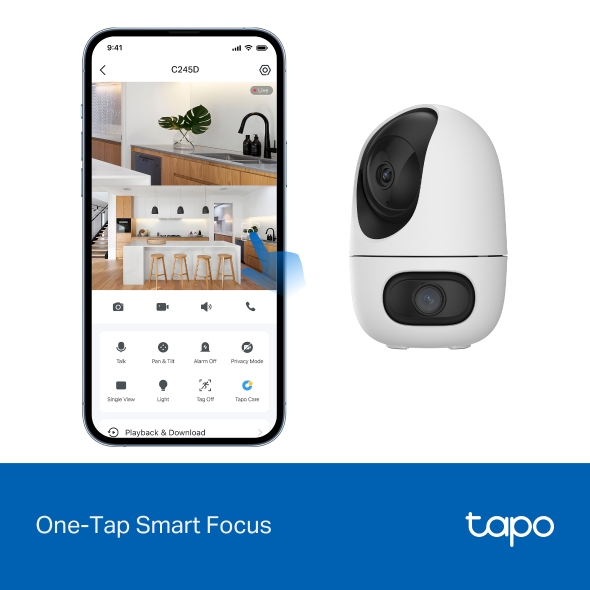
- Tek Dokunuşla Akıllı Odaklama - Geniş açılı görünümde bir alan seçin ve pan/tilt kamera anında o alana odaklanacaktır.
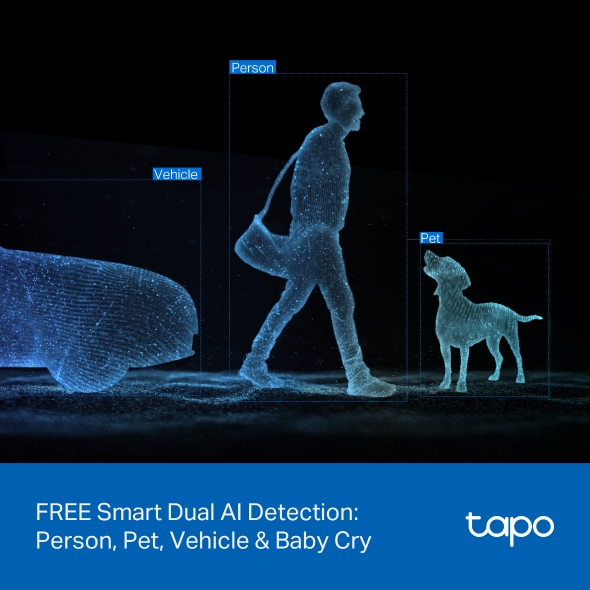
- Ücretsiz Akıllı Çift Yapay Zeka Algılama ve Bildirim - Hareket, kişi, evcil hayvan, araç veya hatta bebek ağlaması algılandığında anında push bildirimleri alın, bunu kullanmak için ek bir ücret yoktur.
- Alexa, Google Home ve Samsung SmartThings ile Çalışır - Amazon Alexa ve Google Assistant ile tamamen uyumludur; Tapo iç/dış mekan ev güvenlik Wi-Fi kamerasının canlı yayınını izlemek için basit sesli komutunuzu kullanın.
- 40 ft'e Kadar Gece Görüşü -Tamamen karanlıkta bile gelişmiş bir IR algoritması net siyah beyaz görüntüler sunar.
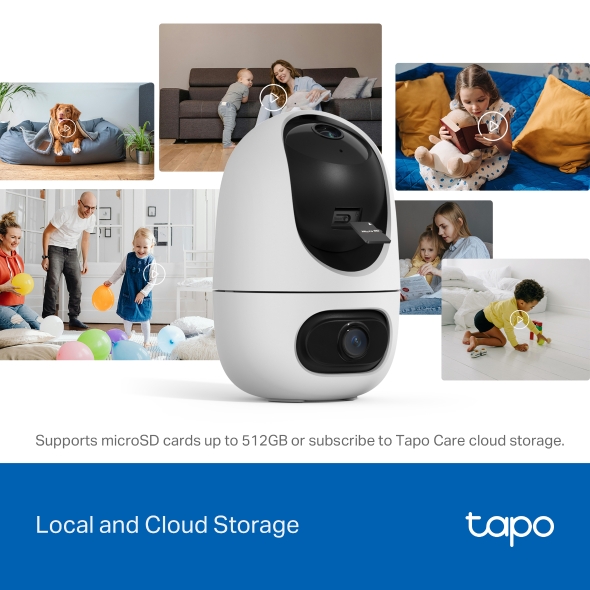
- Güvenli Yerel veya Bulut Depolama - Görüntüleri sürekli olarak 512 GB'a kadar bir microSD karta (dahil değildir) kaydedin veya 30 günlük videoyu kaydeden bulut depolama için Tapo Care'e abone olun.
- 2 Yönlü Ses - Minimum gecikme ve olağanüstü ses netliği için tasarlanmış iki yönlü ses özelliğimizle kesintisiz, gerçek zamanlı görüşmeler yapın.
Geniş Gör, Net Yakınlaştır,
Her Şeyi Güvende Tut.
Çift Lensli Pan/Tilt Güvenlik Kamerası




Gelişmiş Detaylar
Görüş Alanı
Çift AI Algılama
Çift 2K Lens: Geniş Görünümler, Güçlü Yakınlaştırma
Esnek Çift Kapsama Alanı
Tek bir güçlü kamera ile aynı anda iki ayrı alanı izleyin. Kör noktaları azaltın ve evinizin daha eksiksiz, kapsamlı bir görünümünü elde edin.
Senkronize Akıllı Takip:
Hareketi Kesintisiz Takip Eder
İki kamera, hiçbir anı kaçırmamanızı sağlamak için dinamik olarak birlikte çalışır – sabit lens hareket, insanlar ve evcil hayvanlar gibi olayları algıladığında, pan/tilt lens otomatik olarak hareket eden nesneye odaklanmak ve onu takip etmek için dönecektir.
Sabit lens hareket algıladığında.
Pan/tilt lens otomatik olarak döner & takip eder.
Kör Noktaları Geniş Açılı Lens ile Azaltın
Detayları Telefoto Lens ile Büyütün
6 mm telefoto lens, standart lense göre 3 kat daha fazla netlik sağlar ve 10.8 kata kadar dijital yakınlaştırmayı destekleyerek yakınlaştırdığınızda her detayın net bir şekilde görünmesini sağlar.
AI Destekli Daha Akıllı, Daha Doğru Bildirimler
İnsanları, evcil hayvanları, araçları ve hatta bebek ağlamalarını tanıyan ve size bildiren akıllı AI algılama ile bilgi sahibi olun – üstelik hiçbir abonelik ücreti olmadan. Hangi algılama türlerinin bildirimleri tetikleyeceğini seçerek uyarılarınızı özelleştirin.

Kişi ve Hareket Algılama

Evcil Hayvan
Algılama
Araç
Algılama
Bebek Ağlaması
Algılama
Abonelik
Gerektirmez
-
Kişi ve Hareket Algılama
-
Evcil Hayvan
Algılama -
Bebek Ağlaması
Algılama -
Abonelik
Gerektirmez -
Araç
Algılama
Tek Dokunuşla Akıllı Odak ile Anında Detay
Anında netlik için tek dokunuş: geniş açılı görünümde bir alan seçin ve pan/tilt kamera anında o alana odaklanacaktır.△
360° Devriye, Ön Ayarlı Görünümler & Özel Programlar
Kesintisiz 360° gözetim için Devriye Modu'nu etkinleştirin, 8 adede kadar belirli ön ayarlı görüntüleme noktası tanımlayın ve belirli zamanlarda belirli alanları izlemek için kişiselleştirilmiş programlar ayarlayın.
Yerel ve Bulut Depolama
microSD kartta 512 GB'a kadar yerel depolamayı destekler†.
Tapo Care bulut hizmetleri‡ ile algılama anlık görüntüleri, şifreli koruma, veri yedeklemeleri ve 30 günlük video klip geçmişi içeren bildirimler alın.
30 Günlük Ücretsiz Deneme Sürümü AlınTapo H500 & H200§, tüm Tapo güvenlik kameraları ağınızdan kaydedilen video klipleri görüntülemek için kullanışlı ve merkezi bir çözüm sunar. Kolaylaştırılmış güvenlik yönetimi için tüm cihazlarınızdan çekilen görüntülere tek bir yerden erişin ve inceleyin.
Güvenli Yerel Depolama
microSD kartta 512 GB'a kadar yerel depolamayı destekler†.
Tapo Care Bulut Hizmeti
Tapo Care bulut hizmetleri‡ ile algılama anlık görüntüleri, şifreli koruma, veri yedeklemeleri ve 30 günlük video klip geçmişi içeren bildirimler alın.
30 Günlük Ücretsiz Deneme Sürümü AlınHomeBase ile Çoklu Kamera Yönetimi
Tapo H500 & H200§, tüm Tapo güvenlik kameraları ağınızdan kaydedilen video klipleri görüntülemek için kullanışlı ve merkezi bir çözüm sunar. Kolaylaştırılmış güvenlik yönetimi için tüm cihazlarınızdan çekilen görüntülere tek bir yerden erişin ve inceleyin.
Özel Alanlar & Kişiye Özel Uyarılar
40 ft'ye Kadar Gelişmiş Gece Görüşü
Tam karanlıkta bile, gelişmiş bir IR algoritması net siyah-beyaz görüntüler sunar.
Kadar
IR Gece Görüşü
Esnek Kurulum Seçenekleri
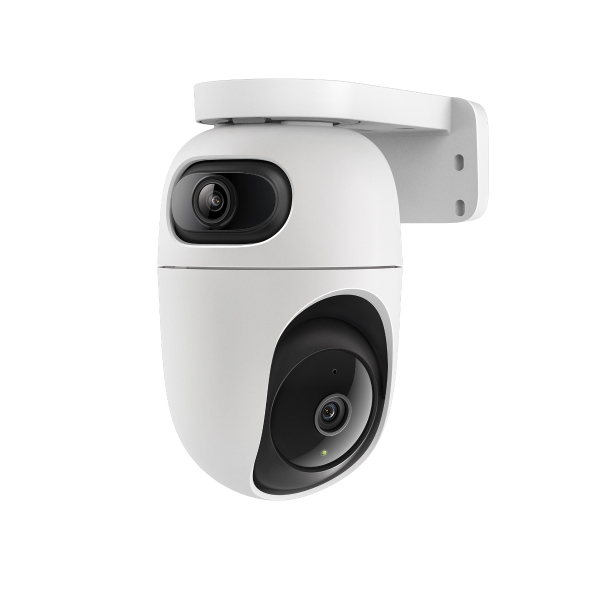
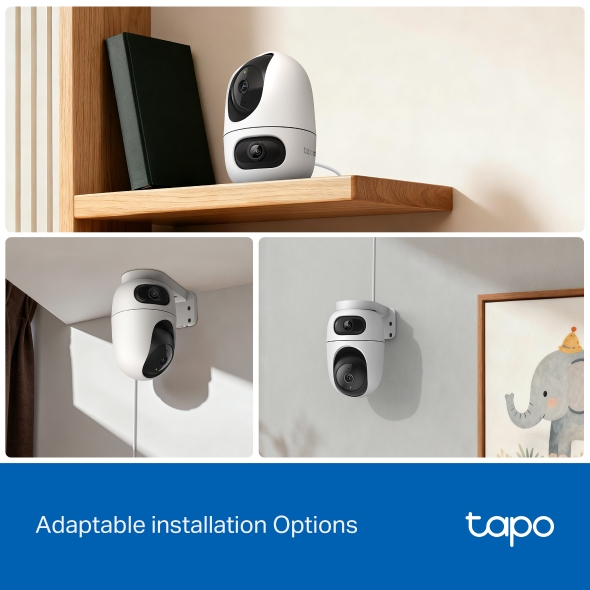
Tapo C245D, bir masa üzerine gizlice yerleştirilebilir, duvara güvenli bir şekilde monte edilebilir veya tavana sabitlenebilir – her iç mekan ortamında güvenilir izleme sağlamak üzere tasarlanmıştır.
-
Akıllı Asistanlarla Eşleştirin
Amazon Alexa, Google Assistant ve Samsung SmartThings ile sorunsuz entegrasyon içerir. Echo Show veya Chromecast'inizde canlı yayınları görüntüleyin.
Alexa, arka bahçe kamerasını göster.Akıllı Asistanlarla Eşleştirin
Amazon Alexa, Google Assistant ve Samsung SmartThings ile sorunsuz entegrasyon içerir. Echo Show veya Chromecast'inizde canlı yayınları görüntüleyin.
-
İki Yönlü Ses
Yerleşik üstün mikrofon ve hoparlörler, olağanüstü netlikte duyulmanızı ve konuşmanızı sağlar.
Hayır, bu senin değil!İki Yönlü Ses
Yerleşik üstün mikrofon ve hoparlörler, olağanüstü netlikte duyulmanızı ve konuşmanızı sağlar.
†MicroSD kartın ayrıca satın alınması gerekir. Gerçek depolama kapasitesi, kullanılan microSD kartın boyutuna bağlıdır.
‡Bulut depolama için https://www.tapo.com/tapocare/ adresinden abone olun.
§Tapo H500 & H200'ün ayrıca satın alınması gerekir. Gerçek destek farklılık gösterebilir. Doğruluk için lütfen resmi H500 & H200 desteklenen cihaz listesine bakın.
△Canlı görüntüleme sırasında PT lens görüntüsünü büyütmek için manuel yakınlaştırma yapılması gerekir. Gerçek çalışma farklılık gösterebilir. Lütfen Tapo uygulamasındaki talimatları izleyin.
Tapo Uygulama Desteği
- 1 Ücretsiz uygulamayı indirin
- 2 Fişi takın ve bağlayın
- 3 Her yerden kontrol




Kurulum Adım Adım Size Yol gösterecektir
-
1
 Tapo Uygulamasını indirin ve açın
 -
2
 Akıllı cihazınızı eklemek için Artı (+) öğesine dokunun
 -
3
 Cihazınızı bulun ve bağlanın
 -
4
 Cihazı adlandırın ve içinde bulunduğu odayı seçin
 -
5
 Tebrikler! Şimdi kurulumu tamamladınız
İndirmeler