SSS
How to connect a USB Device to your Tapo Smart CentralHub (Tapo H500)
Tapo H500
05-27-2024
42,910
Son güncellemeler, bu SSS'de tartışılan özellik(ler)e erişimi genişletmiş olabilir. Ürününüzün destek sayfasını ziyaret edin, cihazınız için doğru donanım sürümünü seçin ve ürününüze eklenen en son geliştirmeler için Veri Sayfası veya ürün yazılımı bölümünü kontrol edin.
Tapo Smart CentralHub employs secure encryption technology to store all captured videos. You can easily back up or share recorded videos by connecting a USB storage device to the CentralHub. Here’s how:
- Locate the USB 2.0 port at the back panel of the CentralHub.
- Connect your USB device to the USB 2.0 port of the CentralHub.

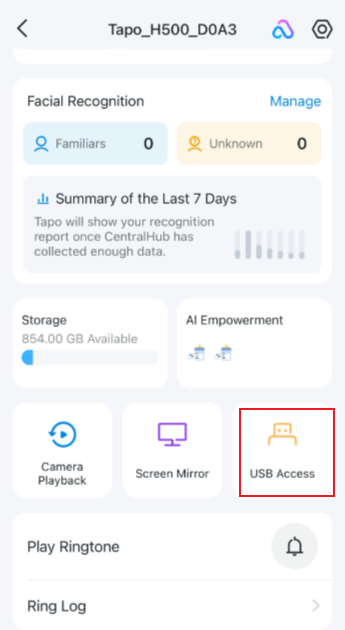
- Open the Tapo app and go to the Status page of your CentralHub. Tap USB Access and check whether your USB device is identified.