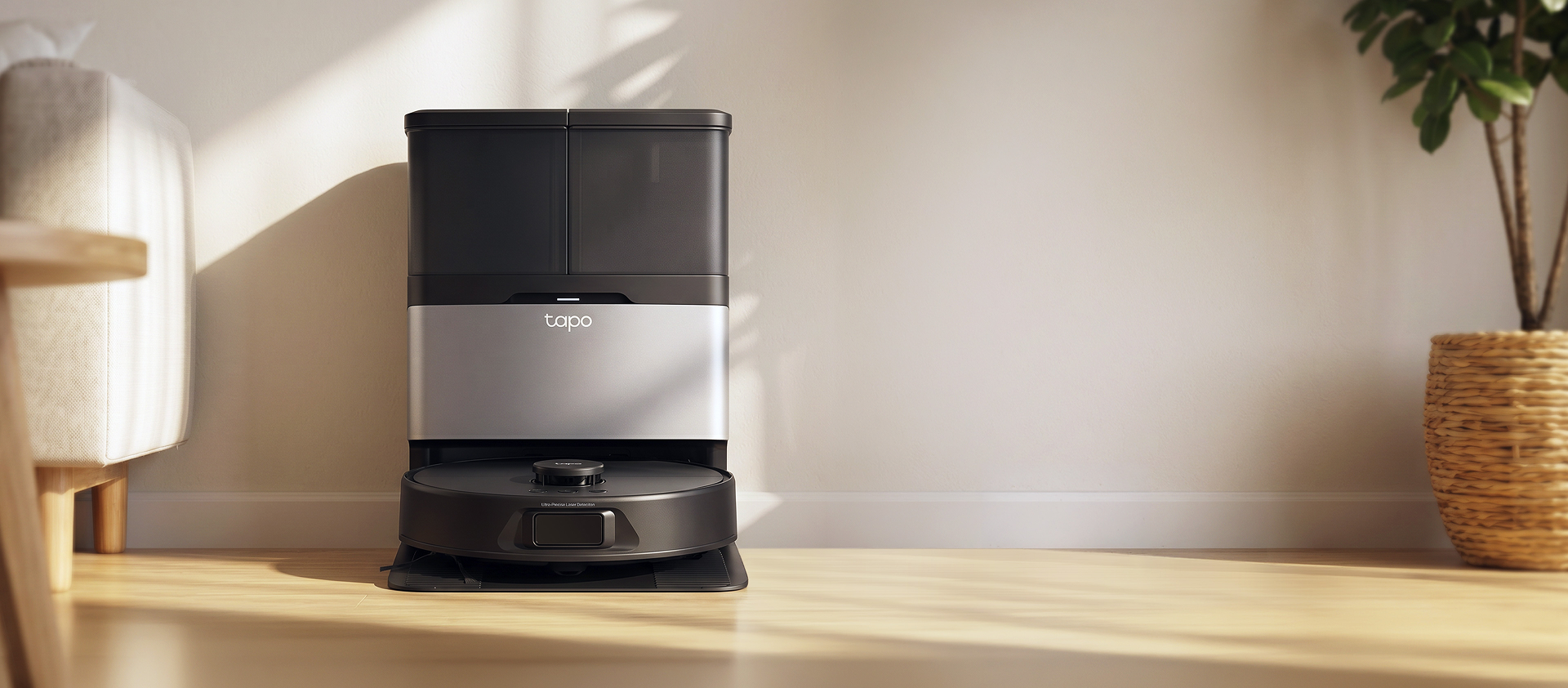
Robot Vacuum & Mop + Advanced Self-Cleaning Docking Station
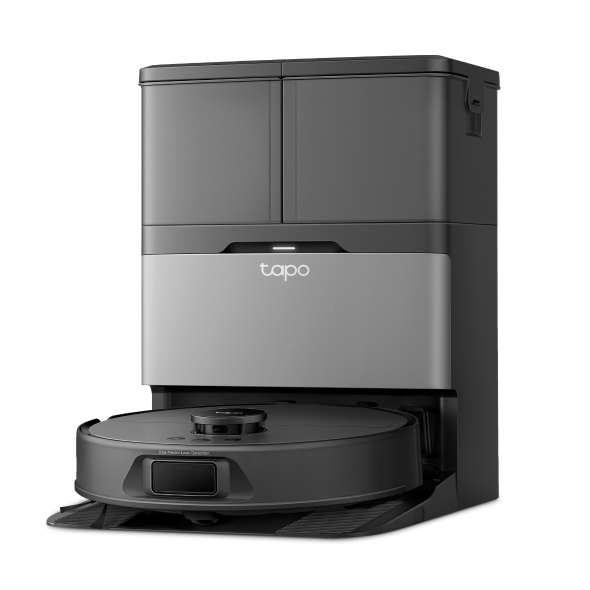
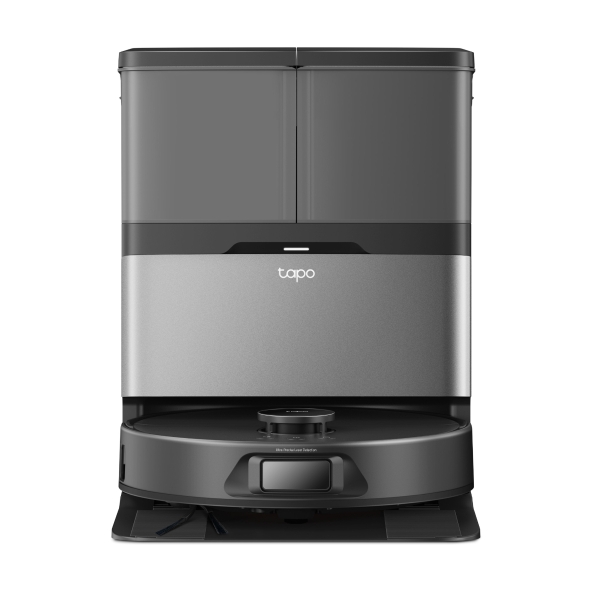
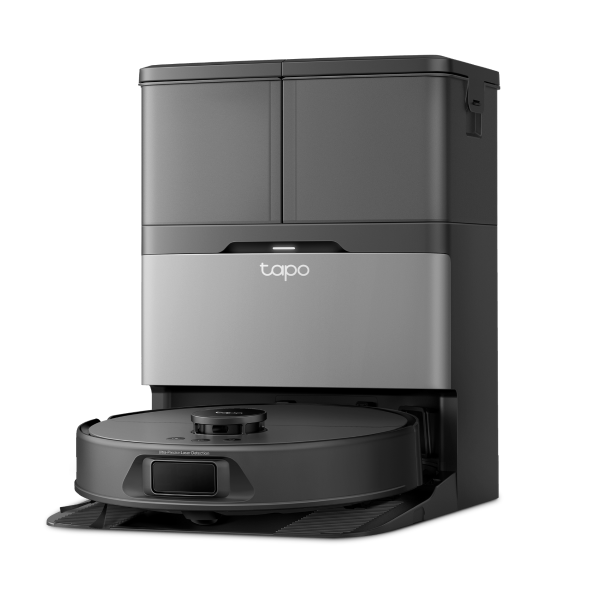
Tapo RV50 Pro Omni
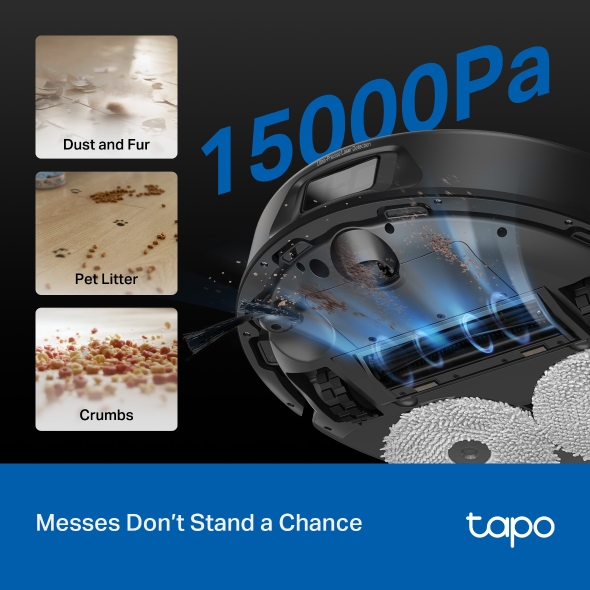
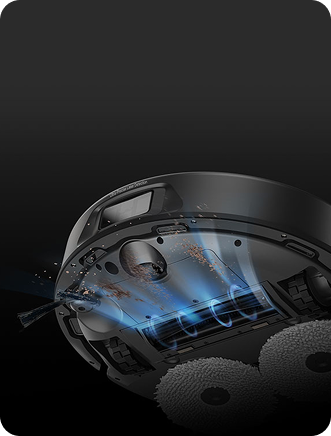
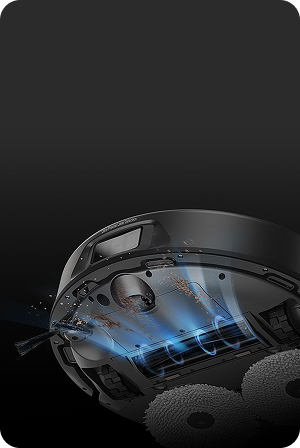
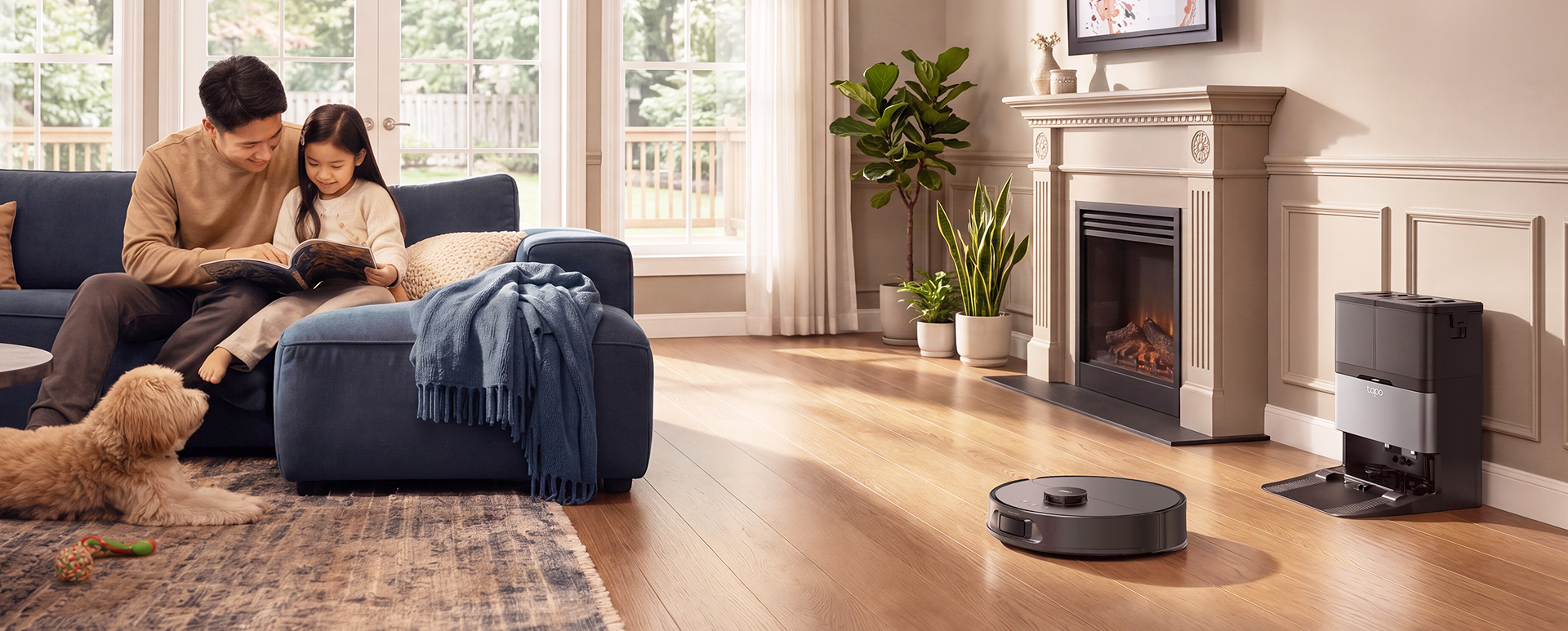
15,000Pa Superb Suction - Easily removes embedded dirt. Picks up everything in one pass.
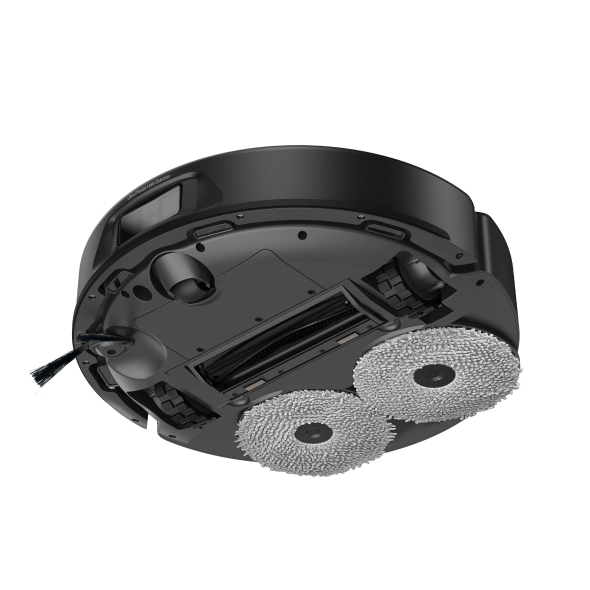
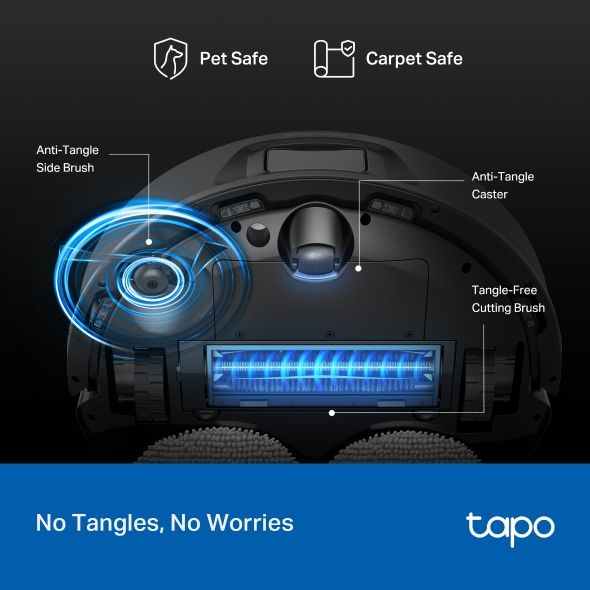
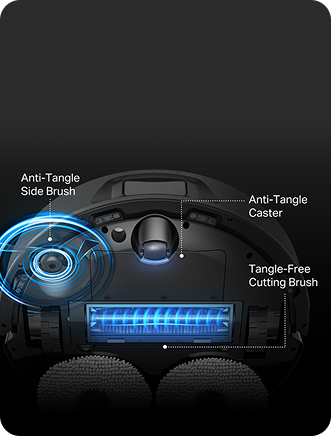
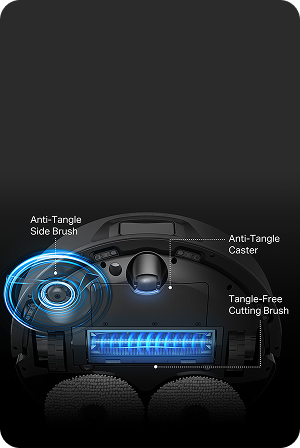
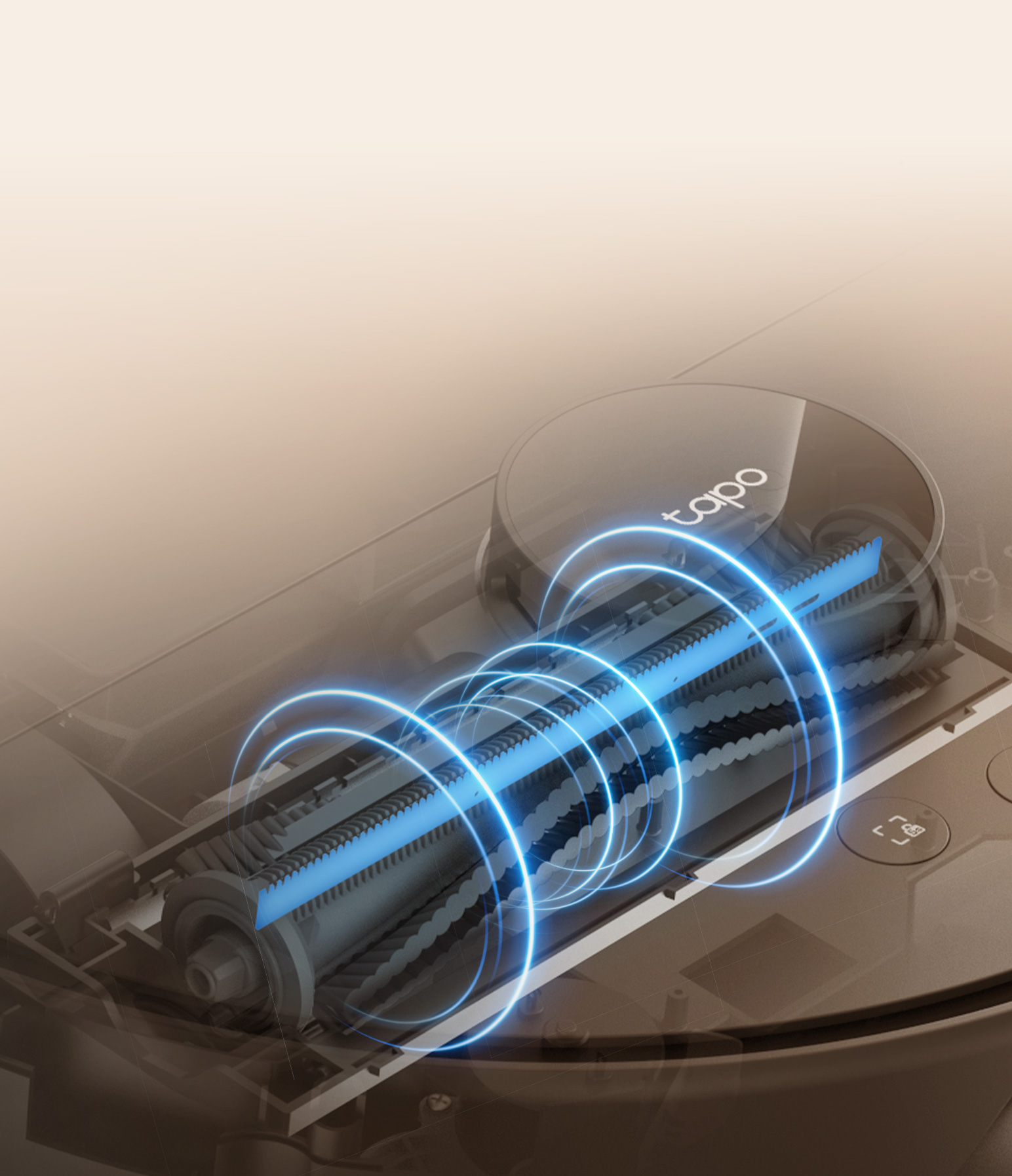
Tangle-Free Cutting Brush - Cuts away wrapped hair only when at the base station – protecting carpets and pets while vacuuming.
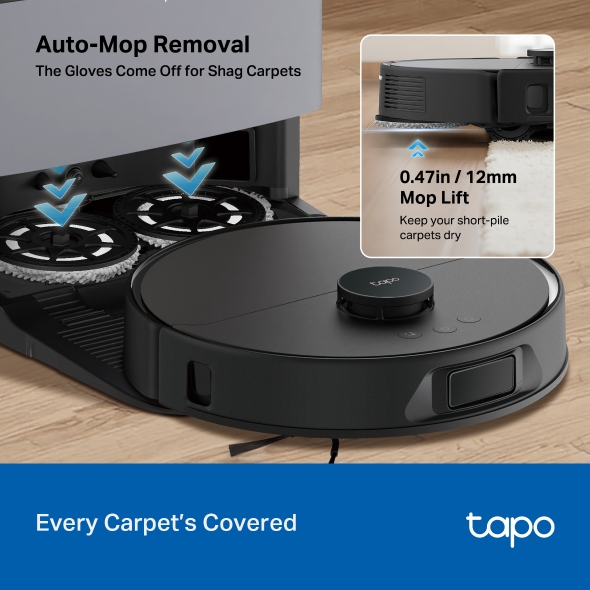
Carpets Stay Clean with Auto Mop Removal - Completely removes mops when cleaning high pile carpets.
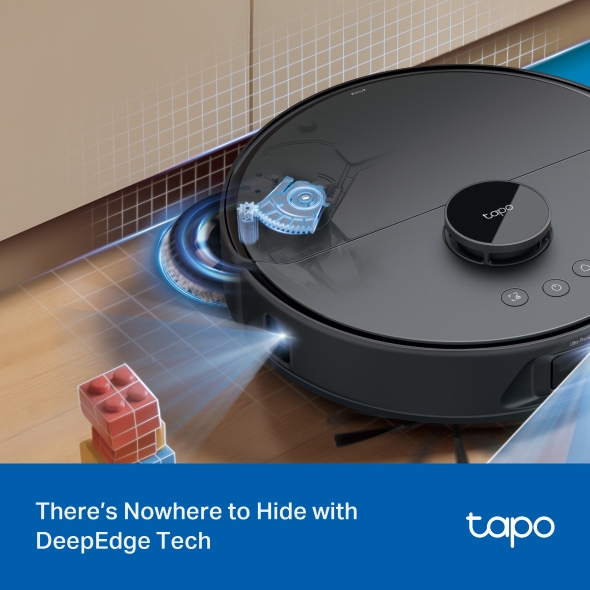
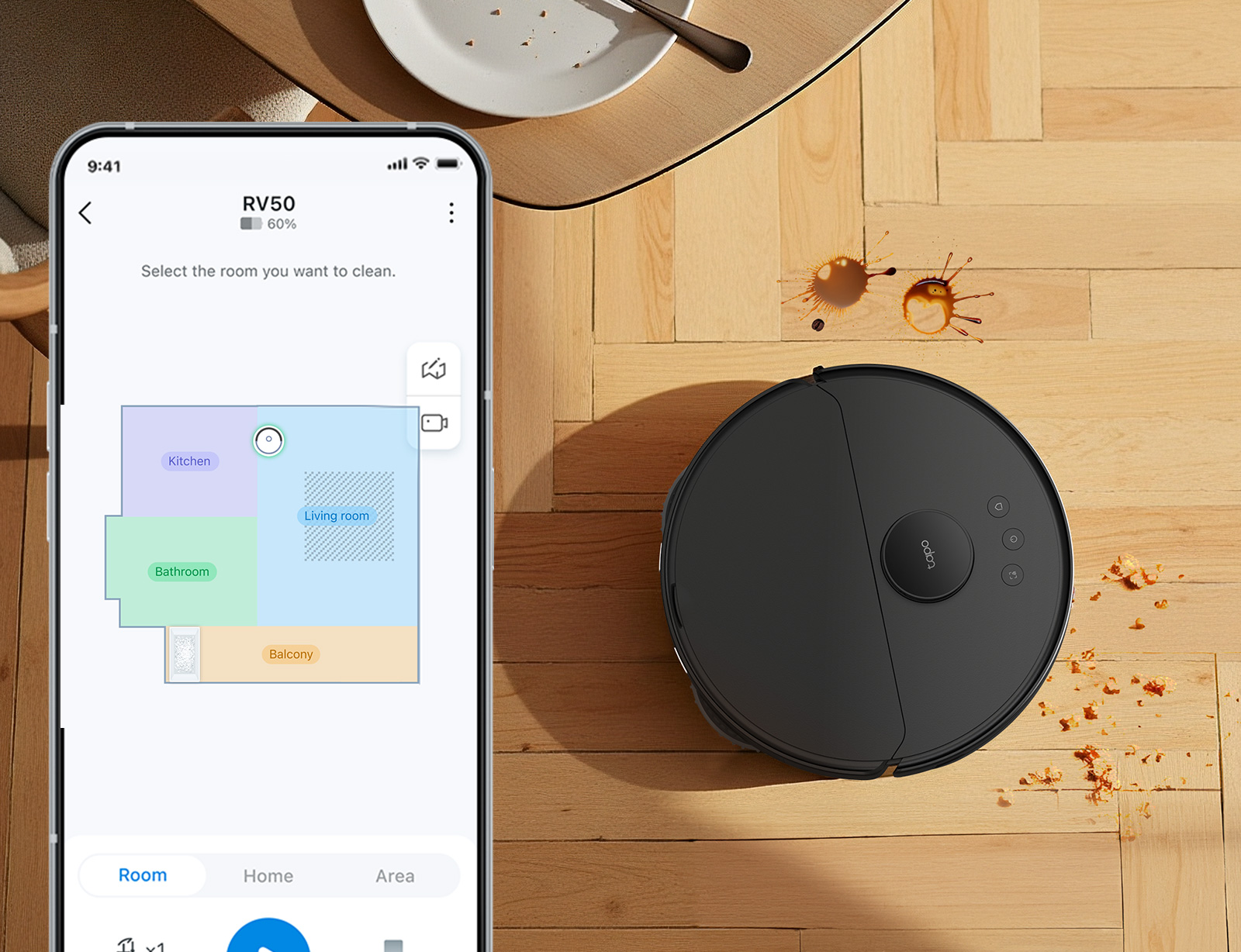
DeepEdge Adaptive Mopping - The robotic mop arm automatically extends to clean where others miss—tight spaces, edges, and beyond.
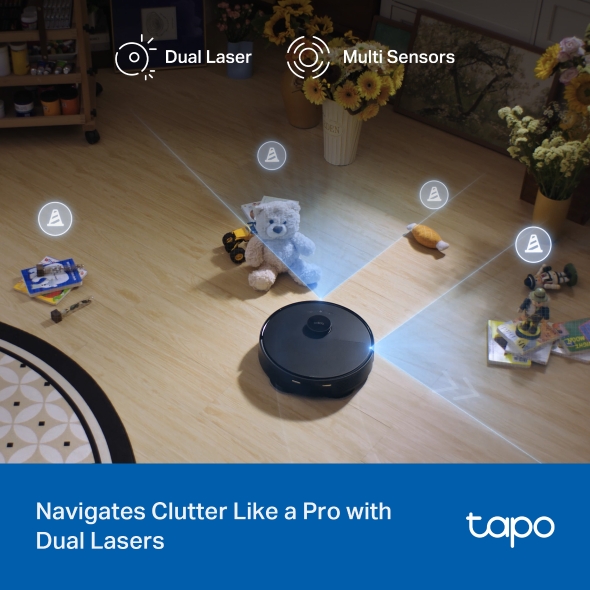
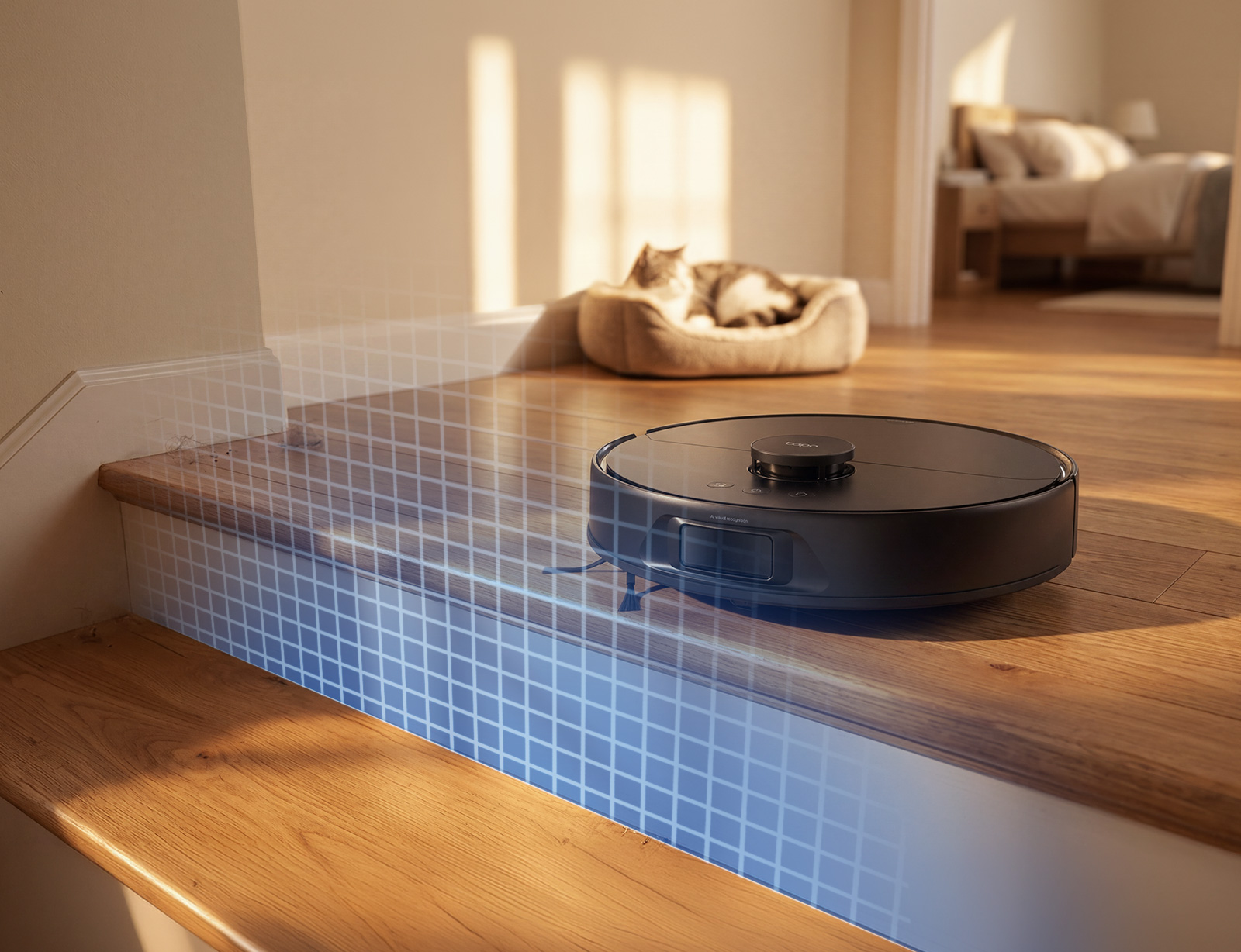
Dual-Laser Precision Avoidance - Uses both front and side lasers to detect obstacles in real time—minimizing bumps, protecting furniture.
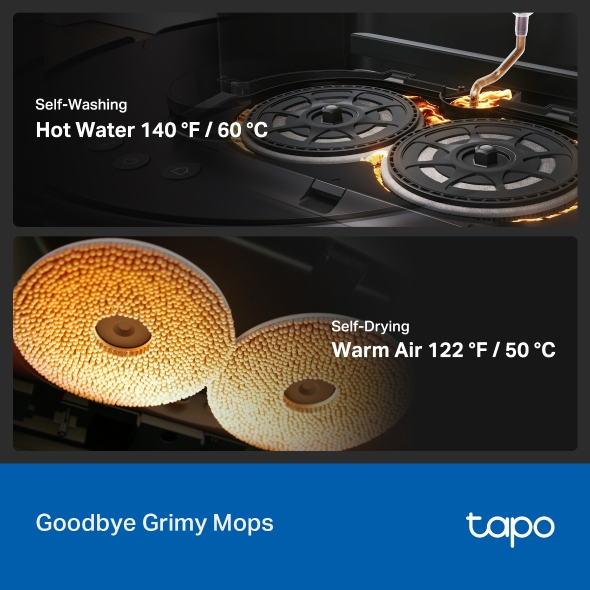
60°C/140°F Hot Water Mop Washing - Cleans stubborn stains from mop pads with hot water—no scrubbing required.
50°C/122°F Warm Air Drying - Dries mops automatically to speed up maintenance and prevent odors.
Tapo RV50 Pro Omni
A Vacuum That Can Handle it All
A Robot Vacuum + Mop that cleans, mops, empties, washes and
dries itself, so you rarely lift a finger.
Tapo RV50 Pro Omni
A Vacuum That Can Handle it All
A Robot Vacuum + Mop that cleans, mops, empties, washes and
dries itself, so you rarely lift a finger.
The dock that handles it
all
8 functions,
fully automated
Empties the dust, washes and dries the mops, adds the
soap.
A deeper clean, every
time
Cleans deep,
scrubs like a hand mop
Suction lifts dirt and grime, then dual mops press and pass
to finish.
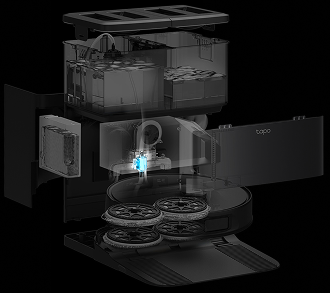
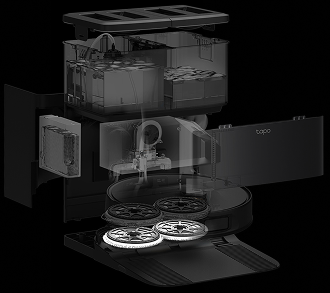
Tough on hair tangles
Cuts hair at the dock,
safe for pets
Handles pet and human hair, with up to 97% hair pickup
rate.†
No more constant emptying
Up to 60 days
hands-free
The sealed 3L dust bag holds up to 60 days
of dirt.
The dock does the chores you'd rather skip.
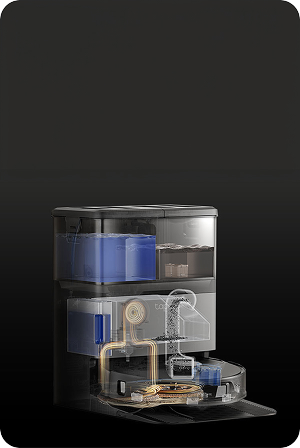
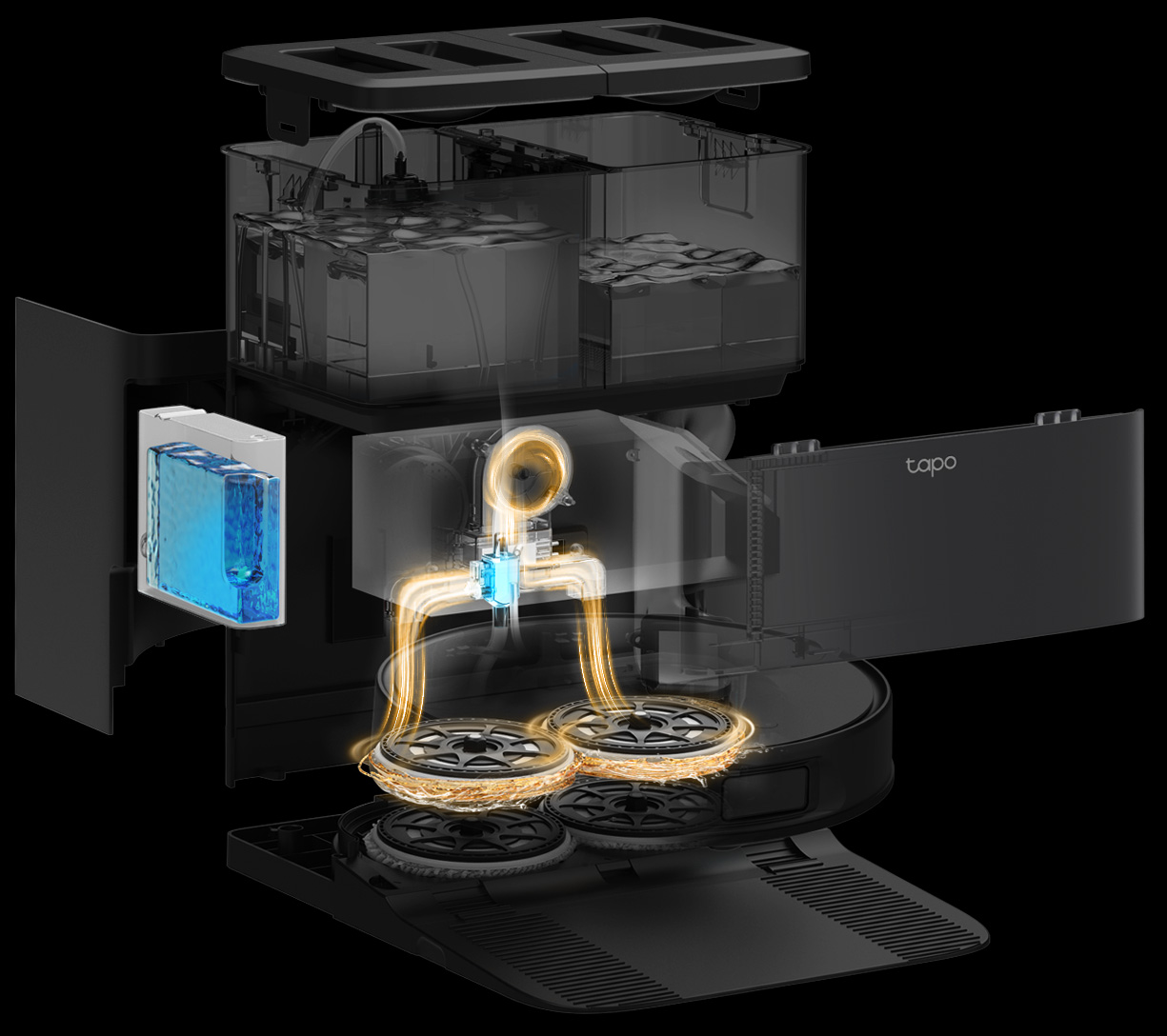
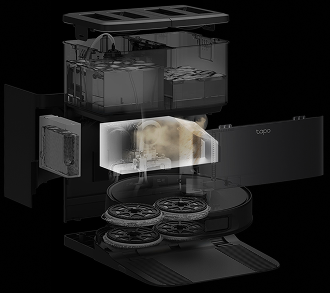
Stay hands-free for up to 60 days. After every clean, the
dock empties the dustbin into a sealed bag, washes the mop
pads in hot water, and dries them with warm air so they
stay fresh. It also refills the detergent.
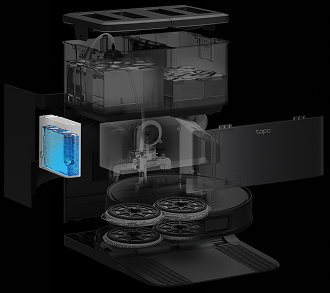
Auto Detergent DispensingDispenses the right amount of floor cleaner for every
session.
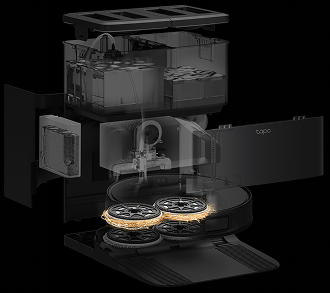
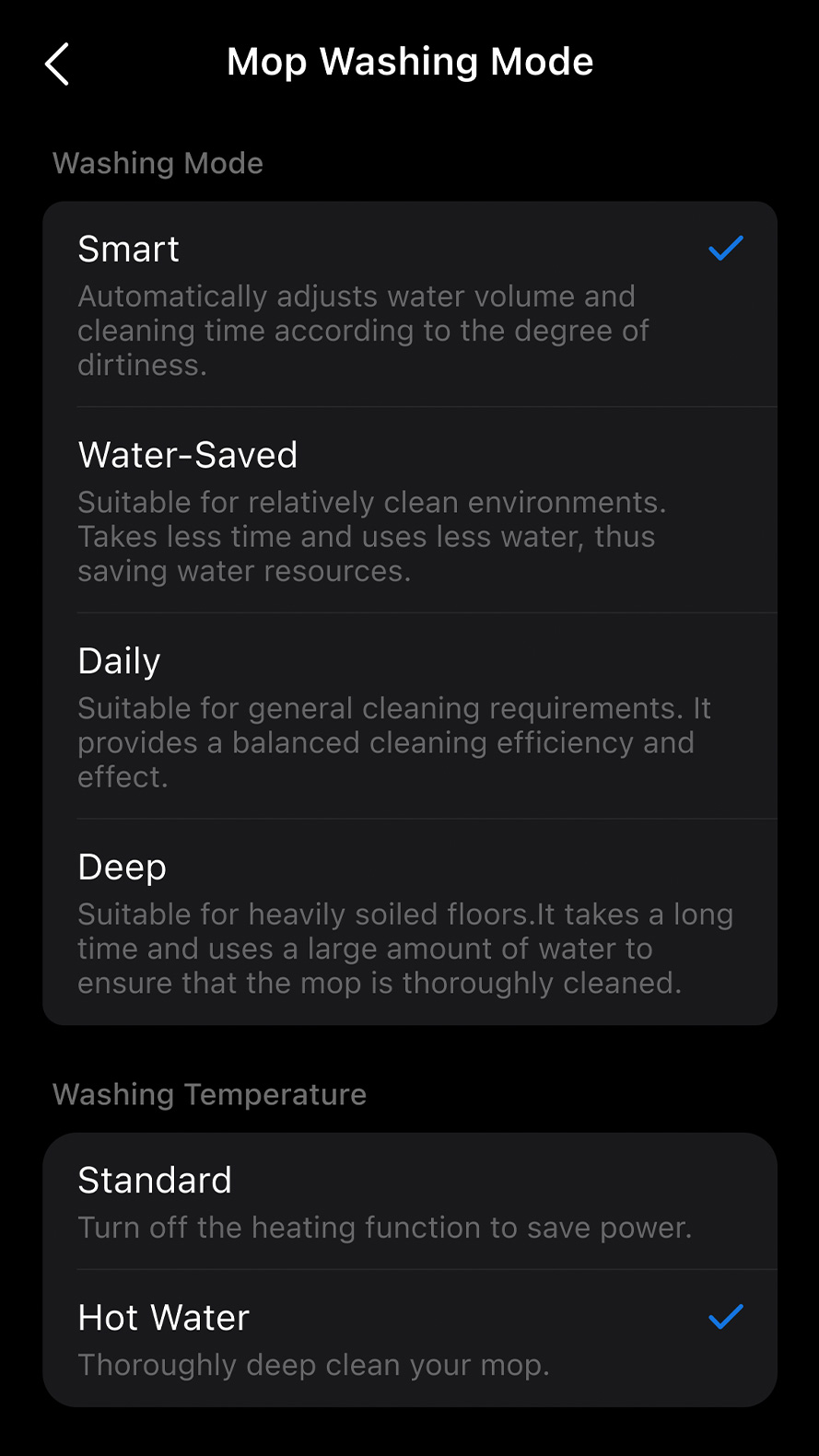
140°F Hot-Water Mop
WashingWashes stubborn stains out of the mop pads, so you
never rinse them in your sink.
122°F Warm-Air DryingDries the pads after washing, so they never sit damp
and musty.
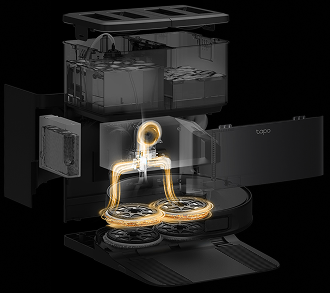
Smart Dirt DetectionChecks the mop water and re-washes, and re-mops,
where needed.
The dock does the chores you'd rather skip.
Stay hands-free for up to 60 days. After every clean, the
dock empties the dustbin into a sealed bag, washes the mop
pads in hot water, and dries them with warm air so they
stay fresh. It also refills the detergent.
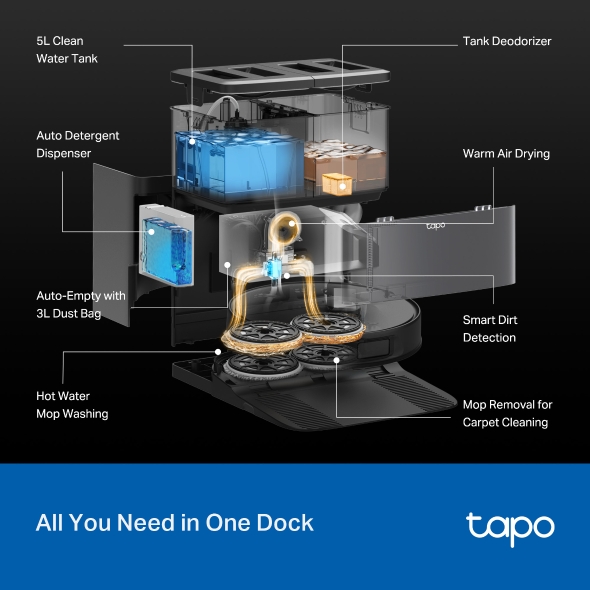
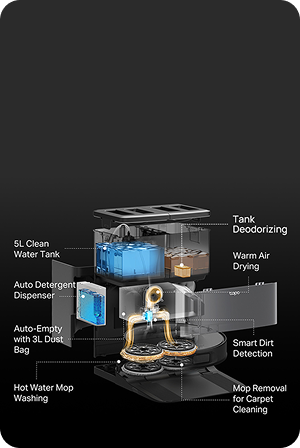
5L Clean Water Tank & 4L Dirty Water Tank5 liters of clean water covers multiple mopping
sessions between refills.
Auto Empty with 3L Dust
BagEmpties the dust into a sealed bag that holds up to
60 days of dirt.
Mop Removal for Carpet
CleaningDrops the mops at the dock before vacuuming carpet,
so rugs stay completely dry.
Tank Deodorizing SystemBuilt-in deodorizing module prevents unpleasant odors
from sewage and maintains a refreshing
cleaning
experience.
The dock does the chores you'd rather skip.
Stay hands-free for up to 60 days. After every clean, the dock
empties the dustbin into a sealed bag, washes the mop pads in
hot water, and dries them with warm air so they stay fresh. It
also refills the detergent.
5L Clean Water Tank + 4L Dirty Water Tank5 liters of clean water covers multiple mopping sessions
between refills.
Auto Detergent DispensingDispenses the right amount of floor cleaner for every
session.
Auto Empty with 3L Dust BagEmpties the dust into a sealed bag that holds up to 60
days of dirt.
140°F Hot-Water Mop WashingWashes stubborn stains out of the mop pads, so you never
rinse them in your sink.
122°F Warm-Air DryingDries the pads after washing, so they never sit damp and
musty.
Smart Dirt DetectionChecks the mop water and re-washes, and re-mops,
where needed.
Mop Removal for Carpet CleaningDrops the mops at the dock before vacuuming carpet, so
rugs stay completely dry.
Tank Deodorizing SystemBuilt-in deodorizing module prevents unpleasant odors
from sewage and maintains a refreshing cleaning
experience.
Serious suction for embedded dirt.
15,000 Pa of suction pulls up the mess you can see, and the
dirt worked deep into carpet.
15,000 Pa SuctionLifts embedded dirt out of carpet, not just off hard
floors.
5 Suction LevelsQuiet everyday clean to full power, set per room.
Fine-Dust FilterTraps fine dust and pet dander.
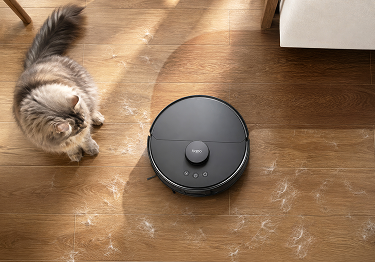
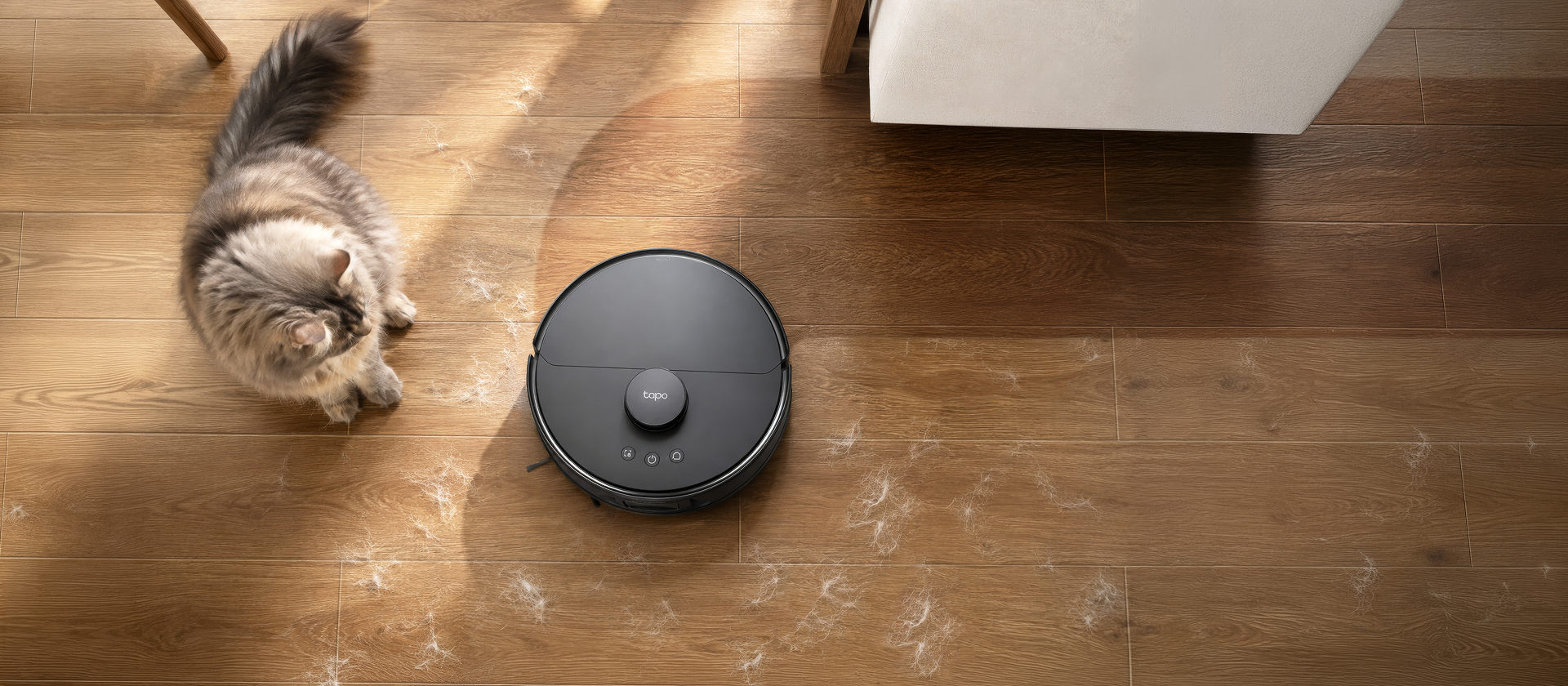
Every detail engineered for pet homes.
Hair wraps brushes and jams wheels on most robot vacuums. This
one takes on hair from every angle,
safely,
away from your pet.
Pet Safe
Carpet Safe
Tangle-Free Cutting Brush
Cuts wrapped hair off at the dock, never near your
pet, carpet or clothing.
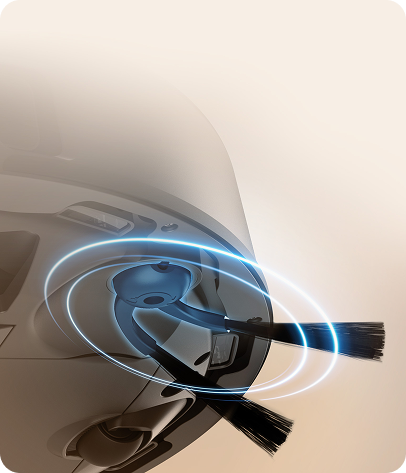
Anti-Tangle Side Brush
Sheds hair before it can knot around
the arm, so it sweeps
at full strength.
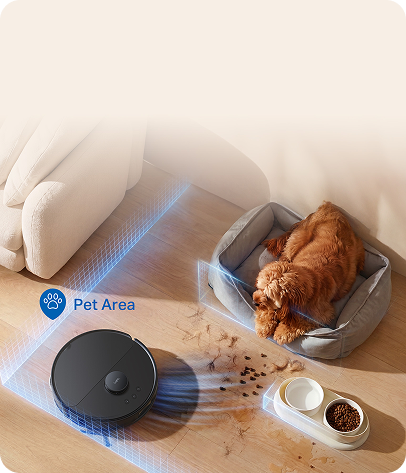
Pet Zones
Set extra cleaning around food bowls,
litter boxes and sleeping
spots, right in the app.
Mops right to the edge.
The DeepEdge extendable arm reaches out to clean edges, corners
and baseboards,
while the
dual spinning mops scrub the rest of the floor like you would by
hand.
Keeps carpets clean,
and dry.
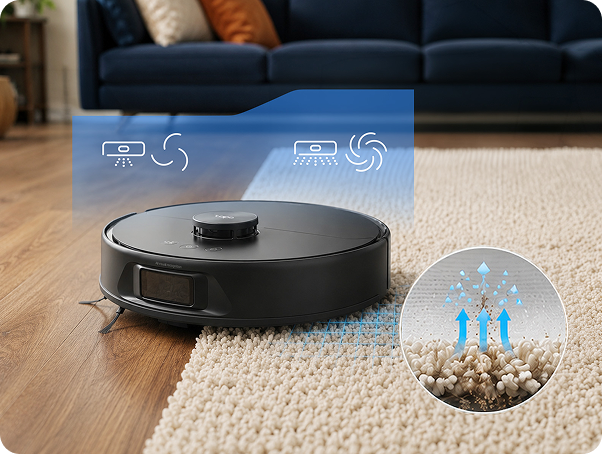
It detects carpet automatically and adjusts, without being told.
Carpet Detection + Boost
Recognizes rug type on its own and adjusts to protect the fibers, raising suction automatically to pull dirt
from deep in the pile.
Auto-Mop Removal
For thick carpet, it drops both mop pads off at the dock and
goes back to vacuum. No wet pads dragging across the pile,
and nothing for you to unclip.
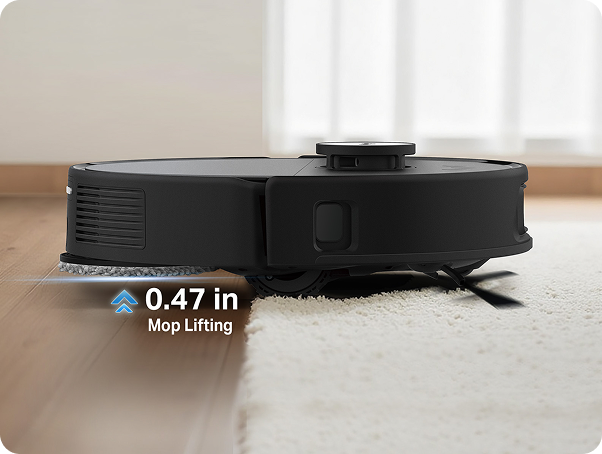
Auto-Mop Lifting
On thinner rugs, it lifts the wet pads 0.47 inches up and
out of the way, so it can cross and keep cleaning mid-mop
without leaving damp edges.
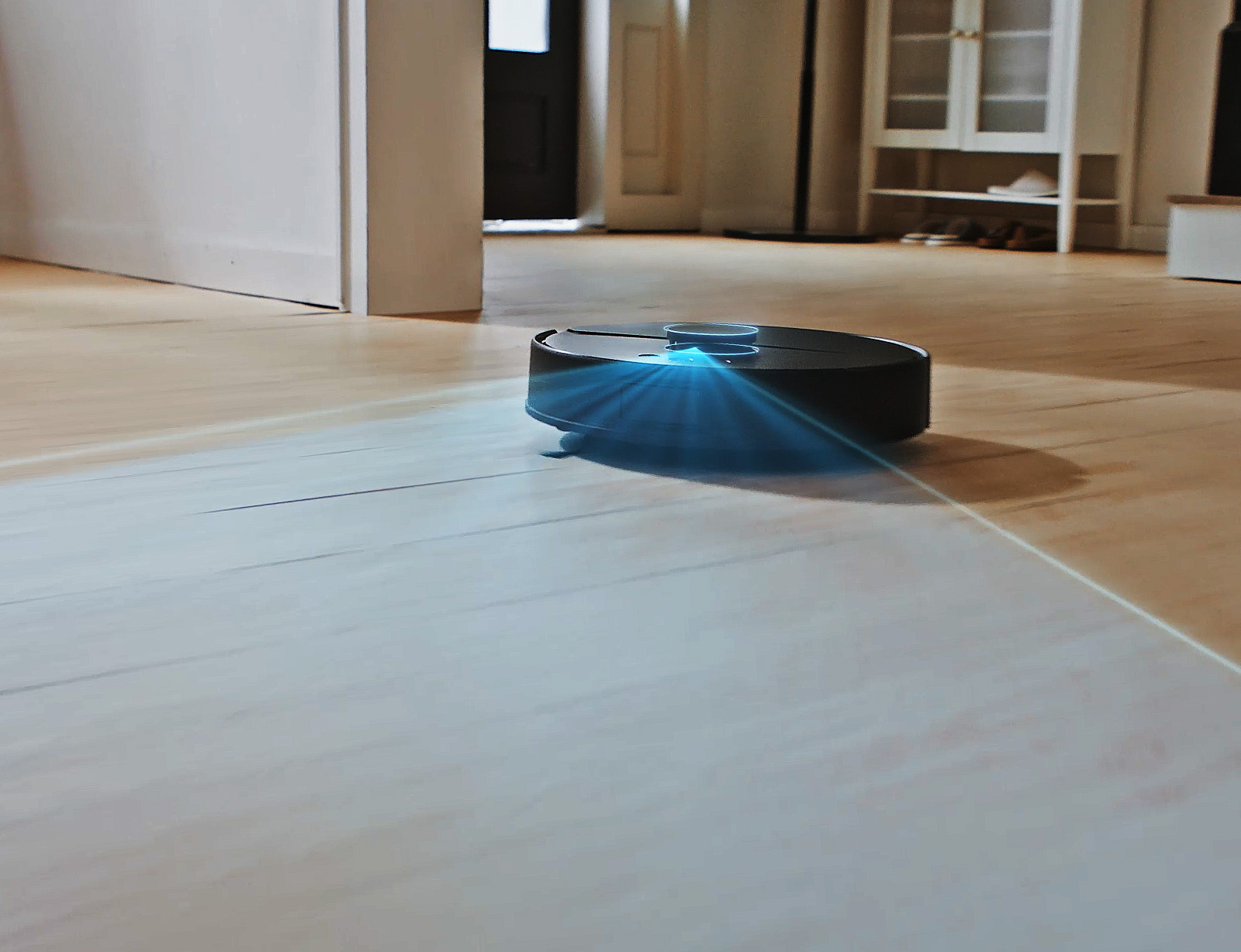
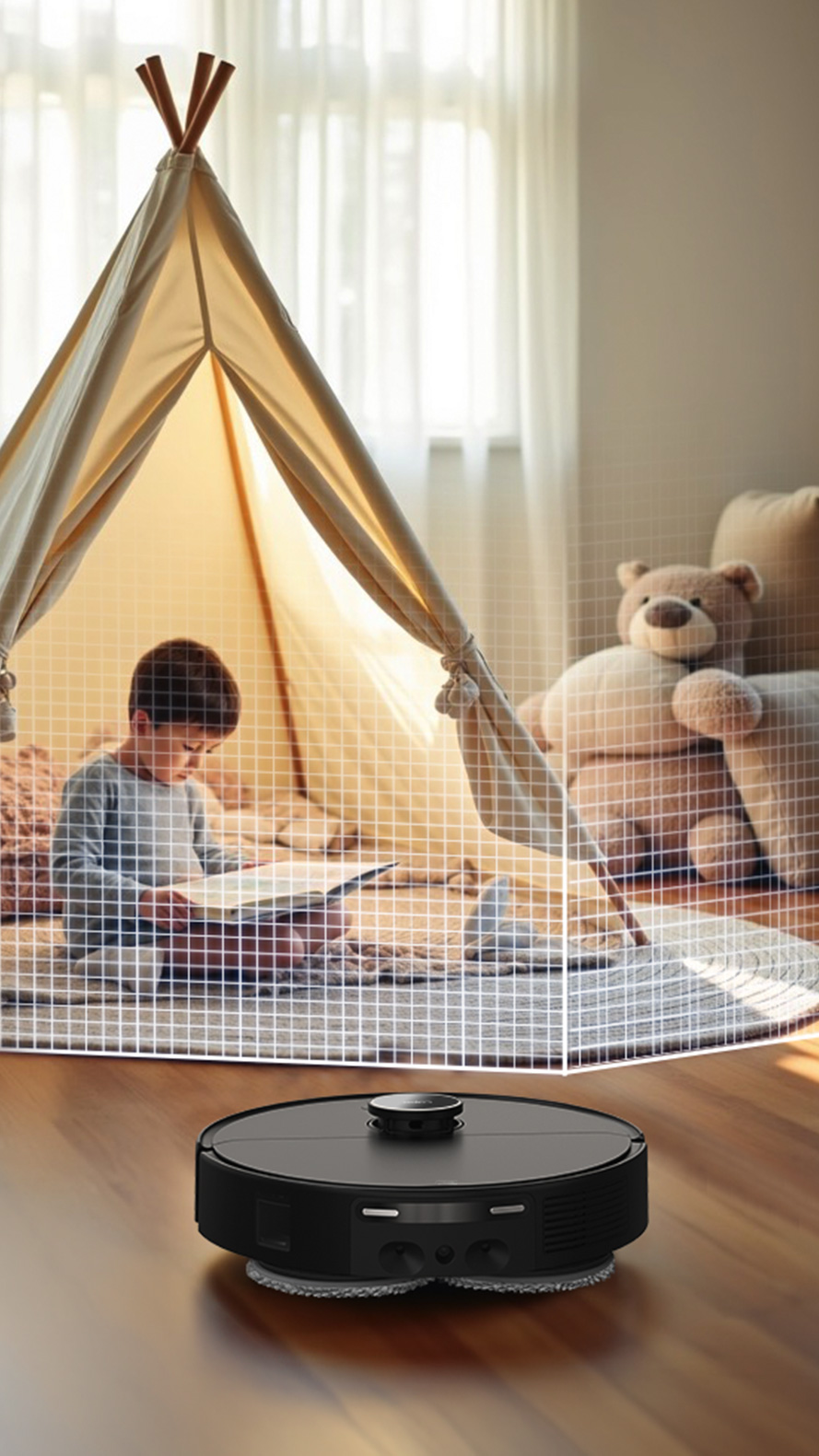
Sees the clutter. Cleans around it.
It watches for what's in its way and steers around it, so it
finishes without getting stuck.
Dual-Laser Precision Avoidance
Front and side lasers spot obstacles in real time and steer
around them.
Recognizes Everyday Clutter
Avoids the usual traps: cables, slippers, socks, pet toys.
Intelligent Cleaning Strategy
Reads your room layout to plan an efficient route.
Knows your home,
room by room.
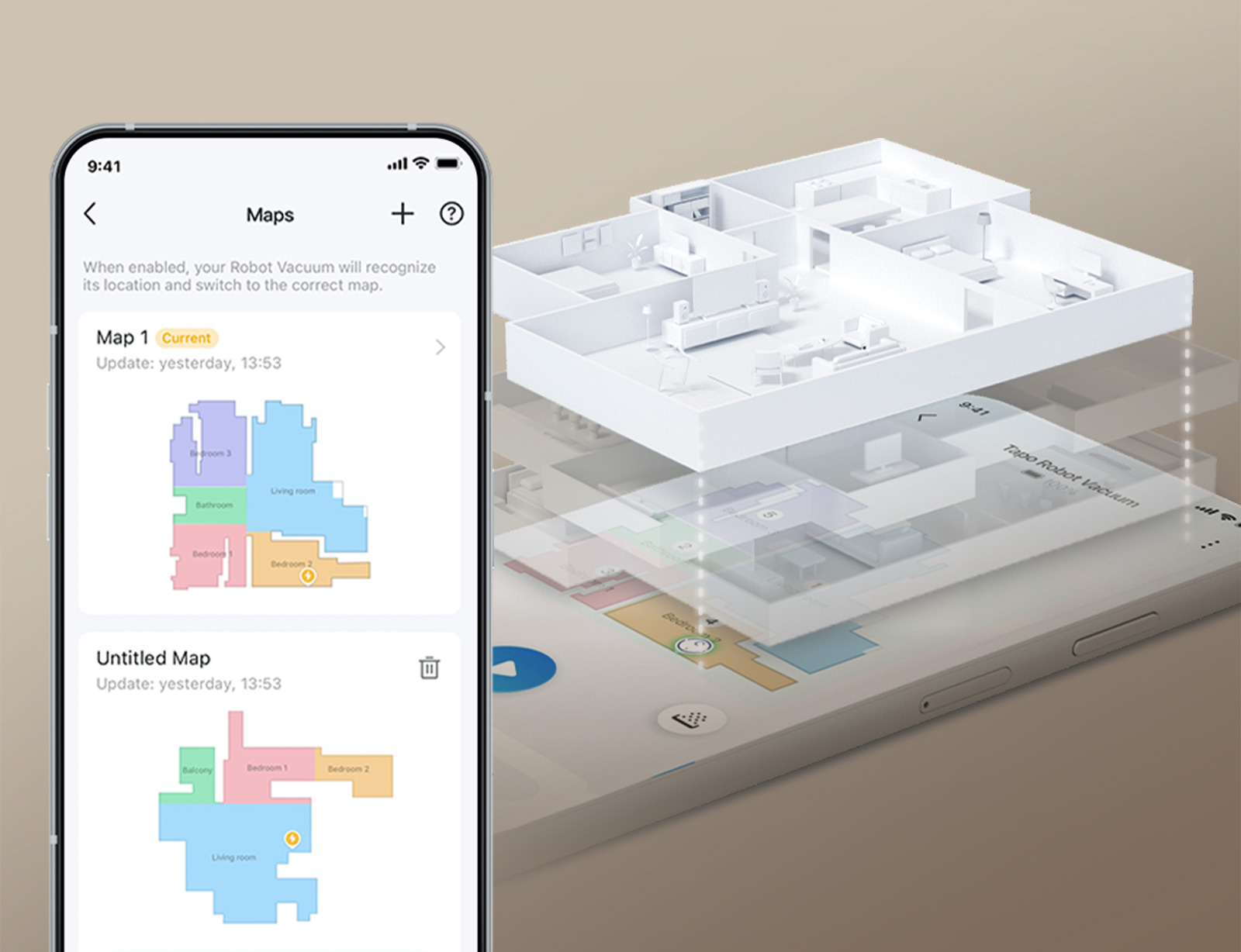
It builds a detailed map of your home, remembers it and
navigates it carefully.
LiDAR Laser Mapping
Scans your home with a laser to build a precise map.
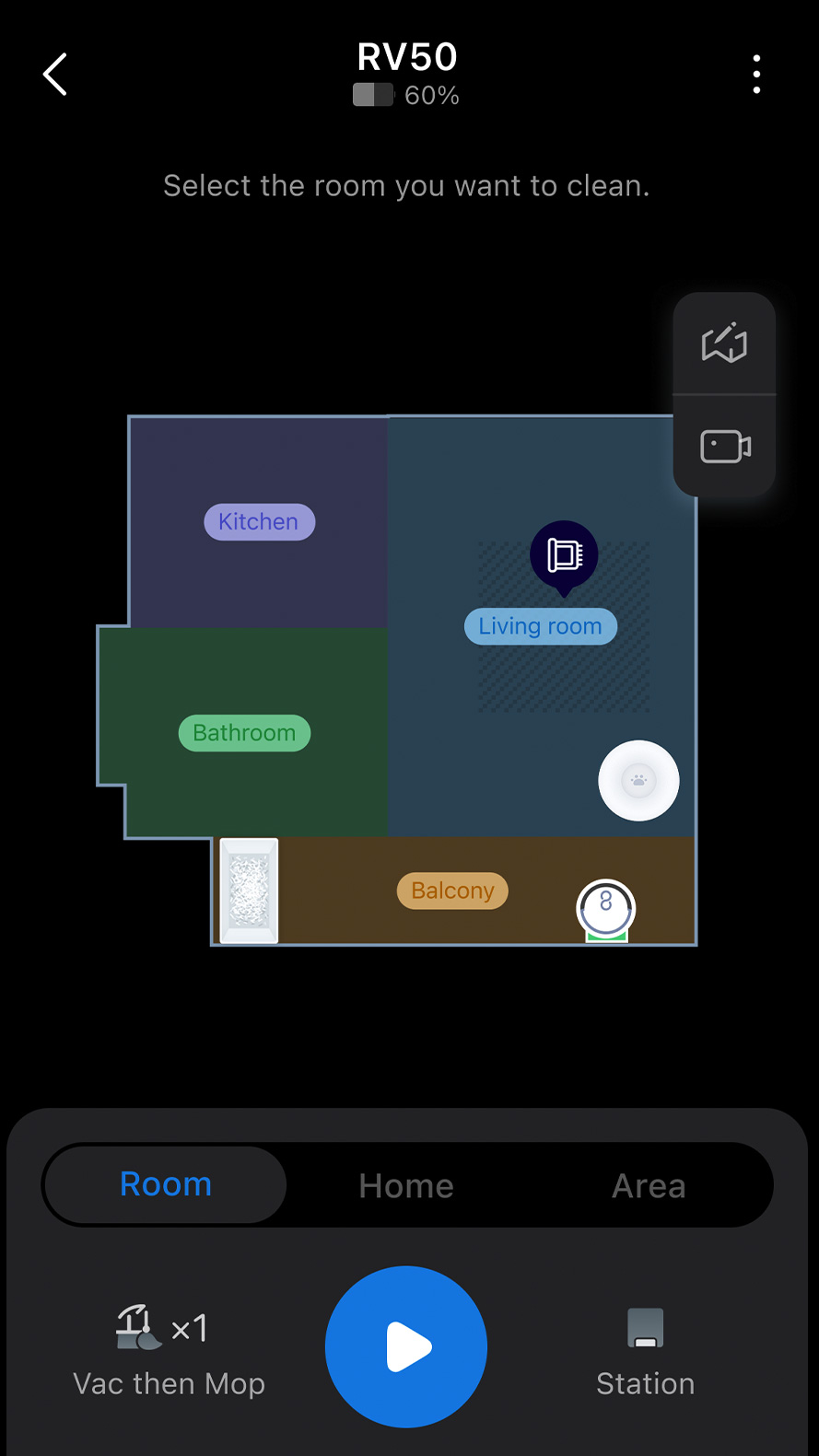
Multi-Floor Mapping
Saves separate maps for each level of your home.
Real-Time Tracking
Watch where it is and where it's cleaned, live in the
app.
Anti-Drop Sensors
Watches for stairs and ledges and climbs thresholds.
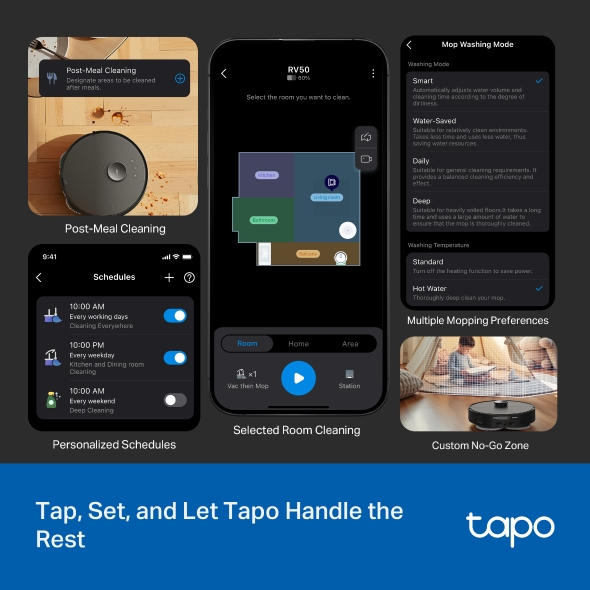
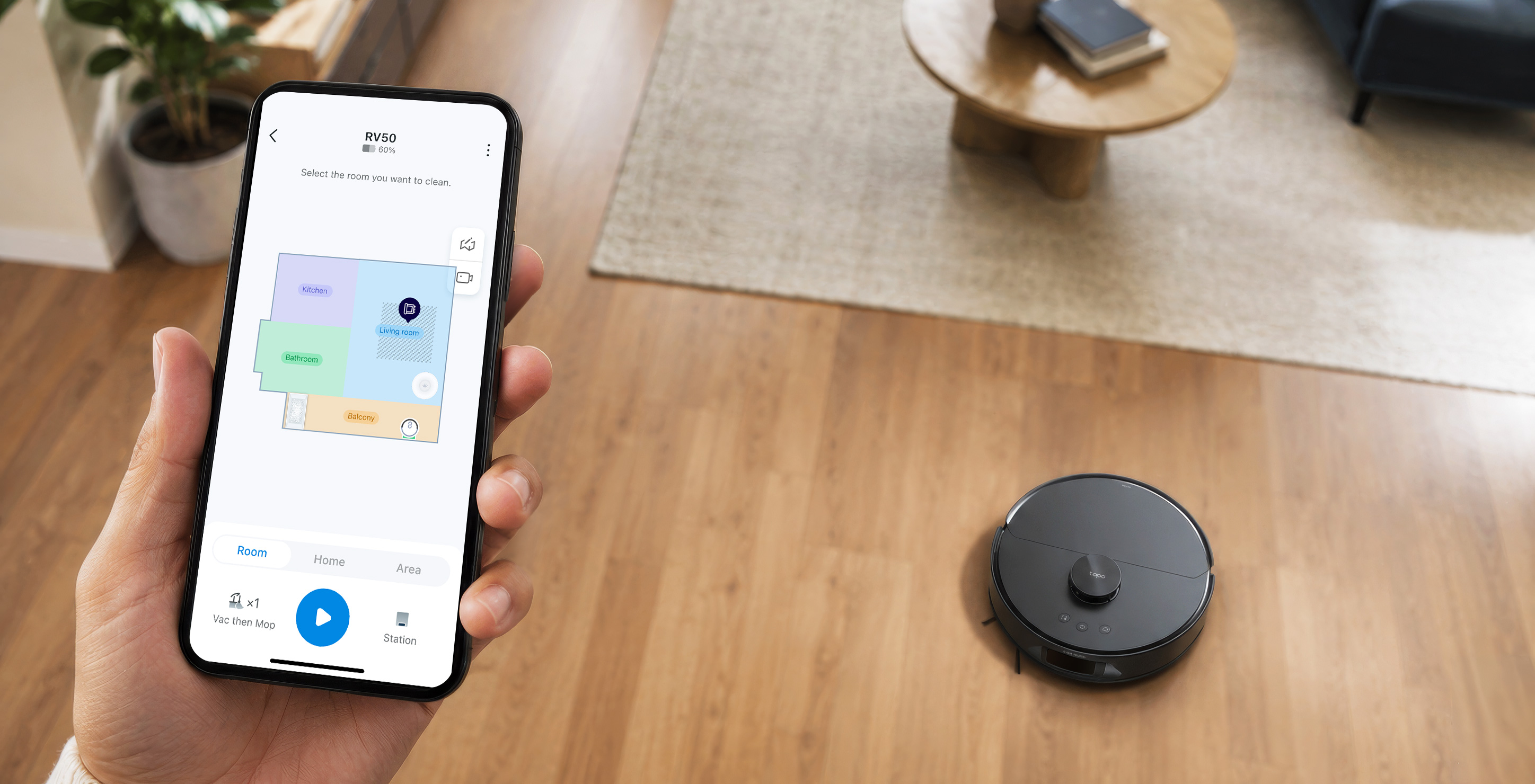
Control it your way.
Everything runs from the Tapo app, the same app as Tapo cameras,
plugs and lights. Prefer not to tap at all? It also works with
Alexa, Google Assistant
and Matter.
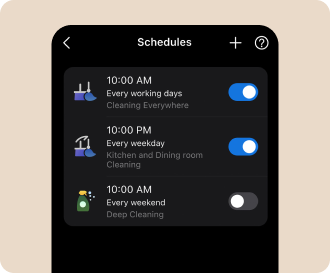
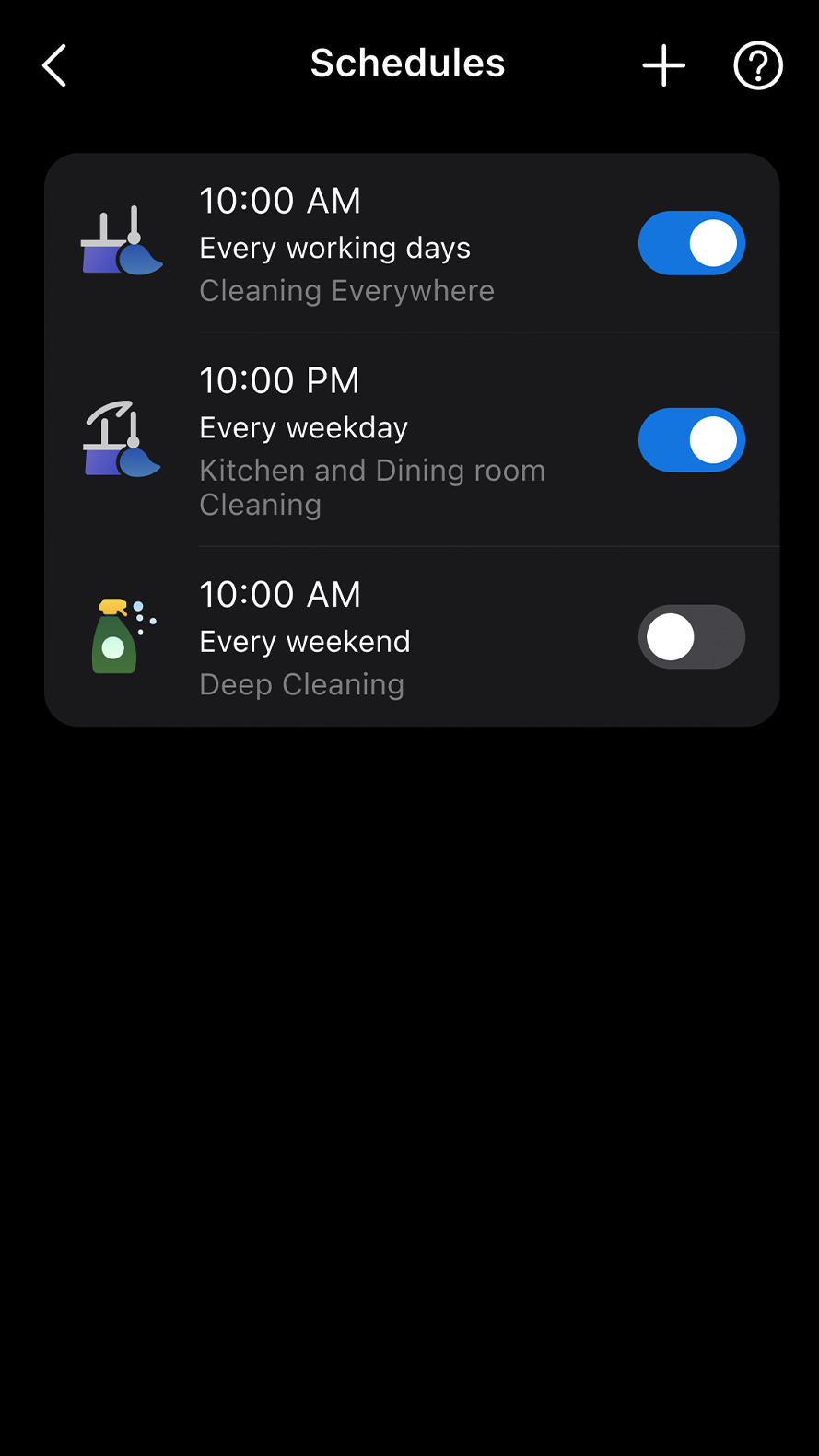
Personalized Schedules
Set it to clean per room, per
day, while you're out.
Selected Room & Zone Cleaning
Send it to one room, or one spot, exactly when you need it.
Custom No-Go Zones
Mark the areas it should never enter.
Mopping Preferences
Choose mopping modes and water
levels per room.
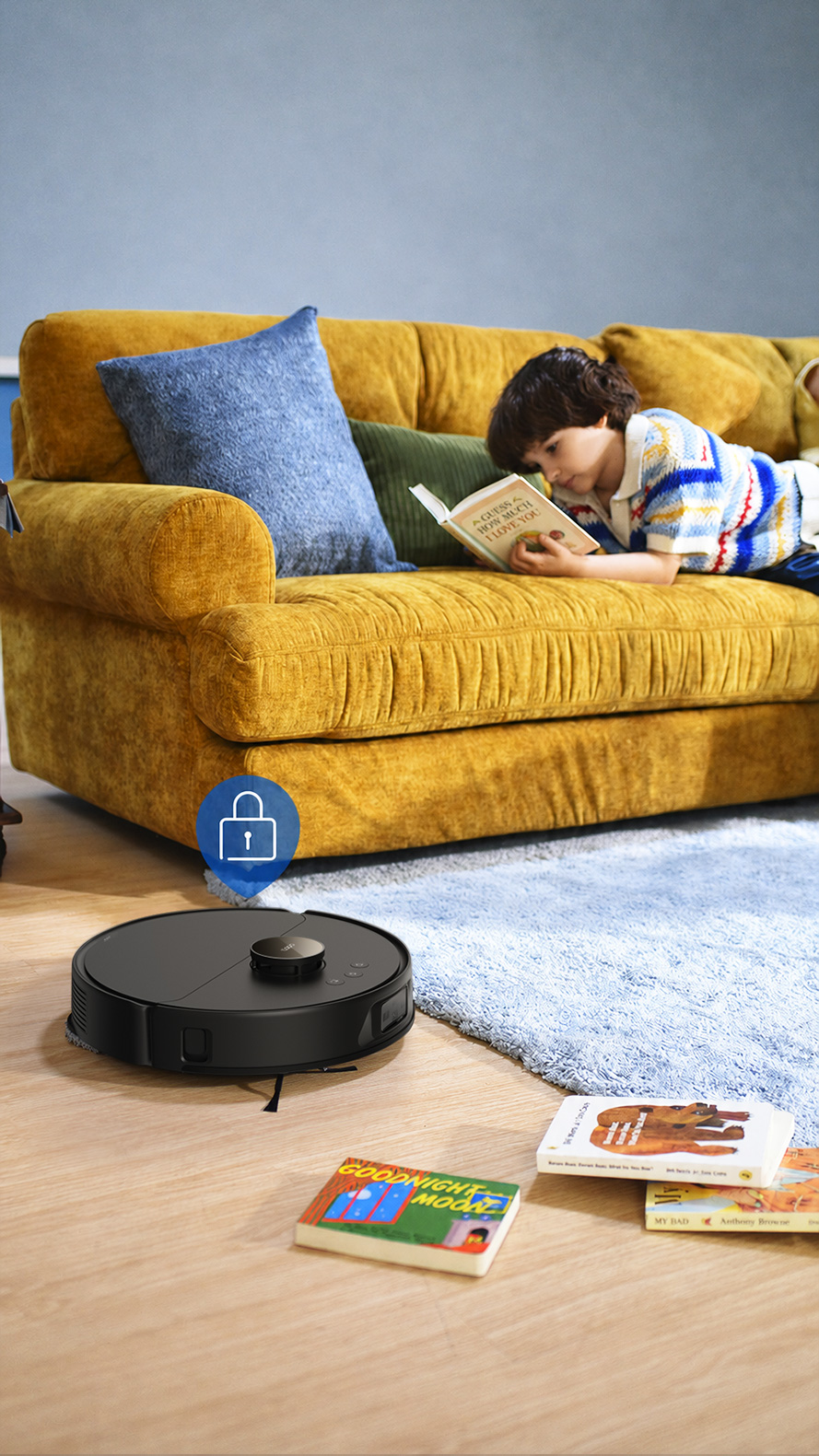
Child Lock & Pet Lock
Keeps curious hands and paws
from interrupting a clean.
Built to finish the job.
Start a clean and walk away. Long runtime covers most of the
work in one go, and if the battery runs low, it handles that
itself too.
Up to 250-Minute Runtime‡
Built for larger homes and
multi-room deep cleans.
Recharge & Resume
If it runs low mid-clean, it returns to the dock,
recharges, and picks up where it
left off.
Smart home integration
Matter, Alexa+, Google
Alexa, Google
Alexa, Google
Questions, answered.
What warranty does the Tapo RV50 Pro Omni come
with?
It comes with a 1-year warranty covering the robot vacuum
and the Omni Dock.
How often do I actually have to touch this robot
vacuum?Not very often. The Omni Dock empties,
washes, dries, auto-dispenses detergent, and trims tangled
hair on the brush. If you mop daily, plan to refill the
clean water tank and empty the dirty water tank about once a
week. If you mop less often, you'll refill and empty even
less.
Do I need to add cleaning solution for every mopping
session?No, you don't. The dock automatically
dispenses the right amount of cleaning solution during each
mopping cycle.
Can this robot vacuum handle pet hair and carpets?Yes, it handles both pet hair and carpets.
The cutting brush trims wrapped hair at the dock, and the
robovac automatically lifts or removes the mops on carpet so
rugs stay dry.
Does this robot vacuum mop too?Yes, it vacuums and mops. Dual spinning
mops scrub under pressure, the DeepEdge arm reaches edges
and corners, and the mops lift or detach for carpet
cleaning.
Can this robot vacuum clean multiple floors?Yes, it supports multi-floor cleaning. It
can save up to 3 local maps plus 1 temporary map.
Will the Tapo RV50 Pro Omni get stuck on clutter?It's designed to avoid everyday obstacles.
Dual lasers detect clutter like cables and pet toys, while
anti-drop sensors help protect stairs.
Is this robot vacuum safe around pets?Yes, it's safe to use around pets.
Tangled hair is cut at the dock, and Pet Zones add extra
cleaning around bowls and litter.
Will the Tapo RV50 Pro Omni work with my smart
home?Yes, it works with Matter, Alexa, and Google
Assistant.
The Tapo app also supports schedules and cleaning zones.
How long does this robot vacuum run on a single
charge?
It runs for up to 250 minutes on a single charge.
Does this robot vacuum require Wi-Fi?Wi-Fi is required for initial setup. After
setup, the robot can still perform whole-home cleaning
without Wi-Fi. The Tapo app is recommended for features such
as scheduling, map management, and cleaning zones.
† Available via OTA update.
Tapo App Support
Easy Setup at Your Fingers
1Download the free app
2Plug in and connect
3Control from anywhere
* Compatible with iOS 9.0 or higher and Android 4.3 or higher
Walk You Through Setup Step by Step
1
Download and open Tapo App
2
Tap Plus (+) to add your smart device
3
Look for your device and connect
4
Name the device and choose the room it’s in
5
Congratulations! You’ve now completed the configuration
Watch the whole setup process in the whole
How to Empty the Dustbin (Autp-Empty/Manually): Tapo RV50 Pro Omni
Tapo RV50 Pro Omni
How to set up your Tapo robot vacuum with the all-in-one dock: Tapo RV50 Pro Omni
Tapo RV50 Pro Omni
How to Clean the Main Wheels: Tapo RV50 Pro Omni
Tapo RV50 Pro Omni
How to Clean the Side Brush: Tapo RV50 Pro Omni
Tapo RV50 Pro Omni
How to Replace the Sponge Filter: Tapo RV50 Pro Omni/Tapo RVA110
Tapo RV50 Pro Omni
How to Replace the Mop Cloth: Tapo RV50 Pro Omni
Tapo RV50 Pro Omni
How to Install the Tapo Cleaning Solution: Tapo RV50 Pro Omni/Tapo RVA450
Tapo RV50 Pro Omni
How to Replace the Main Brush Cover: Tapo RV50 Pro Omni/Tapo RVA110
Tapo RV50 Pro Omni
How to Clean Cleaning Tray: Tapo RV50 Pro Omni
Tapo RV50 Pro Omni
How to Clean the Caster Wheel: Tapo RV50 Pro Omni
Tapo RV50 Pro Omni
How to Install the Anti Odor Module in the Dirty Water Tank: Tapo RV50 Pro Omni(V1)/Tapo RVA420
Tapo RV50 Pro Omni
How to Clean the Sensors: Tapo RV50 Pro Omni
Tapo RV50 Pro Omni
How to Replace the Side Brush: Tapo RV50 Pro Omni/Tapo RVA110
Tapo RV50 Pro Omni
How to Clean the Filter: Tapo RV50 Pro Omni/Tapo RVA110/Tapo RVA520
Tapo RV50 Pro Omni
How to Clean the Detachable Base: Tapo RV50 Pro Omni
Tapo RV50 Pro Omni
How to Replace the Dust Bag: Tapo RV50 Pro Omni: Tapo RV50 Pro Omni/Tapo RVA210
Tapo RV50 Pro Omni
How to Clean the Charging Contacts: Tapo RV50 Pro Omni
Tapo RV50 Pro Omni
How to Clean the Main Brush: Tapo RV50 Pro Omni
Tapo RV50 Pro Omni
How to Replace the Main Brush: Tapo RV50 Pro Omni/Tapo RVA110
Tapo RV50 Pro Omni
Specifications
Battery
Battery Capacity :
5200 mAh
Recharge & Resume:
Yes
Mapping & Navigation Features
Mapping/Path Planning:
dToF
High-Precision Map:
Yes
Obstacle Avoidance:
Dual-Laser Precision Avoidance
Barrier-Cross Height :
20 mm / 0.78 in
Carpet Detection:
Yes
Anti-Drop Protection :
Yes (4 sensors)
Dock Features
Self-Washing:
Hot Water 140 °F / 60 °C
Self-Drying:
Warm Air 122 °F / 50 °C
Auto Detergent Dispensing:
Yes
Smart Dirt Detection:
Yes
Tank Deodorizing System:
Yes
Auto-Mop Removal:
Yes
Auto Dust Collection:
Yes
Suction Power of Auto-Empty Dock:
17000Pa
Dust Bag Capacity:
3L
Vacuuming Features
Max Suction Power:
15000Pa
Suction Level Adjustment:
5 levels
Dustbin Capacity:
280 ml
HEPA Filter:
H11
Carpet Boost :
Yes
Mopping Features
Wet Mopping :
Yes
Mopping Type:
DeepEdge Adaptive MoppingDual Spinning Mops
Water Level Adjustment:
3 levels
Water Tank Capacity:
95 ml (Robot Vacuum)5L (Clean Water Tank)4L (Dirty Water Tank)
We use cookies and browser activity to improve your experience, personalize content and ads, and analyze how our sites are used. For more details, please read our Privacy Policy.
Cookie SettingsAccept All Cookies
Your Privacy Choices
We use cookies and browser activity to improve your experience, personalize content and ads, and analyze how our sites are used. For more details, please read our Privacy Policy.
Basic Cookies
These cookies are necessary for the website to function and cannot be deactivated in your systems.
Analysis cookies enable us to analyze your activities on our website in order to improve and adapt the functionality of our website.
The marketing cookies can be set through our website by our advertising partners in order to create a profile of your interests and to show you relevant advertisements on other websites.
Google Analytics & Google Tag Manager &
Google Optimize









 Pet Safe
 Carpet Safe






 Download and open Tapo App
 Tap Plus (+) to add your smart device
 Look for your device and connect
 Name the device and choose the room it’s in
 Congratulations! You’ve now completed the configuration