FAQ's
How to connect a USB Device to your Tapo Smart CentralHub (Tapo H500)
Tapo H500
05-27-2024
42,917
Door recente updates is de toegang tot genoemde functie(s) in deze FAQ mogelijk uitgebreid. Ga naar de ondersteuningspagina van uw product, selecteer de juiste hardwareversie voor uw apparaat en controleer de sectie Gegevensblad of Firmware voor de laatste verbeteringen die aan uw product zijn toegevoegd. Let op: De productbeschikbaarheid verschilt per regio en sommige modellen zijn mogelijk niet beschikbaar in uw regio.
Tapo Smart CentralHub employs secure encryption technology to store all captured videos. You can easily back up or share recorded videos by connecting a USB storage device to the CentralHub. Here’s how:
- Locate the USB 2.0 port at the back panel of the CentralHub.
- Connect your USB device to the USB 2.0 port of the CentralHub.

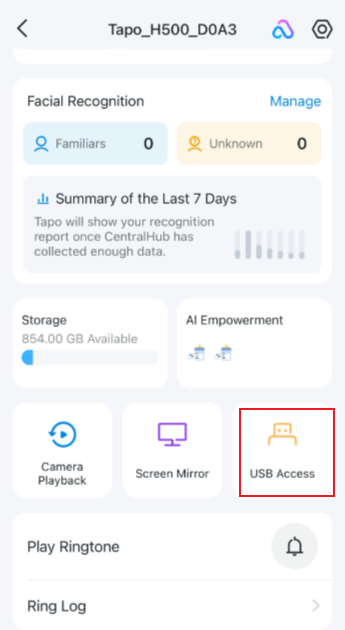
- Open the Tapo app and go to the Status page of your CentralHub. Tap USB Access and check whether your USB device is identified.