How to receive critical alerts from Tapo app
การอัปเดตล่าสุดอาจมีการขยายการเข้าถึงฟีเจอร์ต่าง ๆ ที่กล่าวถึงในคำถามที่พบบ่อยนี้ โปรดไปที่หน้าการสนับสนุนผลิตภัณฑ์ของคุณ เลือกเวอร์ชันฮาร์ดแวร์ที่ถูกต้องของอุปกรณ์ และตรวจสอบเอกสารประกอบผลิตภัณฑ์หรือข้อมูลเฟิร์มแวร์เพื่อดูรายละเอียดการปรับปรุงที่เพิ่มเข้ามาในผลิตภัณฑ์
Introduction
Requirement
Make sure you have set up your baby camera successfully. If you haven’t, set up your Tapo camera first.
Configuration
You can follow the steps below to set Tapo’s notification type.
Step 1. In the app, tap the device card and then the gear icon to enter the settings page.
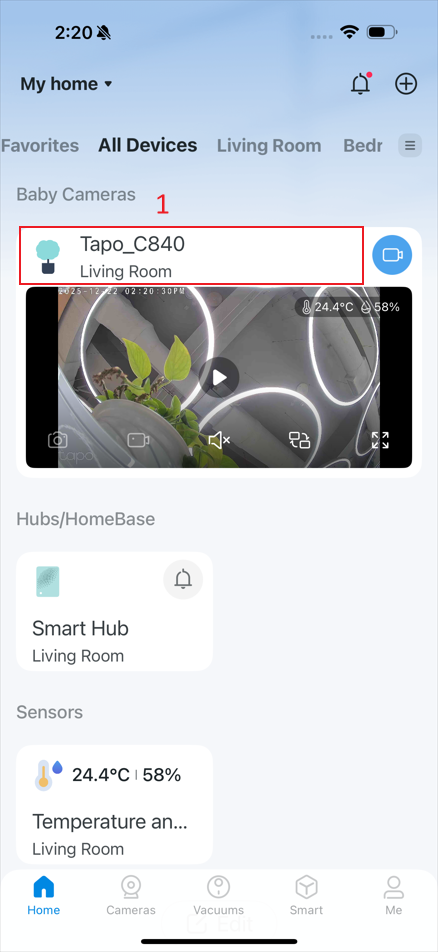
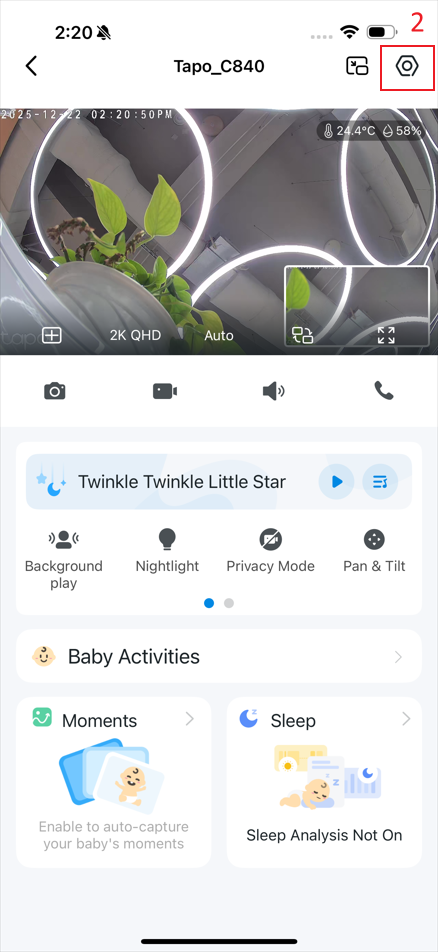
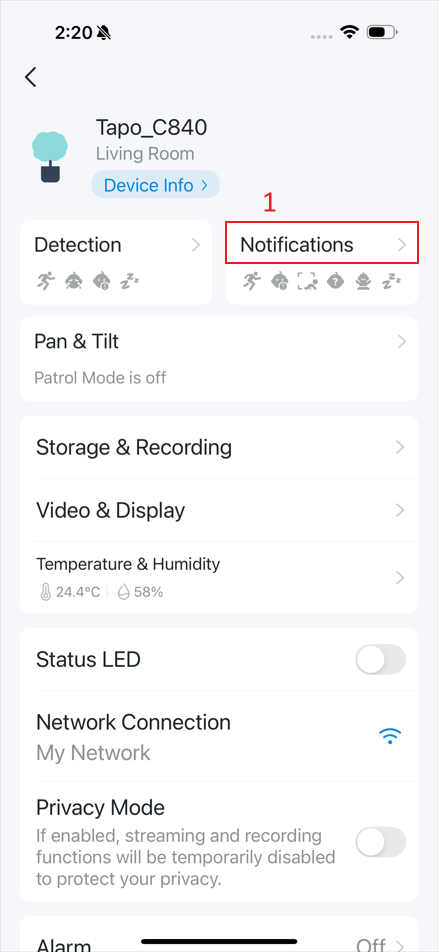
Step 2. Tap Notifications and then Activity Type.
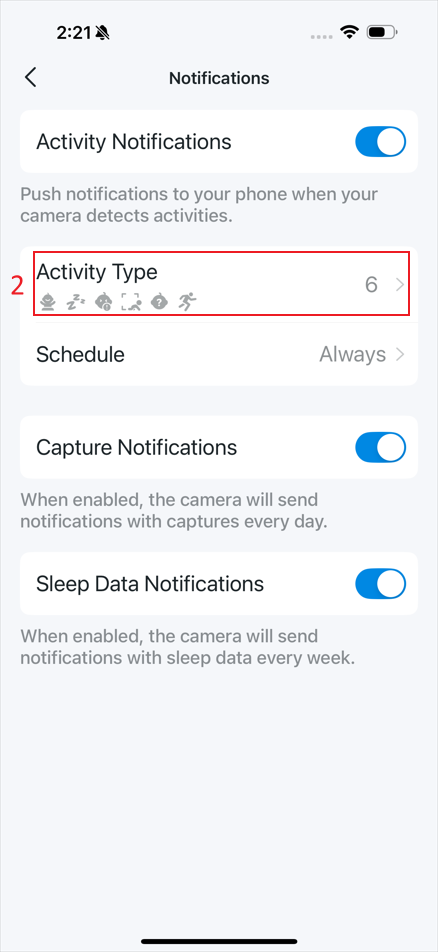
Step 3. On the Activity Type page, tap the current notification type; the type list will appear.
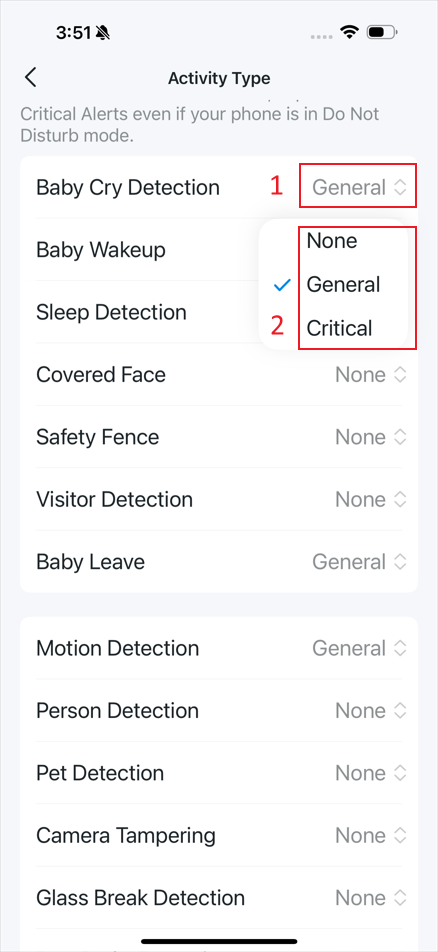
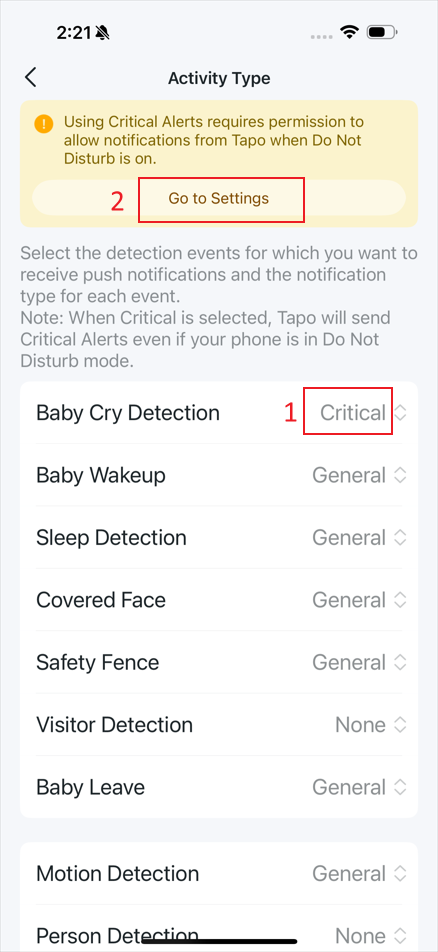
Step 4. Select Critical to display a reminder at the top of the page.
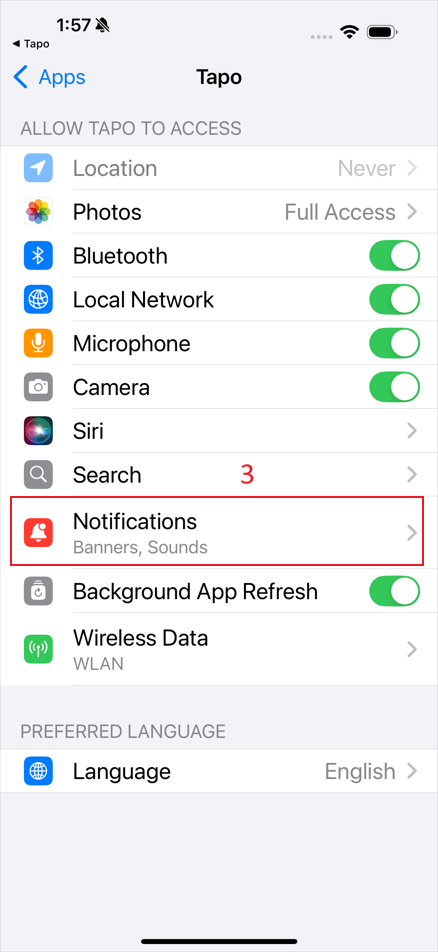
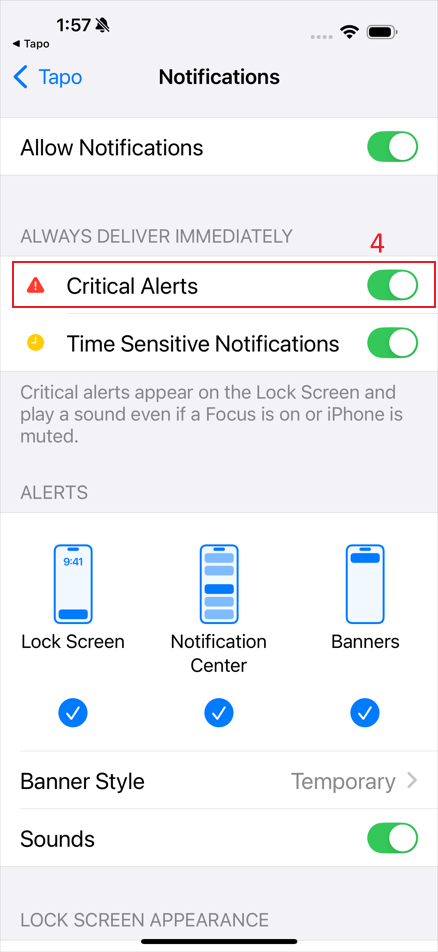
- For the iOS: Tap Go to Settings and then Notifications. Toggle to enable Critical Alerts.
- For the Android: Tap Go to Settings and toggle to enable Allow interruptions or add the Tapo app to the allowed list on your Android phone.
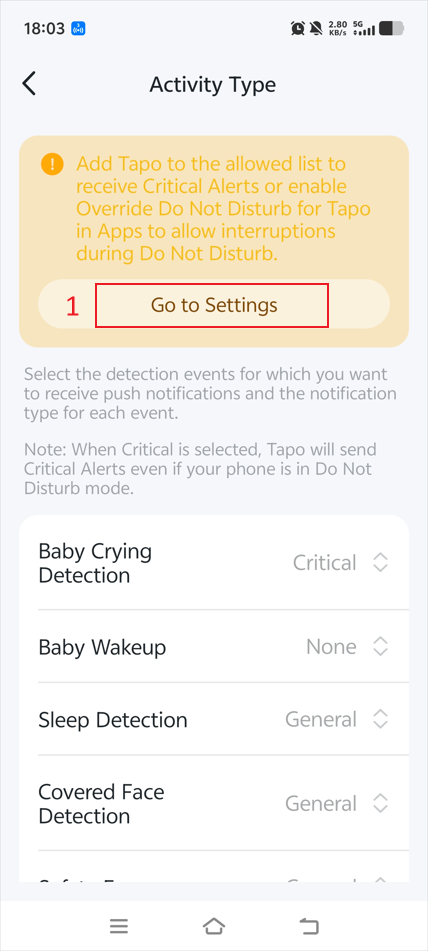
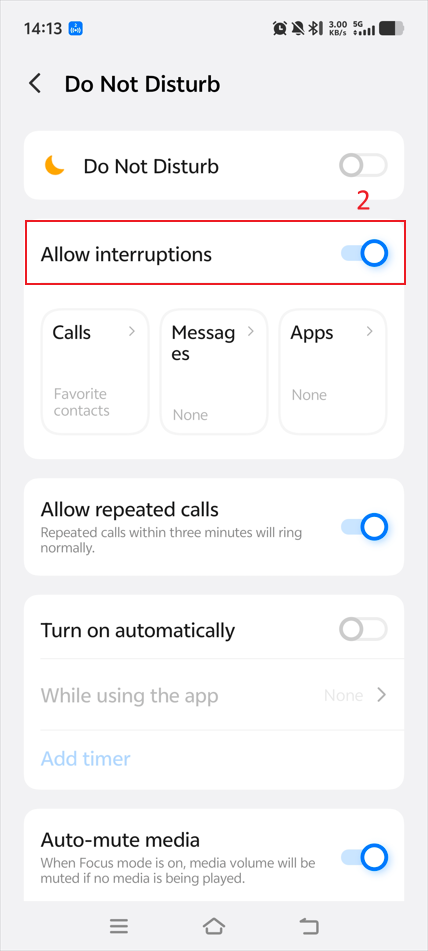
Step 5. After adding Tapo to the allowed list on your phone, you can change the notification type for more detection events directly.
Get to know more details of each function and configuration please go to Download Center to download the manual of your product.