How to configure Sleep Analysis for Tapo baby camera
Door recente updates is de toegang tot genoemde functie(s) in deze FAQ mogelijk uitgebreid. Ga naar de ondersteuningspagina van uw product, selecteer de juiste hardwareversie voor uw apparaat en controleer de sectie Gegevensblad of Firmware voor de laatste verbeteringen die aan uw product zijn toegevoegd. Let op: De productbeschikbaarheid verschilt per regio en sommige modellen zijn mogelijk niet beschikbaar in uw regio.
Introduction
The Sleep Analysis feature of Tapo C840 helps to track your baby’s sleep data and generate a sleep report. This article introduces Sleep Analysis and provides step-by-step instructions for configuration.
Requirement
Make sure you have set up your baby camera successfully. If you haven’t, set up your Tapo camera first.
Configuration
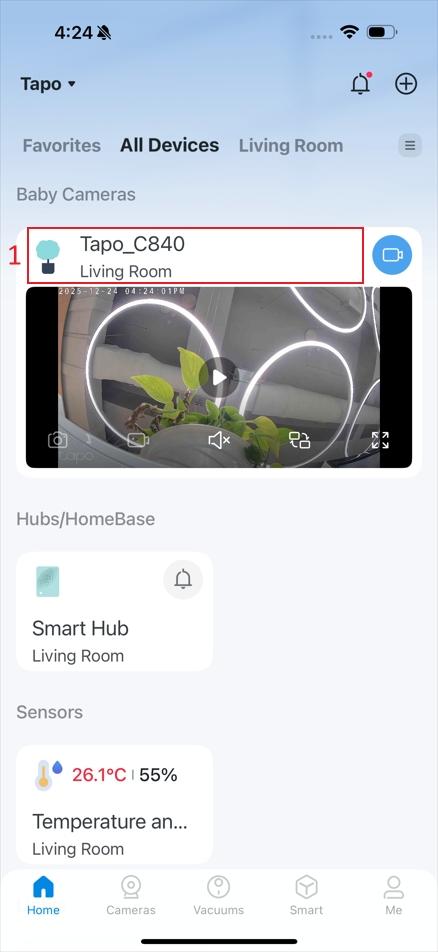
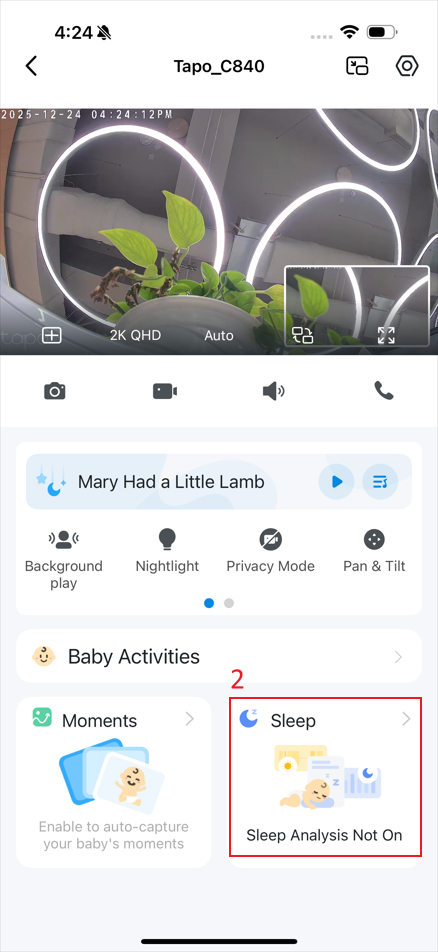
Step 1. In the app, tap the device card to enter the live view page, and then tap Sleep.
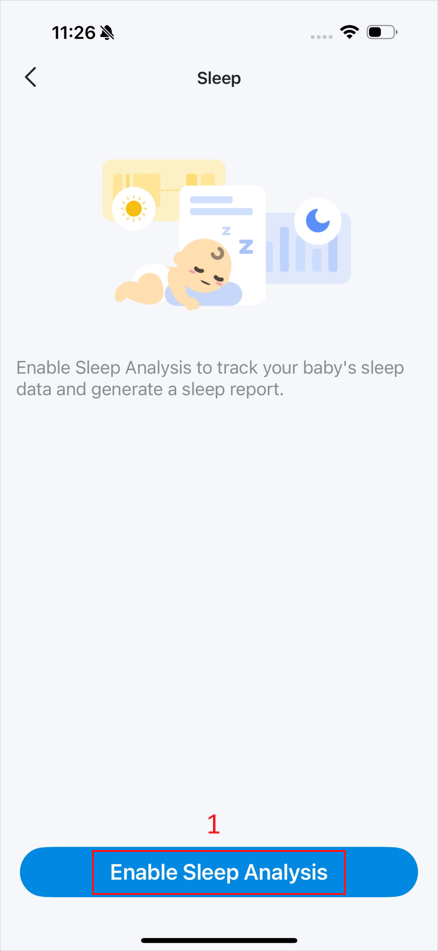
Step 2. Tap Enable Sleep Analysis.
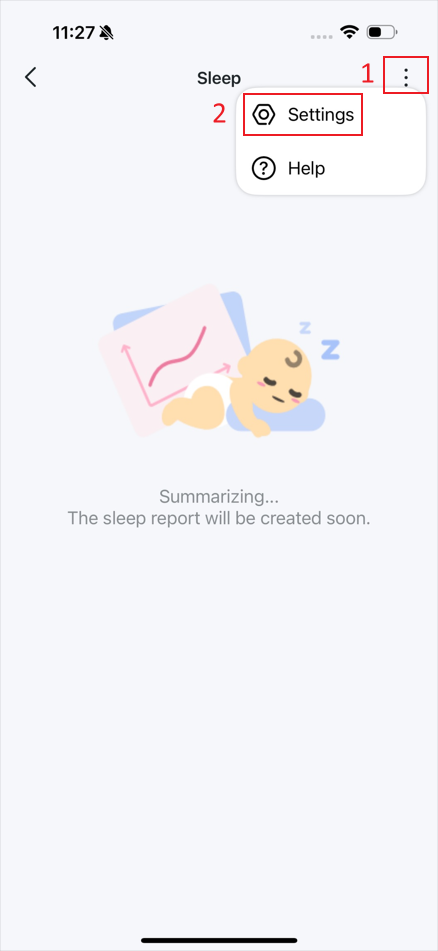
Step 3. Tap the kebab menu on the sleep page and then Settings.
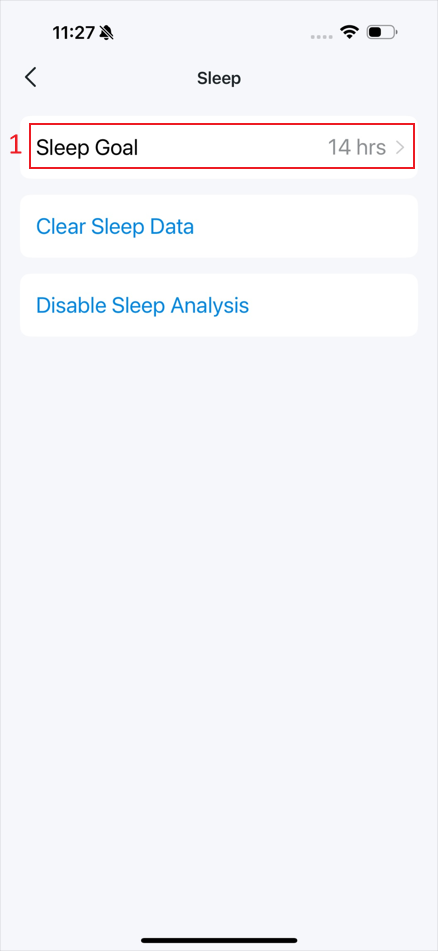
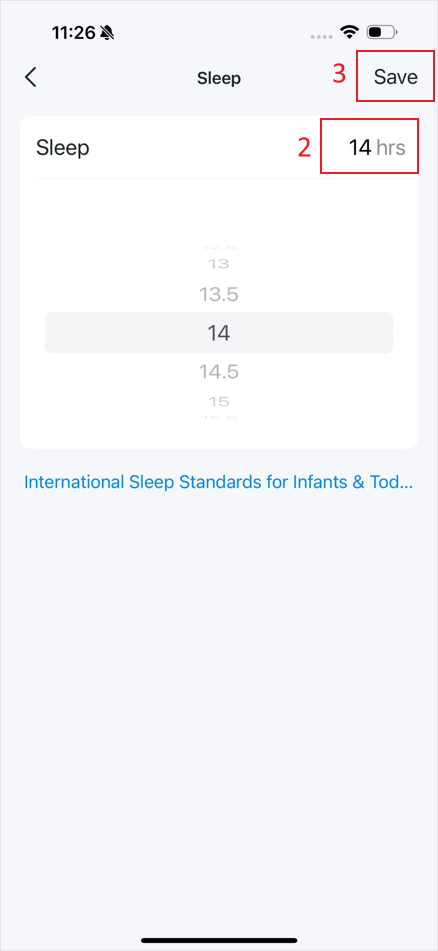
Step 4. Tap Sleep Goal to set a sleep duration for your baby and then Save.
Step 5. After collecting your baby’s sleep data, you can check the sleep report on the Sleep page.
Get to know more details of each function and configuration please go to Download Center to download the manual of your product.