How to connect Tapo sensors on Kasa app
Recent updates may have expanded access to feature(s) discussed in this FAQ. Visit your product's support page, select the correct hardware version for your device, and check either the Datasheet or the firmware section for the latest improvements added to your product. Please note that product availability varies by region, and certain models may not be available in your region.
Introduction
This article provides instructions for adding Tapo sensors via the KH100 in the Kasa App.
Note: If you have already added the KH100 in the Tapo App, please do not add Tapo Sensors through the KH100 in the Tapo App. Instead, add them in the Kasa App; otherwise, the Tapo Sensors will not appear in the Kasa App.
Configuration
Step 1. Go to the Kasa app and tap the KH100 Smart Hub to open it.
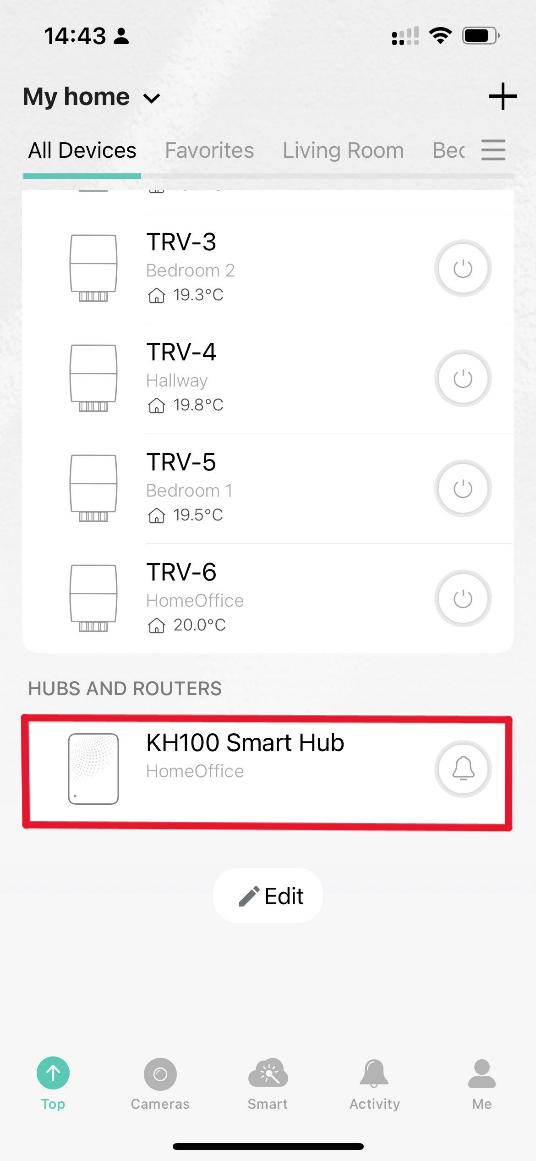
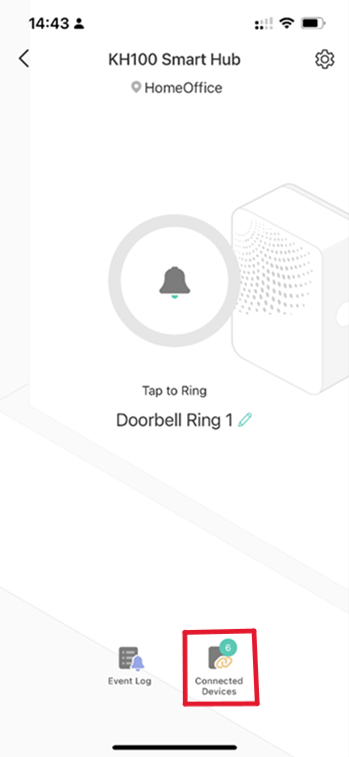
Step 2. Add a new device to your hub by accessing the Connected Devices tab on the Kasa app.
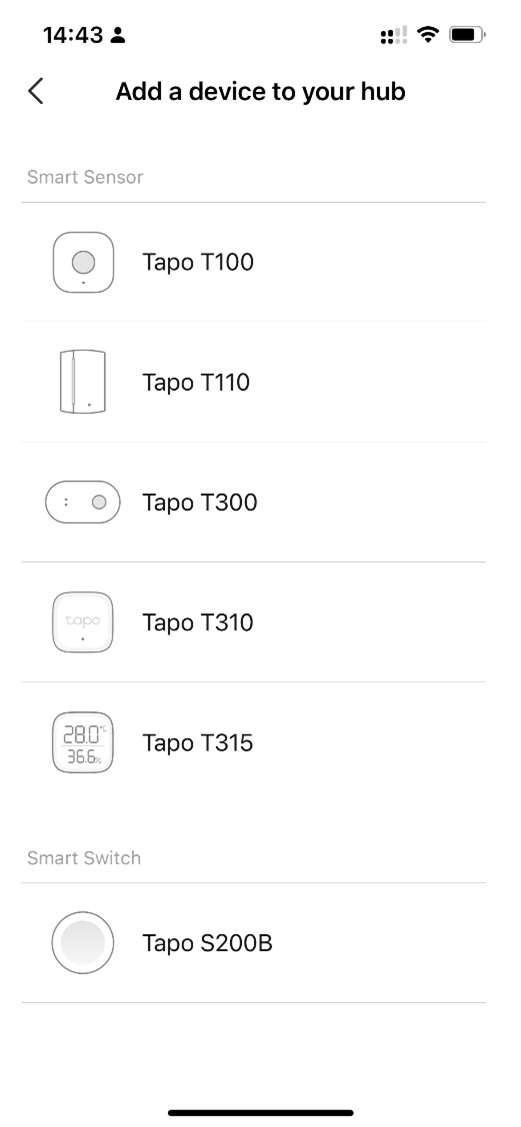
Step 3. Tap the + icon to select the device and wait to pair it successfully.
QA
Q1: Which Tapo devices are compatible with the Kasa app?
A1:
Smart Sensor
- Tapo T100
- Tapo T110
- Tapo T300
- Tapo T310
- Tapo T315
Smart Switch
- Tapo S200B
- Tapo S200D