Cámara Wi-Fi de Seguridad con Giro e Inclinación
| Tapo C200C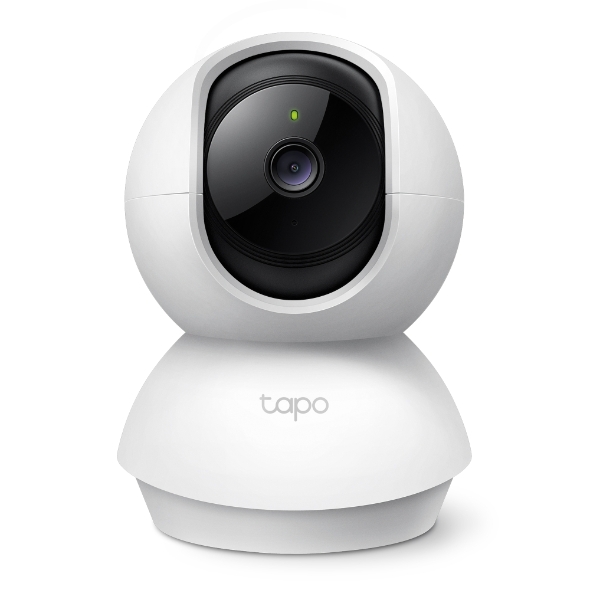

Cámara Wi-Fi de Seguridad con Giro e Inclinación
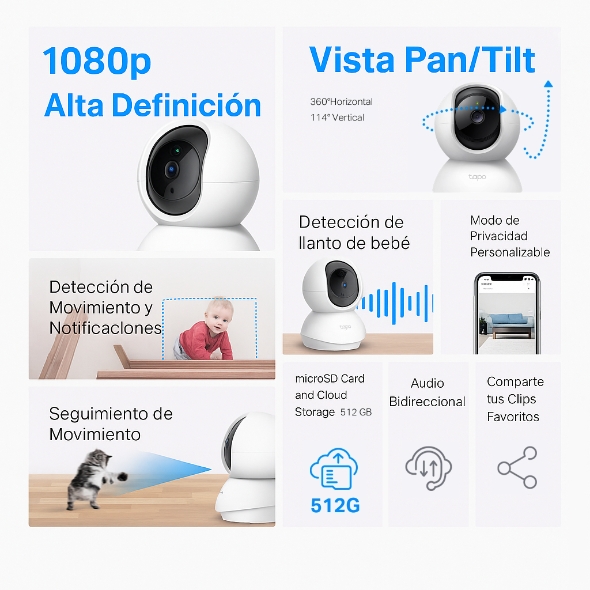
Tapo C200C- Video en Alta Definición: La Tapo C200C cuenta con video en 1080p de alta definición, ofreciendo a los usuarios imágenes claras y detalladas. El zoom digital de hasta 9x permite ver con mayor nitidez las áreas de interés.
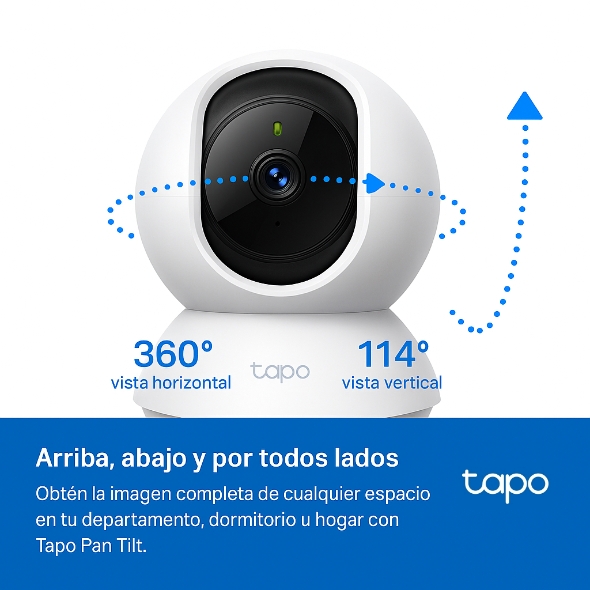
- Paneo e Inclinación: El dispositivo ofrece un rango de 360° horizontal y 114° vertical, lo que permite una cobertura completa del área.
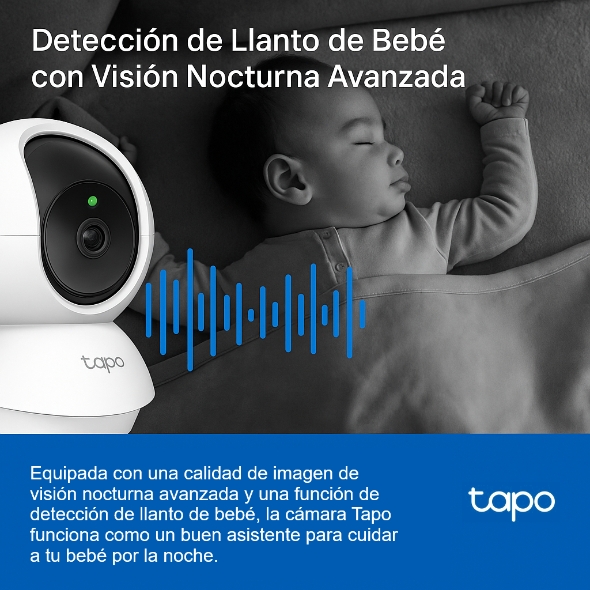
- Visión Nocturna: Con visión nocturna avanzada de hasta 40 pies, la Tapo C200C permite a los usuarios monitorear sus hogares las 24 horas del día.
- Detección de Movimiento y Alertas: El dispositivo utiliza tecnología inteligente de detección de movimiento para enviar notificaciones instantáneas a tu teléfono cuando se detecta movimiento.
- Audio Bidireccional: La Tapo C200C está equipada con un micrófono y altavoz integrados, lo que permite a los usuarios comunicarse con la familia, las mascotas o ahuyentar intrusos.
- Almacenamiento Local: El dispositivo admite tarjetas microSD de hasta 512GB para almacenamiento local, proporcionando una forma segura y rentable de guardar grabaciones.
- Modo de Privacidad: Los usuarios pueden activar el Modo de Privacidad para detener la grabación y controlar cuándo la cámara está monitoreando y cuándo no.
- Fácil Configuración y Gestión: Con la aplicación Tapo, los usuarios pueden configurar y administrar fácilmente su Tapo C200C, así como acceder a la transmisión en vivo y otros controles.
- Control por Voz: La Tapo C200C es compatible con Google Assistant y Amazon Alexa, ofreciendo control manos libres a los usuarios.
- Cifrado Seguro: El dispositivo utiliza cifrado avanzado y protocolos inalámbricos para garantizar la privacidad de los datos y una comunicación segura entre tu teléfono y el dispositivo.
Obtenga más información sobre la compatibilidad de la tarjeta microSD
Secure. Smart. Easy.
Watch Over What Matters Most.
Pan/Tilt Home Security Wi-Fi Camera
Tapo C200C

114° Vertical
1080p Enhanced Viewing
Record all of life's wonderful moments with the realistic 1080p Full High Definition. Zoom to see the sharp views.
1920 x 1080 px
Baby Crying Detection with Advanced Night Vision
Your second eyes and ears
Embedded with advanced night vision and baby crying detection, the Tapo Cam reinforces your baby care around the clock.
Baby Crying Detection
Crisp Night Vision (up to 40 ft)
Motion Detection and Notifications
Customize Your Activity Zones
for Vital Alerts
Control what alerts you receive by creating multiple custom activity zones around areas that matter.

Motion Detection

Customizable Activity Zones
Precise Motion Tracking
Keep an Eye on the Action
When motion activity is detected, tracks and follows the subject to keep it within view.
Two-Way Audio
Use crisp two-way audio to communicate with nosy roommates, family, or even mischievous pets.
Coco, no!
Sit Down!
Protect Your Privacy
from the Very Beginning
Privacy Zone
Set customizable block zones to keep certain spaces from being recorded so you never need to worry about personal moments being leaked.
Flexible Storage
Options
Save recorded video on a microSD Card†(up to 512 GB) or by using Tapo Care‡ cloud storage services.

Tapo Care‡

microSD Card† (up to 512 GB)
Tapo App Support
- 1 Download the free app
- 2 Plug in and connect
- 3 Control from anywhere




Walk You Through Setup Step by Step
-
1
 Download and open Tapo App
 -
2
 Tap Plus (+) to add your smart device
 -
3
 Look for your device and connect
 -
4
 Name the device and choose the room it’s in
 -
5
 Congratulations! You’ve now completed the configuration
Downloads