

If your Tapo baby camera misses detections or generates inaccurate alerts, camera placement, sensitivity settings, and environmental conditions may be affecting performance. This guide provides troubleshooting steps for visual detection and baby crying detection, and answers to common questions.
Key Takeaways
- Place the camera 0.5-1.2 m (1.6-4 ft) from the baby and ensure the view is clear and unobstructed.
- Disable Motion Tracking and adjust detection sensitivity to improve the accuracy of visual detection features.
- For Visual Boundary Detection, avoid drawing the safety boundary near the edges of the frame.
- Increase the detection sensitivity, raise the microphone volume, and move the camera closer to the baby if Baby Crying Detection is not working.
Troubleshooting
Scenario 1: Visual Detections Are Not Working (Face Visibility Check/Visual Boundary Detection/Baby Leave/Visitor Detection)
- Install the camera 0.5-1.2 m (1.6-4 ft) from the baby to ensure a clear, unobstructed view.
- Disable Motion Tracking, as frequent changes in the camera's field of view may affect detection accuracy.
- Increase the detection sensitivity for better performance. For example, Face Visibility Check has three sensitivity levels, allowing it to detect incidents with varying degrees of facial obstruction, and is recommended when the baby is asleep or when there are no external obstructions.
- For Visual Boundary Detection, avoid drawing the safety boundary near the edges of the frame to monitor the baby's activity range effectively.
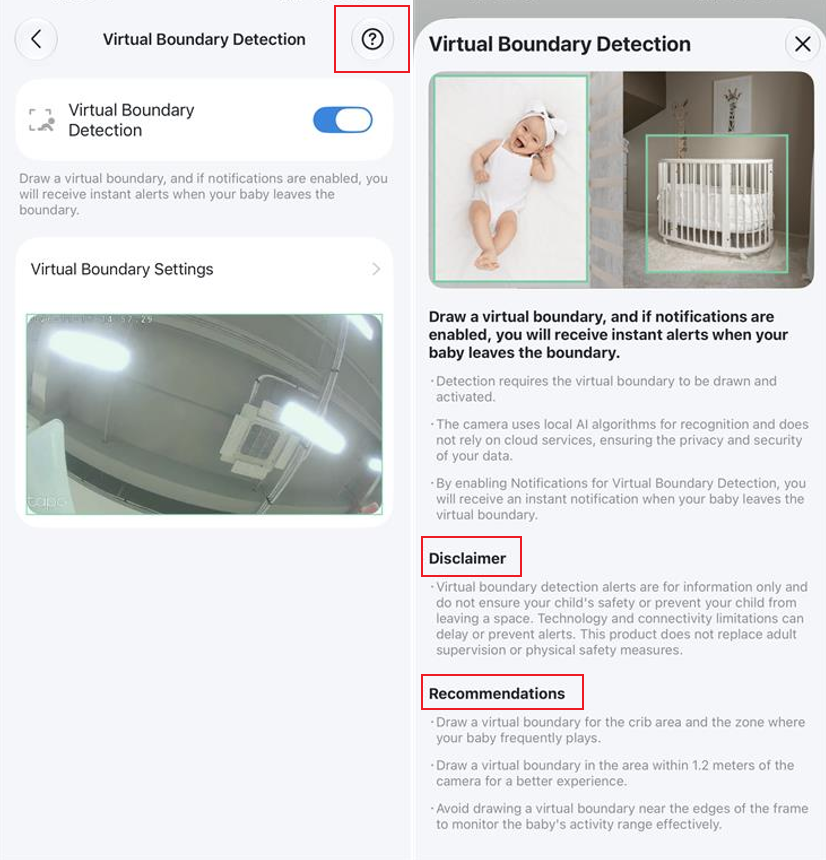
Note: Due to environmental influences and the inherent limitations of visual detection algorithms, baby sleep detection may not always be perfectly accurate. A certain degree of error is normal. If you frequently experience missed detections or false alerts, please share the alert video with our Support team for further assistance.
Scenario 2: Baby Crying Detection Not Working
- Increase the detection sensitivity under camera Device Settings > Detection.
- Increase the microphone volume.
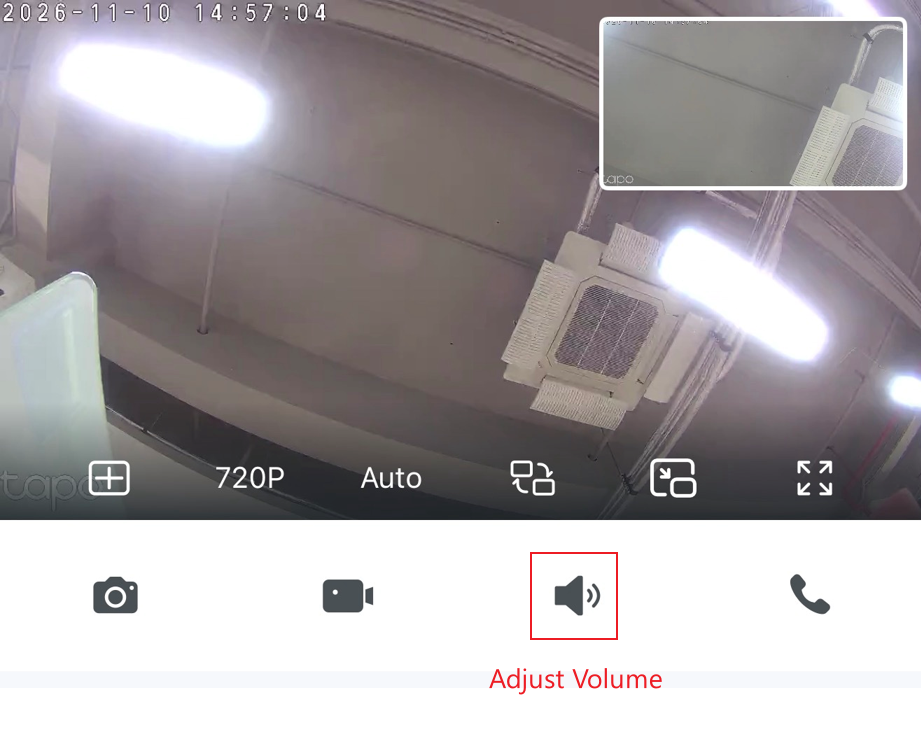
- Check that the camera microphone opening is not blocked by dust or debris, and clean it if necessary.
- Move the camera closer to the baby.
Note: If Baby Crying Detection generates frequent false alerts, reduce the detection sensitivity.
Q&A
Q1: What AI Detection Features Does Tapo C840 Provide for Baby Monitoring?
Tapo C840 includes several AI-powered baby monitoring features, including Baby Crying Detection, Sleep Detection, Face Visibility Check, Visual Boundary Detection, Visitor Detection, and Baby Leave Detection.
These features help parents monitor their baby's safety and activity more effectively.
Q2: Do AI Detection Features Upload User Information to TP-Link Servers?
No, the AI Detection features operate locally on the camera using its onboard algorithms. This means that no user data, such as facial recognition information, is uploaded to our servers. The camera processes the data on the device to protect privacy.
However, if you subscribe to our Tapo Care service, your detection snapshots and videos will be stored on our secure cloud servers. Rest assured, all data transmission and storage are strictly encrypted to protect your information and prevent any unauthorized access.
Q3: Can Visitor Detection Distinguish Family Members from Strangers? Does It Automatically Record Events?
Currently, Visitor Detection can detect when someone other than the baby enters the monitoring area, but it cannot distinguish between specific individuals, such as family members and strangers.
If Detection Recording is enabled in your recording settings, the camera will automatically record a video when a Visitor Detection event is triggered.