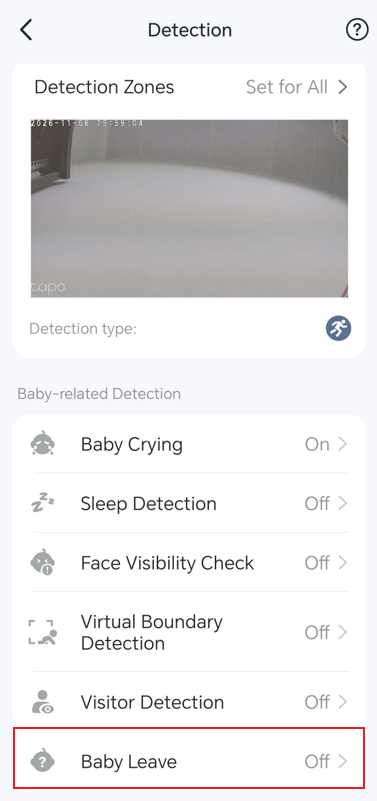
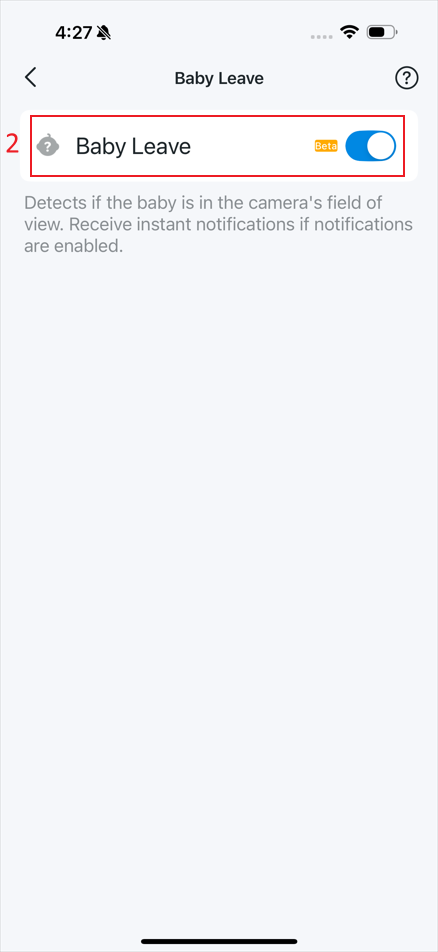
Tapo Baby Camera includes multiple AI-powered detection features designed to help parents monitor their baby's safety, activity, and well-being. This guide explains how to enable and configure Baby Crying Detection, Sleep Detection, Face Visibility Check, Visual Boundary Detection, Visitor Detection, and Baby Leave Detection in the Tapo app.
Key Takeaways
- Baby-related Detection on the Tapo baby camera includes Baby Crying, Sleep Detection, Face Visibility Check, Visual Boundary Detection, Visitor Detection, and Baby Leave Detection.
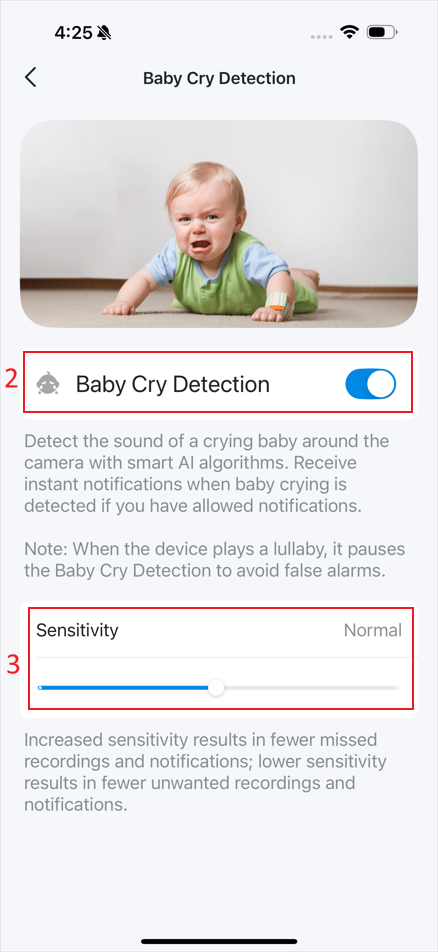
- Baby Crying Detection, Sleep Detection, Face Visibility Check, and Visitor Detection support sensitivity adjustment.
- Visual Boundary Detection allows you to create an electronic fence and adjust the zone by dragging corner points.
- Baby Leave Detection can notify you when the baby is no longer in the camera's field of view.
- All Baby-related Detection settings can be configured from the camera Device Settings > Detection page in the Tapo app.
Enable Baby Detection
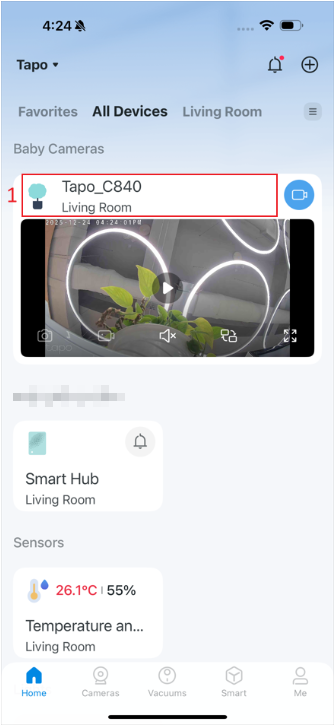
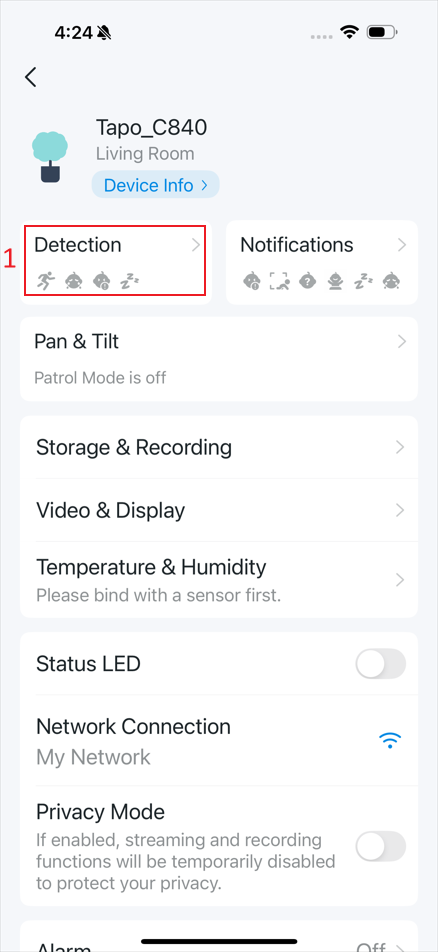
Step 1. Open the Tapo app, tap the camera card to enter Live View, then tap the gear icon in the top right corner to enter Device Settings.
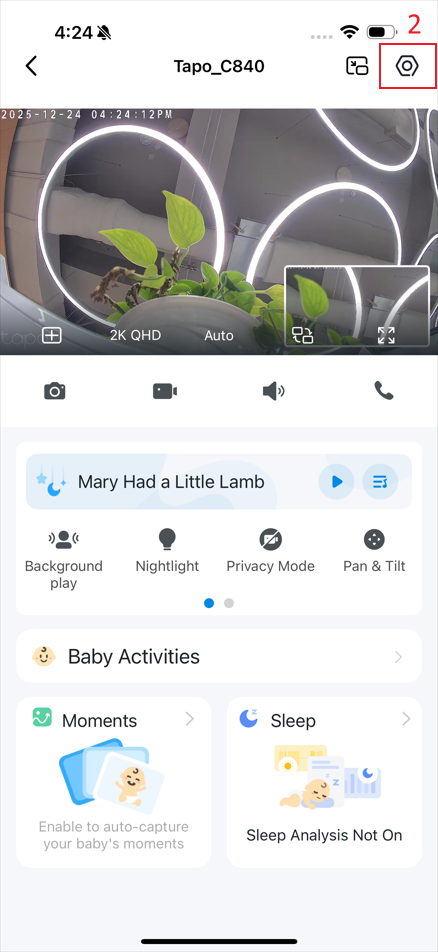
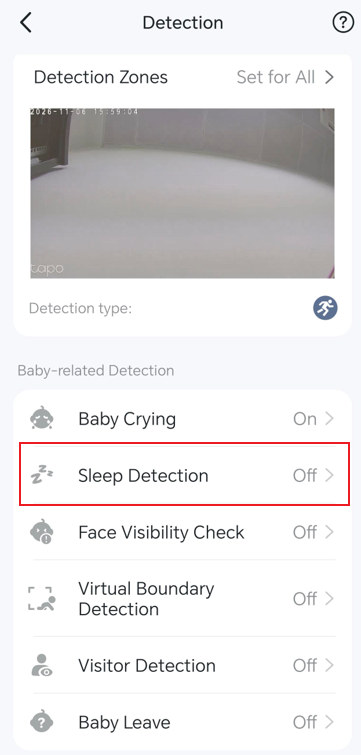
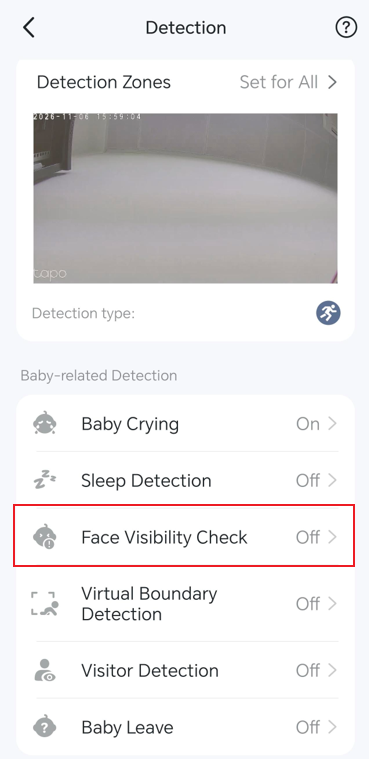
Step 2. Tap Detection to access the baby-related detection features.
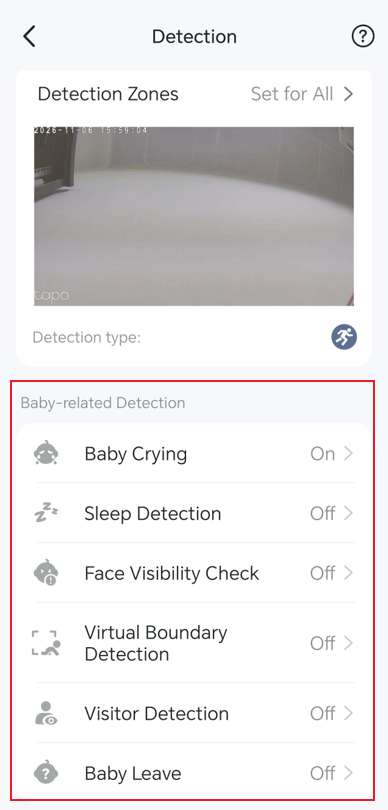
Step 3. Select a detection feature and configure its settings as needed.
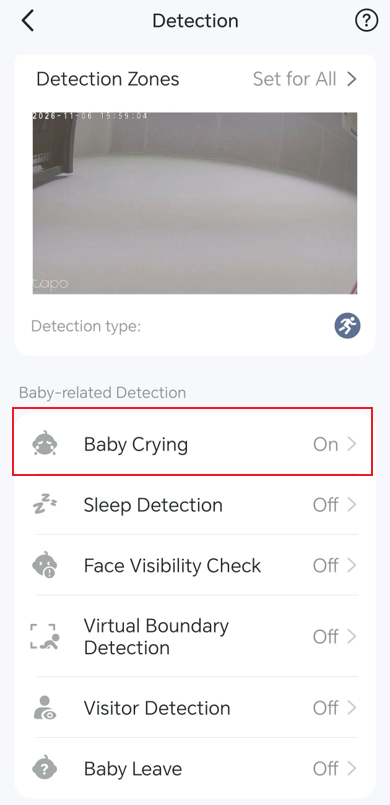
- Baby Crying: Detects the sound of a crying baby around the camera. Tap Baby Crying, then enable or disable detection and adjust the sensitivity.
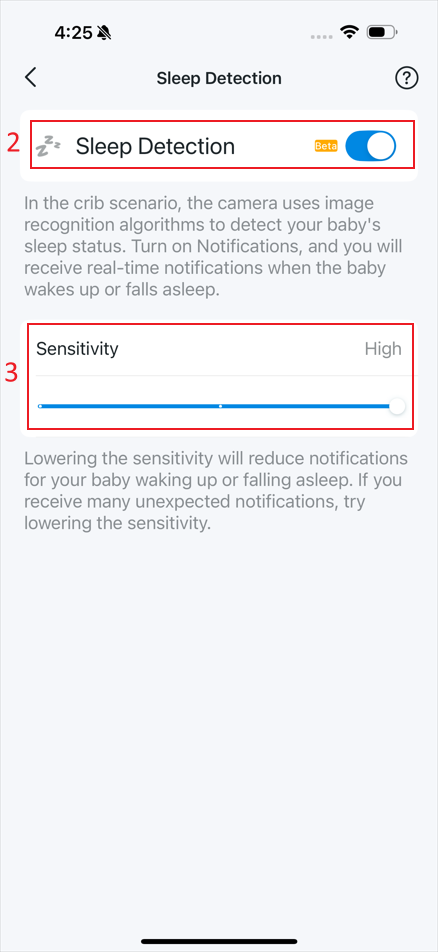
- Sleep Detection: Detects your baby’s sleep status in the crib scenario. Tap Sleep Detection, then enable or disable detection and adjust the sensitivity.
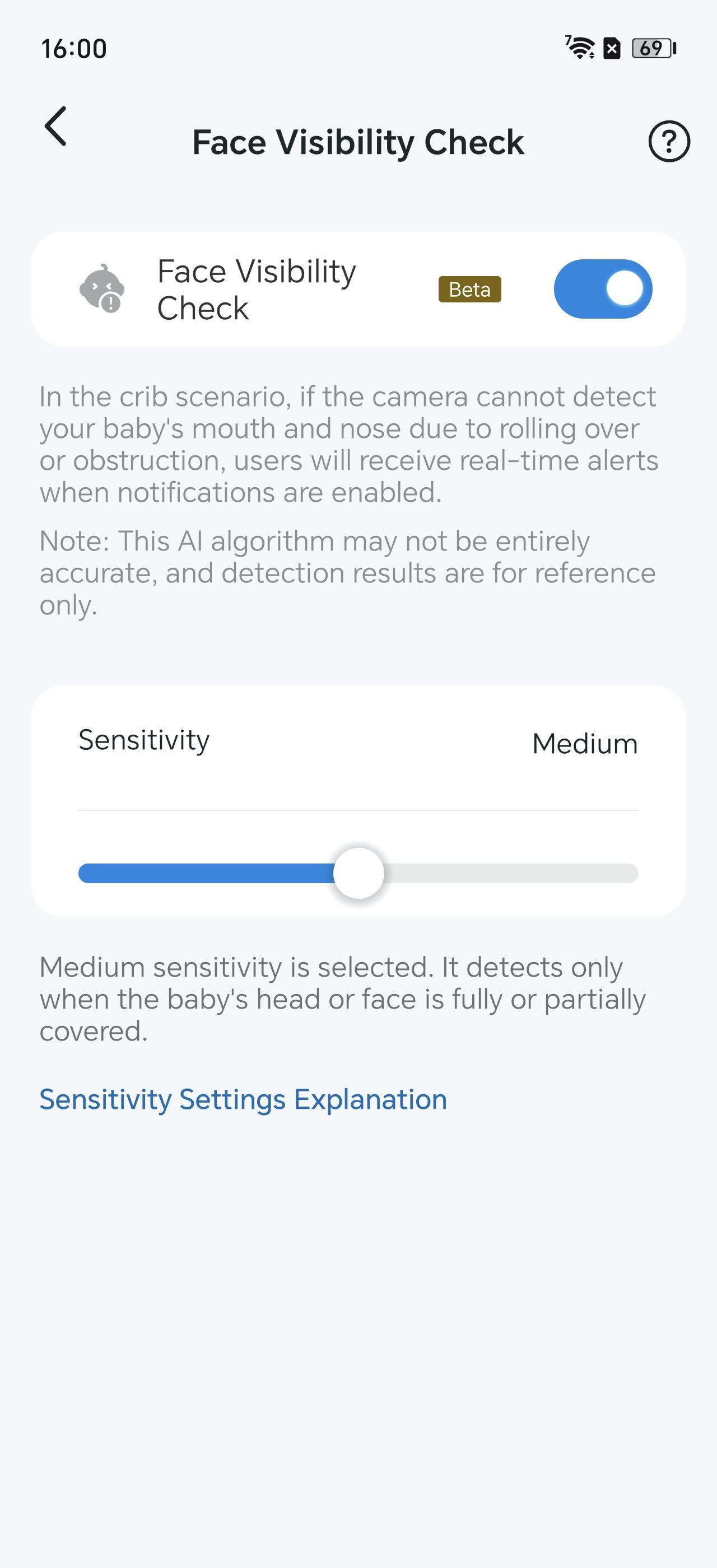
- Face Visibility Check: Detects whether your baby’s head or face is covered due to rolling over or obstruction in the crib scenario. Tap Face Visibility Check, then enable or disable detection, and adjust the sensitivity.
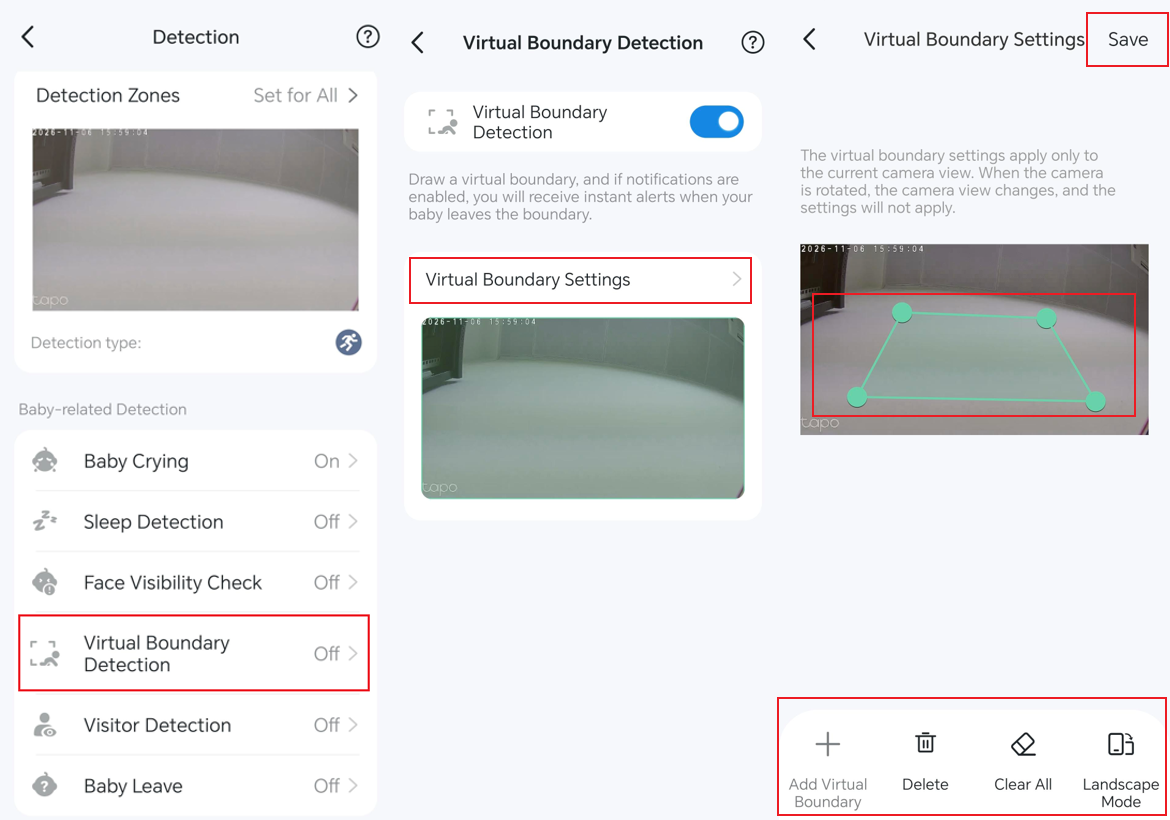
- Visual Boundary Detection: Detects if your baby leaves the electronic fence you’ve drawn. Tap Visual Boundary Detection, then enable or disable detection, and go to Virtual Boundary Settings to set a zone. You can adjust the zone by dragging the corner points.
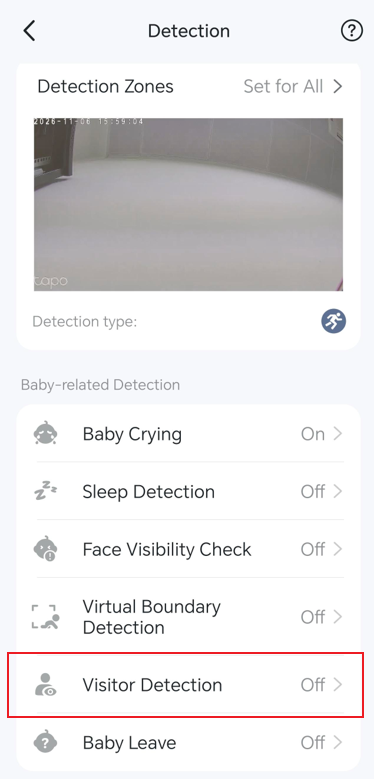
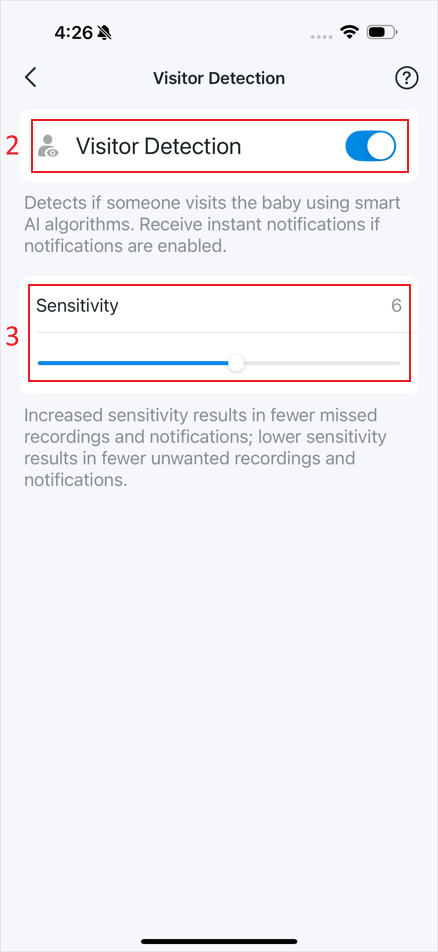
- Visitor Detection: Detects if someone visits your baby. Tap Visitor Detection, then enable or disable detection and adjust the sensitivity.
- Baby Leave: Detects if the baby is in the camera’s field of view. Tap Baby Leave, then enable or disable detection.